
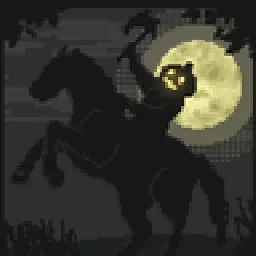
 Insanity ShaderShaders · 1.8 – 1.21
A stylized, horror themed Iris shaderpack with high customizability and performance.
Free8,017,004 downloads
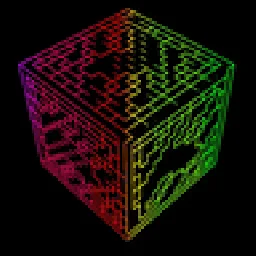
An abstract, stylized and high-performance Minecraft shader that will make your gaming experience unique.
Opens Modrinth · 23,024 downloads there


An abstract, stylized and high-performance Minecraft shader that will make your gaming experience unique.
white sharp shader is a shader pack made by playsi_. It supports Minecraft 1.18 – 1.21. It has been downloaded 23,024 times on Modrinth. The last update came out on Aug 30, 2025.
white sharp shader has had 3 releases on Modrinth since Mar 1, 2025. None of them came out in the past year. The newest is 1.2, released on Aug 29, 2025. It is made for Minecraft 1.18 – 1.21.11. It runs on Iris and Optifine. The download is 5 KB.
| Version | Released | Minecraft | Type |
|---|---|---|---|
1.2 | Aug 29, 2025 | 1.18 – 1.21.11 | Release |
1.1 | Mar 1, 2025 | 1.19 – 1.21.4 | Release |
1 | Mar 1, 2025 | 1.21 – 1.21.4 | Release |
The shader is at an early stage of development and I plan to update it, Watch for updates.
performance shaders for minecraft. which will turn the whole world into black with white lines.
You can also use this shader to create masks in photo editor.
Written by playsi_. Read it with pictures on Modrinth.
Install Iris (with Sodium) or OptiFine for your Minecraft version: shaders need one of them.
Download the .zip file from Modrinth. Do not unzip it.
In Minecraft, open Options, then Video Settings, then Shader Packs, and click Open Shader Pack Folder.
Drop the .zip file into that folder, pick white sharp shader in the list and click Done.
Shaders are heavy on the graphics card. If the game gets slow, pick a lower profile in the shader settings.
| Resource | Downloads | Versions | Last update | Price |
|---|---|---|---|---|
| white sharp shaderthe one you looked at | 23K | 1.18 – 1.21 | Aug 30, 2025 | Free |
| Insanity ShaderElocinDev | 8M | 1.8 – 1.21 | Jun 13, 2024 | Free |
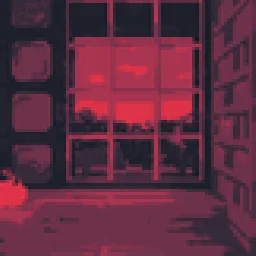 Wither Roselanzhan5656 | 18K | 1.16 – 1.21 | Jul 8, 2025 | Free |
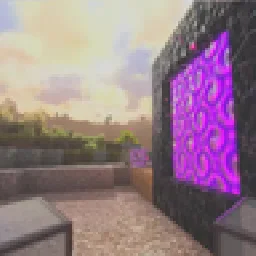 Pegasus Shaderstimetravelbeard | 950K | 1.19 – 26.x | Oct 3, 2026 | Free |
Not yet. The newest version it supports is Minecraft 1.21.
Yes. white sharp shader is free to download from Modrinth.
Yes: Iris Shaders. Install it before white sharp shader.
Yes. The last update came out in the past day.
The closest ones are Insanity Shader, Wither Rose and Pegasus Shaders. Compare all alternatives
Insanity ShaderShaders · 1.8 – 1.21A stylized, horror themed Iris shaderpack with high customizability and performance.
Wither RoseShaders · 1.16 – 1.21A high-performance stylized shader with multiple color palettes
Pegasus ShadersShaders · 1.19 – 26.xA shader that blends high performance range with new features, and lots of stylistic range!
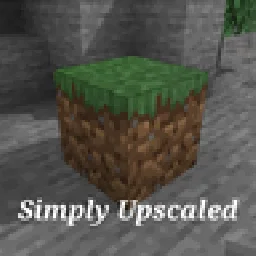 Simply UpscaledShaders · 1.12 – 26.x
A very Vanilla high performance shader with live Texture Upscaling/Filtering and optional shadows. Configurable subtly enhanced vanilla feel.
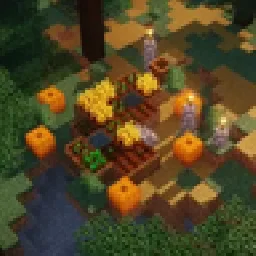 MelloShaders · 1.20 – 26.x
Mello is a shader with high performance and great visuals.
 Vanilla AdvancedShaders · 1.20
A high-performance shader meant to both look good and run on low-end computers! Might have some bugs on older GPUs. Feedback is appreciated!
Log in to leave a review.