
Projected Textures / Moving Plaid / Chowder Effect in Vanilla Minecraft
Opens Modrinth · 21,346 downloads there
Projected Textures / Moving Plaid / Chowder Effect in Vanilla Minecraft
Chowder is a shader pack made by AlphaLeoli. It supports Minecraft 1.21. It has been downloaded 21,346 times on Modrinth. The last update came out on Oct 7, 2025.
Chowder has had 2 releases on Modrinth since Aug 25, 2025. None of them came out in the past year. The newest is 1.0.1, released on Oct 7, 2025. It is made for Minecraft 1.21.2 – 1.21.10. It runs on Minecraft. The download is 4 KB.
| Version | Released | Minecraft | Type |
|---|---|---|---|
1.0.1 | Oct 7, 2025 | 1.21.2 – 1.21.10 | Release |
1.0.0 | Aug 25, 2025 | 1.21.2 – 1.21.8 | Release |
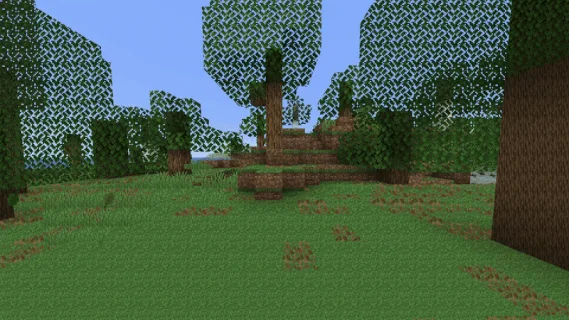
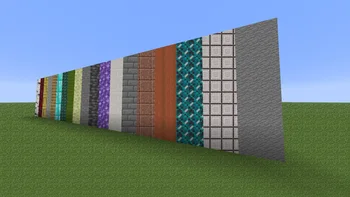
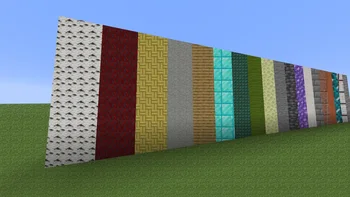
For more previews of what the effect looks like, make sure to check out the gallery
I'm sure most of you have heard of the Chowder effect in Minecraft now, because it has been all over the place. However, up until now there hasn't been an easy and simple way to get the effect for yourself. This texture pack works in completely Vanilla Minecraft, which means you don't need to do any work or install anything extra to make this pack function. However if you use Sodium, this pack won't work for you. I may attempt at fixing this in a future update.
Join My Discord
Check out The Repository
Written by AlphaLeoli. Read it with pictures on Modrinth.
Install Iris (with Sodium) or OptiFine for your Minecraft version: shaders need one of them.
Download the .zip file from Modrinth. Do not unzip it.
In Minecraft, open Options, then Video Settings, then Shader Packs, and click Open Shader Pack Folder.
Drop the .zip file into that folder, pick Chowder in the list and click Done.
Shaders are heavy on the graphics card. If the game gets slow, pick a lower profile in the shader settings.
Not yet. The newest version it supports is Minecraft 1.21.
Yes. Chowder is free to download from Modrinth.
Yes. The last update came out in the past day.
Log in to leave a review.
