
 Baseline ShaderShaders · 1.21
An enhanced vanilla shaderpack with colored lighting
Free3,891 downloads
A True Vanilla++ Shaderpack
Direct download from Modrinth · 21,233 downloads

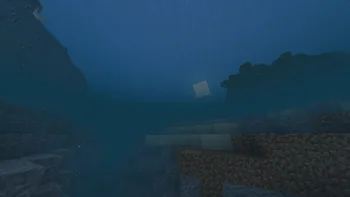
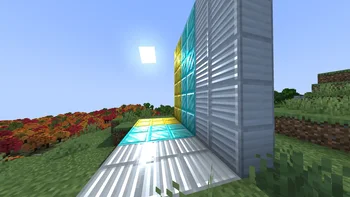
LBR-Enhanced is a shader pack made by Sarund9. A True Vanilla++ Shaderpack.
It supports Minecraft 1.20. It has been downloaded 21,233 times on Modrinth. The last update came out on Feb 19, 2024.
The newest is 0.1, released on Feb 19, 2024. It is made for Minecraft 1.20.1. It runs on Iris. The download is 1.0 MB.
| Version | Released | Minecraft | Type |
|---|---|---|---|
0.1 | Feb 19, 2024 | 1.20.1 | Alpha |
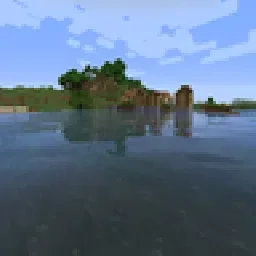
A Shaderpack focused on enhancing vanilla.
Uses a stylized lighting model that blends vanilla lighting with dynamic shadows.
This pack is still in development, I will most likely rewrite most features in it, and add more.
It currently has no Options, Weather or Clouds, and the nether and end are not tested.
Most Shaderspacks exist on a spectrum, from Vanilla+ packs that don't do enough, to ones that are impractical for gameplay.
As packs add more features and effects, they tend to focus on things that diverge too much from the base game.
LBR Enhanced has the goal of being a middle-ground pack focused
I used some extra mods while making the pack, screenshots contain some modded blocks and things.
Written by Sarund9. Read it with pictures on Modrinth.
Install Iris (with Sodium) or OptiFine for your Minecraft version: shaders need one of them.
Download the .zip file from Modrinth. Do not unzip it.
In Minecraft, open Options, then Video Settings, then Shader Packs, and click Open Shader Pack Folder.
Drop the .zip file into that folder, pick LBR-Enhanced in the list and click Done.
Shaders are heavy on the graphics card. If the game gets slow, pick a lower profile in the shader settings.
Full guide: How to install Minecraft shaders
| Resource | Downloads | Versions | Last update | Price |
|---|---|---|---|---|
| LBR-Enhancedthe one you looked at | 21K | 1.20 | Feb 19, 2024 | Free |
| Baseline ShaderJoaquiX | 3,891 | 1.21 | Jun 4, 2025 | Free |
 Vanilla Plus ShaderRRe36 | 2.8M | 1.16 – 1.21 | Feb 28, 2025 | Free |
 Simply Upscaledtimetravelbeard | 459K | 1.12 – 26.x | Sep 20, 2025 | Free |
Not yet. The newest version it supports is Minecraft 1.20.
Yes. LBR-Enhanced is free to download from Modrinth.
Yes. The last update came out in the past day.
The closest ones are Baseline Shader, Vanilla Plus Shader and Simply Upscaled. Compare all alternatives
Baseline ShaderShaders · 1.21An enhanced vanilla shaderpack with colored lighting
Vanilla Plus ShaderShaders · 1.16 – 1.21A shaderpack that gives Minecraft a modern visual overhaul while staying faithful to its original look.
Simply UpscaledShaders · 1.12 – 26.xA very Vanilla high performance shader with live Texture Upscaling/Filtering and optional shadows. Configurable subtly enhanced vanilla feel.
 Sildur's Enhanced Default ShadersShaders · 1.8 – 26.x
Improves the look of vanilla MC with shadows, reflections and more. Runs on any Potato!
 Simplicissimus ShaderShaders · 1.12 – 1.20
A shaderpack that tries to stay as simple as possible while still adding dynamic shadows and preserving as much of the vanilla rendering as possible.
 Vanilla EnhancedShaders · 1.17 – 26.x
A lightweight shader for realistic lighting & better visuals.
Log in to leave a review.