
 CapesMods · 1.17 – 26.x
Lets you use capes from OptiFine, LabyMod and other cape mods
Free24,968,498 downloads
Provides you with capes! You can choose from various providers or add your own
Direct download from Modrinth · 6,070,690 downloads
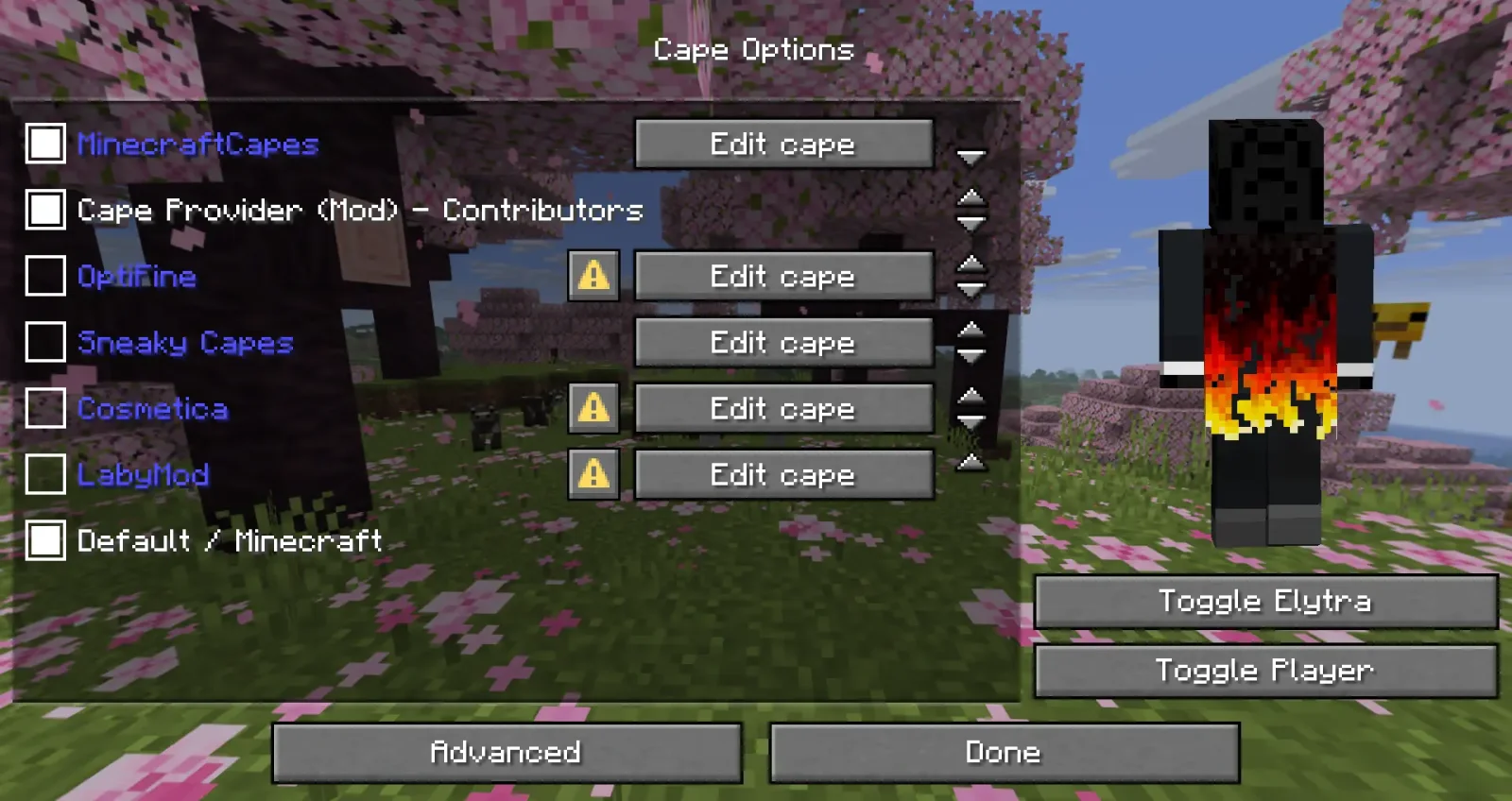
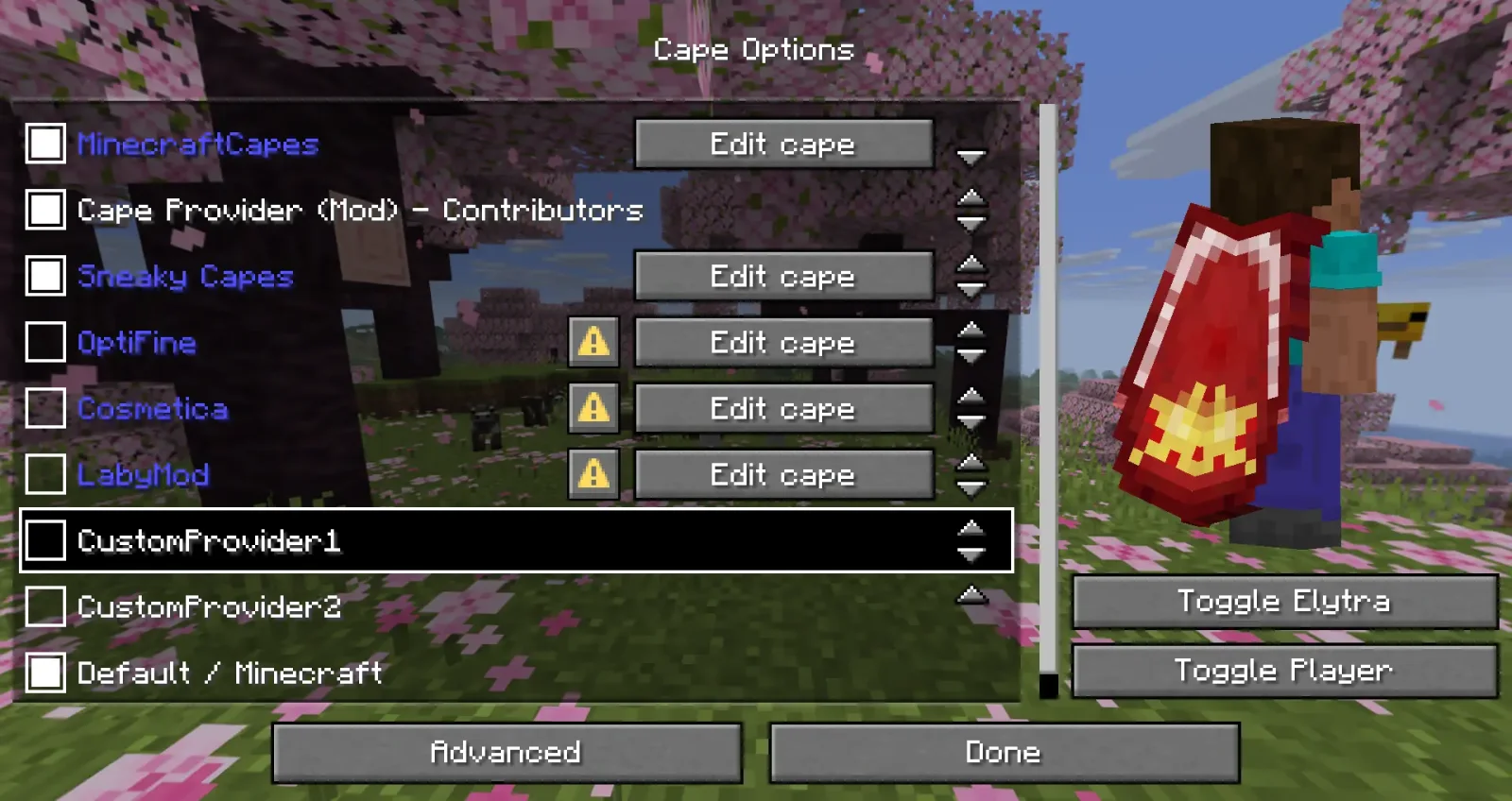
Cape Provider is a mod made by litetex. Provides you with capes! You can choose from various providers or add your own.
It supports Minecraft 1.21 – 26.x. It has been downloaded 6,070,690 times on Modrinth. The last update came out on Nov 4, 2026.
Cape Provider has had 41 releases on Modrinth since Mar 9, 2025. 23 of them came out in the past year. The newest is 6.0.0, released on Nov 4, 2026. It is made for Minecraft 26.3. It runs on Fabric. The download is 224 KB.
| Version | Released | Minecraft | Type |
|---|---|---|---|
6.0.0 | Nov 4, 2026 | 26.3 | Release |
6.0.0-SNAPSHOT | Nov 1, 2026 | 26.3 | Alpha |
5.6.2 | Oct 10, 2026 | 26.3 | Release |
5.6.1 | Sep 15, 2026 | 26.3 | Release |
5.6.0 | Sep 13, 2026 | 26.3 | Release |
Cape Provider is open source. Its newest release on GitHub is v6.0.0, published on Nov 4, 2026.
See Changelog#v6.0.0 for more information.
The mod can be downloaded from
Before that: v5.6.2 (Oct 10, 2026), v5.6.1 (Sep 15, 2026).
Provides you with capes!
You can choose from various providers or add your own.
Improved/Reworked version of the "Capes" mod:
The mod provides many different ways how a provider can be added.
The following possibilities are sorted by simplicity:
Recommended for:
* Users that just want a customizable cape
* Modpacks (using config/cape-provider/simple-custom)
The simplest way to display a cape is by going into the config/cape-provider directory and creating a cape texture file named cape.png.
Additionally there are the following optional files:
You can also add more providers by creating corresponding directories in config/cape-provider/simple-custom.
Example: config/cape-provider/simple-custom/my-super-cool-provider/cape.png
Recommended for:
* Users that want to add a custom remote provider
This demo showcases how to apply the capes inside `custom-cape-demo`.
{
"id": "cp1",
"name": "CustomProvider1",
// You can replace uuid with $id, $name or $idNoHyphen to customize the cape per Player
"uriTemplate": "raw.githubusercontent.com/litetex-oss/mcm-cape-…;
}
Example for SkinMC
{
"id": "skinmc",
"name": "SkinMC",
"uriTemplate": "skinmc.net/api/v1/skinmcCape/$id";
}
For more details have a look at RemoteCustomProvider and RemoteCustomProviderConfig
NOTE: Texture resolvers can be selected using the textureResolverId attribute (see below for details).
Recommended for:
* Mods
If you are a mod developer and want to e.g. display a cape for supporters or contributors of your mod, you can provide it using the mod's resources and/or metadata in `fabric.mod.json`.
The overall behavior is similar to how `modmenu` handles this.
This approach requires no network communication and is the recommended way.
It works by reading metadata and resources from the cape directory.
Here is an example:
`fabric.mod.json`
{
...
"custom": {
"cape": "Contributors"
}
}
Note: There is also a more detailed variant
`fabric.mod.json`
{
"custom": {
"cape": {
"name-extra": "Contributors",
"owners": {
// You can also used UUIDs
"names": [
"Notch"
]
}
}
}
}
The mod uses this strategy itself. See the fabric.mod.json or cape directory for details.
Here's an example implementation that shows how a remote cape provider can be added:
`fabric.mod.json`
{
...
"custom": {
"cape": "raw.githubusercontent.com/litetex-oss/mcm-cape-…;
}
}
Here's a more detailed variant
`fabric.mod.json`
{
"custom": {
"cape": {
// Gives everyone a christmas cape
// You can also use variables here, like $uuid. See above for more details
// You may have to escape the $ with \ or you can alternatively use § instead of $
// Alternative: "uriTemplate"
"url": "example.org/textures/§uuid.png";,
"changeCapeUrl": "...";,
"rateLimitedReqPerSec": 20 // Default is 20
}
}
}
You can also create a programmatic cape provider.
Images/Textures should not exceed 10MB. Otherwise they might be ignored.
The following resolvers are currently built-in:
Resolver-ID · Animated · Format · Example · Notes
default / null · ❌ · PNG · uuid.png
sprite · ✔ · Stacked PNG · animated.png
| gif | ✔ | GIF | animated.gif | Usage not recommended
GIFs require more resources when compared to more modern formats like PNG. |
Please note that animated textures can be frozen or completely disabled in the settings.
Written by litetex. Read it with pictures on Modrinth.
This mod runs only on your own game. Servers do not need it, so you can use it on any server.
Install Fabric for Minecraft 1.21 – 26.x.
Add the mods it needs: Fabric API.
Download the .jar file from Modrinth and put it in the mods folder of your .minecraft directory.
Start Minecraft with the Fabric profile.
Easier: in Prism Launcher or the Modrinth App, search for Cape Provider in your instance's mods and click Install. It adds the loader and the mods it needs for you.
Full guide: How to install Minecraft mods
| Resource | Downloads | Versions | Last update | Price |
|---|---|---|---|---|
| Cape Providerthe one you looked at | 6.1M | 1.21 – 26.x | 6 days ago | Free |
| Capescaelthecolher | 25M | 1.17 – 26.x | Sep 16, 2026 | Free |
 TipsDarkhax | 12.5M | 1.12 – 1.21 | Feb 12, 2026 | Free |
 CobbleThemesAndrouDiDou | 7.3M | 1.21 | Oct 3, 2026 | Free |
Yes. Cape Provider supports Minecraft 26.x. All supported versions: 26.x, 1.21.
Yes. Cape Provider is free to download from Modrinth.
Client-side. Cape Provider goes in your own mods folder and works on any server, including servers without mods.
Yes: Fabric API, Mod Menu. Install it before Cape Provider.
Yes. The last update came out in the past day.
The closest ones are Capes, Tips and CobbleThemes. Compare all alternatives
CapesMods · 1.17 – 26.xLets you use capes from OptiFine, LabyMod and other cape mods
TipsMods · 1.12 – 1.21This mod adds tips to loading menus. It also allows for modpacks and mods to add their own tips!
CobbleThemesMods · 1.21add various battle themes to cobblemon mod, and control them depending on what species the player is facing.
 Spyglass ImprovementsMods · 1.18 – 26.x
Spyglass Improvements is a mod that add various functionality and improvements to the vanilla minecraft spyglass.
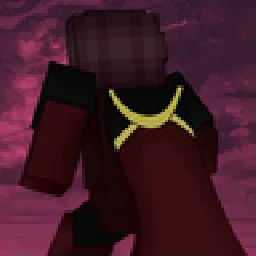 Wavey CapesMods · 1.8 – 26.x
The cape shouldn't be a static slab
 Gensokyo Delight ~ Youkais' FeastsMods · 1.20 – 1.21
Add a variety of Japanese style food, drink, and culinary utensils. Provides immersive cooking experience with 143+ food, including 31 placeable food.
Log in to leave a review.