
 UndertaleModpacks · 1.21
Minecraft Full Undertale map Experience (Part 1-2)
Free174,992 downloads
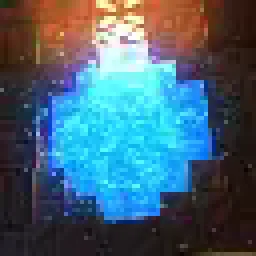
Roguelike Map inspired by Hades and ULTRAKILL
Direct download from Modrinth · 44,646 downloads


Atmos: Minecraft Edition is a modpack made by pinkiuses. Roguelike Map inspired by Hades and ULTRAKILL.
It supports Minecraft 1.21. It has been downloaded 44,646 times on Modrinth. The last update came out on Mar 7, 2026.
Atmos: Minecraft Edition has had 25 releases on Modrinth since Nov 26, 2025. 25 of them came out in the past year. The newest is 1.1.2, released on Mar 6, 2026. It is made for Minecraft 1.21.4. It runs on Fabric. The download is 169.1 MB.
| Version | Released | Minecraft | Type |
|---|---|---|---|
1.1.2 | Mar 6, 2026 | 1.21.4 | Release |
1.1.1b | Dec 19, 2025 | 1.21.4 | Release |
1.1.0 | Dec 18, 2025 | 1.21.4 | Release |
1.0.7b | Dec 13, 2025 | 1.21.4 | Release |
1.0.7 | Dec 8, 2025 | 1.21.4 | Release |
Atmos: Minecraft Edition - is a fast paced action Rougelike made entirely in vanilla Minecraft. It's basically a separate game, inspired by Hades with some elements from ULTRAKILL.
Travel into various domains to fight numerous foes that are standing in your way. Collect relics, items, upgrades and fight dozen and dozens of enemies that are there to stop you!
Map features:
Save system has been implemented!
Starting from 1.0.3.1 and onwards, updating to a new version will keep your progress intact!
‼️If you want to retain your save file during transition to modpack (or in general) follow these steps‼️
On Install: Some in-game settings must be changed for the best experience. This pack comes with FancyMenu preinstalled, so clicking "Auto-Settings" would set the game up for you. ANY type of custom shaders is NOT RECOMMENDED, as they conflict with the vanilla core shaders, used to render a huge portion of the map and a lot of different mechanics. If something breaks because you enabled a custom shader - it's entirely on you.
Shaders:
Written by pinkiuses. Read it with pictures on Modrinth.
This modpack runs on Fabric for Minecraft 1.21. The launcher you install it with sets that up for you.
Download the .mrpack file from Modrinth.
Open it with a launcher that reads .mrpack files, such as the Modrinth App or Prism Launcher: it makes a new instance with every mod and setting of the pack.
Give the instance enough memory: most modpacks want 4 to 8 GB.
To play it with friends on a server, use the server files of the modpack if its page offers them; otherwise install the same mods on the server.
Full guide: How to install Minecraft mods
| Resource | Downloads | Versions | Last update | Price |
|---|---|---|---|---|
| Atmos: Minecraft Editionthe one you looked at | 45K | 1.21 | Mar 7, 2026 | Free |
| UndertaleClouser | 175K | 1.21 | May 23, 2025 | Free |
 Hollow KnightClouser | 83K | 1.20 | Jun 12, 2024 | Free |
 Noyan ModPackNoyan | 52K | 1.20 – 26.x | Oct 1, 2026 | Free |
Not yet. The newest version it supports is Minecraft 1.21.
Yes. Atmos: Minecraft Edition is free to download from Modrinth.
Yes. The last update came out in the past day.
The closest ones are Undertale, Hollow Knight and Noyan ModPack. Compare all alternatives
UndertaleModpacks · 1.21Minecraft Full Undertale map Experience (Part 1-2)
Hollow KnightModpacks · 1.20Hollow Knight Minecraft Fully Playable Map
Noyan ModPackModpacks · 1.20 – 26.x| All maps made by Noyan | Try our latest map: Sonic Map
 RLFabricModpacks · 1.20
RLFabric is a modpack inspired off of RLCraft. With lots of new mechanics, tech, structures, tools, and so much more.
 Mine StrikeModpacks · 1.20
Counter Strike 2 in minecraft 1.20.1! Map with raid simulators, 1 vs 1, 2 vs 2, bomb planting for 5 vs 5. You will get the best experience with the weapon mod…
 Sodium Fps+Modpacks · 1.18 – 1.21
This mod pack contains Sodium for a FPS boost, it also has Xaeros minimap and world map to help you get lost in the Minecraft world. It doesn't really change…
Log in to leave a review.