
 Net MusicMods · 1.12 – 26.x
A CD player that can directly play NetEase Cloud network streaming music
Free4,881,437 downloads
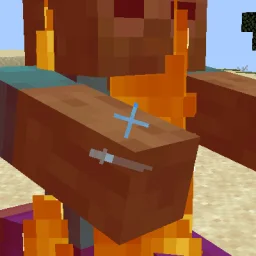
This mod allows the crosshair to follow the view bobbing and play the animation according to the player's actions.
Direct download from Modrinth · 4,825,951 downloads
Crosshair Bobbing is a mod made by Krash220. This mod allows the crosshair to follow the view bobbing and play the animation according to the player's actions.
It supports Minecraft 1.16 – 1.20. It has been downloaded 4,825,951 times on Modrinth. The last update came out on Feb 5, 2025.
Crosshair Bobbing has had 11 releases on Modrinth since Jul 4, 2023. None of them came out in the past year. The newest is 1.10, released on Feb 5, 2025. It is made for Minecraft 1.16.3 – 1.20.2. It runs on Fabric, Forge and NeoForge. The download is 290 KB.
| Version | Released | Minecraft | Type |
|---|---|---|---|
1.10 | Feb 5, 2025 | 1.16.3 – 1.20.2 | Release |
1.9 | Aug 10, 2024 | 1.16.2 – 1.20.2 | Release |
1.8 | Aug 7, 2024 | 1.16.2 – 1.20.2 | Release |
1.7 | Jul 14, 2024 | 1.16.2 – 1.20.2 | Release |
1.6 | Jul 4, 2024 | 1.16.2 – 1.20.2 | Release |
This mod will add the following effects to your crosshair:
Click *Gallery* to watch more screenshots.
This mod has been written for Minecraft 1.16.2-1.20.1 with Fabric/Quilt Modloader and 1.16.3-1.20.1 with Forge Modloader.
Written by Krash220. Read it with pictures on Modrinth.
This mod runs only on your own game. Servers do not need it, so you can use it on any server.
Install Fabric, Forge and NeoForge for Minecraft 1.16 – 1.20.
Download the .jar file from Modrinth and put it in the mods folder of your .minecraft directory.
Start Minecraft with the Fabric profile.
Easier: in Prism Launcher or the Modrinth App, search for Crosshair Bobbing in your instance's mods and click Install. It adds the loader and the mods it needs for you.
Full guide: How to install Minecraft mods
| Resource | Downloads | Versions | Last update | Price |
|---|---|---|---|---|
| Crosshair Bobbingthe one you looked at | 4.8M | 1.16 – 1.20 | Feb 5, 2025 | Free |
| Net MusicTartaricAcid | 4.9M | 1.12 – 26.x | Sep 6, 2026 | Free |
 World Play TimeKhajiitos | 3.8M | 1.19 – 26.x | Mar 28, 2026 | Free |
 Chat AnimationEzzenix | 24.5M | 1.20 – 26.x | 29 days ago | Free |
Not yet. The newest version it supports is Minecraft 1.20.
Yes. Crosshair Bobbing is free to download from Modrinth.
Client-side. Crosshair Bobbing goes in your own mods folder and works on any server, including servers without mods.
Yes: Mod Menu. Install it before Crosshair Bobbing.
Yes. The last update came out in the past day.
The closest ones are Net Music, World Play Time and Chat Animation. Compare all alternatives
Net MusicMods · 1.12 – 26.xA CD player that can directly play NetEase Cloud network streaming music
World Play TimeMods · 1.19 – 26.xDisplays the world's play time in the world selection menu.
Chat AnimationMods · 1.20 – 26.xMakes chat messages appear with a smooth animation.
 Explosive EnhancementMods · 1.19 – 26.x
Makes the explosion animation look cooler.
 Cassetu's Better PVP CrosshairMods · 1.21
A client-side combat utility mod that changes your crosshair color based on what you're aiming at and can display an attack cooldown ring.
 Smooth GuiMods · 1.20 – 26.x
Makes menu screens open with a smooth animation.
Log in to leave a review.