
 Legacy WorldsResource packs · 1.21 – 26.x
The Legacy Console Edition mash-up worlds ported to Java Edition, for use with the Legacy4J mod.
Free294,887 downloads
A collection of title screen logos for Legacy4J, in the style of, or extracted from Legacy Console Edition.
Direct download from Modrinth · 240,508 downloads
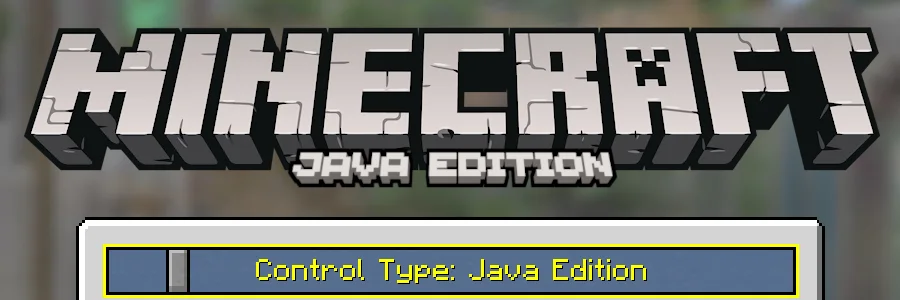
Legacy Titles is a resource pack made by omo50. A collection of title screen logos for Legacy4J, in the style of, or extracted from Legacy Console Edition.
It supports Minecraft 1.20 – 1.21. It has been downloaded 240,508 times on Modrinth. The last update came out on Apr 4, 2026.
Legacy Titles has had 8 releases on Modrinth since Aug 17, 2024. 5 of them came out in the past year. The newest is 2.1.3, released on Apr 3, 2026. It is made for Minecraft 1.20.1 – 1.21.10. It runs on Minecraft. The download is 1.1 MB.
| Version | Released | Minecraft | Type |
|---|---|---|---|
2.1.3 | Apr 3, 2026 | 1.20.1 – 1.21.10 | Release |
2.2-dr1(fools) | Apr 1, 2026 | 1.21.10 | Release |
2.1.2 | Feb 9, 2026 | 1.20.1 – 1.21.10 | Release |
2.1.1 | Dec 23, 2025 | 1.20.1 – 1.21.10 | Release |
2.1 | Dec 19, 2025 | 1.20.1 – 1.21.10 | Release |
(formerly "Deck Title for Legacy4J")
Legacy Titles is a resource pack made specifically for Legacy4J, adding the different "Edition" titles from Minecraft: Legacy Console Edition, while also adding fitting, custom titles to complete the Legacy experience for your preferred platform.
This resource pack requires the Legacy4J mod and its dependencies.
With L4J installed and resource pack applied, simply head to Help & Options > Settings > Game Options > Show Advanced Options (typically done with Y on Xbox gamepads, O on keyboard)
You can cycle through the different titles using the "Control Type" slider
I am not affiliated with Mojang Studios, 4J Studios or Microsoft. Most of the assets used belong to them.
Written by omo50. Read it with pictures on Modrinth.
Download the .zip file from Modrinth. Do not unzip it.
In Minecraft, open Options, then Resource Packs, then Open Pack Folder.
Drop the .zip file into that folder and go back to the game.
Move Legacy Titles to the right-hand list and click Done.
It is made for Minecraft 1.20 – 1.21. On other versions Minecraft marks it as incompatible, but it often still works.
Full guide: How to install Minecraft resource packs
| Resource | Downloads | Versions | Last update | Price |
|---|---|---|---|---|
| Legacy Titlesthe one you looked at | 241K | 1.20 – 1.21 | Apr 4, 2026 | Free |
| Legacy Worldsomo50 | 295K | 1.21 – 26.x | May 11, 2026 | Free |
 OCSMP Title ScreenScytheGD | 6,167 | 1.21 | 27 days ago | Free |
 Classic Minecraft YouTuber Skin PackMacAndMayo | 232K | 1.20 – 1.21 | Sep 2, 2024 | Free |
Not yet. The newest version it supports is Minecraft 1.21.
Yes. Legacy Titles is free to download from Modrinth.
Yes: Legacy4J. Install it before Legacy Titles.
Yes. The last update came out in the past day.
The closest ones are Legacy Worlds, OCSMP Title Screen and Classic Minecraft YouTuber Skin Pack. Compare all alternatives
Legacy WorldsResource packs · 1.21 – 26.xThe Legacy Console Edition mash-up worlds ported to Java Edition, for use with the Legacy4J mod.
OCSMP Title ScreenResource packs · 1.21Title screen resource pack for OCSMP.
Classic Minecraft YouTuber Skin PackResource packs · 1.20 – 1.21A custom Minecraft Skin Pack created to be used with the Legacy Skins addon for Legacy4J.
 Default Dark Mode: Legacy4JResource packs · 1.20 – 26.x
A resource pack that gives Legacy4J & Other Legacy4J-related Mods the Default Dark Mode style. Requires the version of Legacy4J that is compatible.
 Vanilla Experience+Resource packs · 1.18 – 26.x
It improves, refines, and fixes various aspects while keeping the Vanilla style.
 Nautilus 3DResource packs · 1.20 – 26.x
Nautilus 3D is a Minecraft Resource-pack, mainly focused on 3D-Models with a vanilla style.
Log in to leave a review.