
 Photon ShadersShaders · 1.16 – 26.x
A gameplay-focused shader pack with a semi-realistic style
Free29,170,092 downloads

A resource pack template and examples for skybox core shaders
Direct download from Modrinth · 5,898 downloads

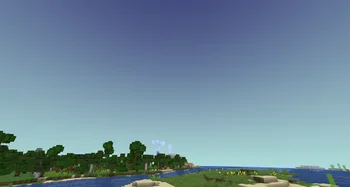

SkyboxTemplate is a shader pack made by Dragoncraft. A resource pack template and examples for skybox core shaders.
It supports Minecraft 1.21 – 26.x. It has been downloaded 5,898 times on Modrinth. The last update came out on Sep 12, 2026.
SkyboxTemplate has had 4 releases on Modrinth since Sep 28, 2025. 2 of them came out in the past year. The newest is 1.3, released on Sep 12, 2026. It is made for Minecraft 1.21.4 – 26.2. It runs on Minecraft. The download is 632 KB.
| Version | Released | Minecraft | Type |
|---|---|---|---|
1.3 | Sep 12, 2026 | 1.21.4 – 26.2 | Release |
1.2 | Jan 6, 2026 | 1.21.4 – 1.21.11 | Release |
1.1 | Oct 3, 2025 | 1.21.4, 1.21.8 | Release |
1.0 | Sep 28, 2025 | 1.21.4, 1.21.8 | Release |
SkyboxTemplate is a resource pack that uses core shaders to add multiple new skyboxes to the game. These are rendered using item displays and can be used for many different effects.
You can use it together with my plugin SkyboxEngine to handle the creation of the item displays but you can also use it standalone!
More information on how to use it an the Skybox Engine integration can be found on the Github Repository
By default, the pack contains the resource pack setup for nine different skybox shaders and more can be added easily by copying the files for the provided skyboxes.
Different Skybox effects with comments to explain how things work to help you understand aeverything and allow you to add your own effects.
Utility functions to use in your shaders such as colors, gradients, noise and texture mapping
Due to this pack making use of core shaders it is not compatible with iris or otpfine shaderpacks. Having iris installed is fine but the sykbxo shaders will not be visible as soon as you activate a shaderpack.
Written by Dragoncraft. Read it with pictures on Modrinth.
Install Iris (with Sodium) or OptiFine for your Minecraft version: shaders need one of them.
Download the .zip file from Modrinth. Do not unzip it.
In Minecraft, open Options, then Video Settings, then Shader Packs, and click Open Shader Pack Folder.
Drop the .zip file into that folder, pick SkyboxTemplate in the list and click Done.
Shaders are heavy on the graphics card. If the game gets slow, pick a lower profile in the shader settings.
| Resource | Downloads | Versions | Last update | Price |
|---|---|---|---|---|
| SkyboxTemplatethe one you looked at | 5,898 | 1.21 – 26.x | Sep 12, 2026 | Free |
| Photon Shaderssixthsurge | 29.2M | 1.16 – 26.x | 22 days ago | Free |
 Lux V1TechDevOnGitHub | 1.3M | 1.8 – 26.x | Sep 26, 2026 | Free |
 Builder's QOL ShadersBuilderb0y | 715K | 1.12 – 1.20 | Dec 6, 2023 | Free |
Yes. SkyboxTemplate supports Minecraft 26.x. All supported versions: 26.x, 1.21.
Yes. SkyboxTemplate is free to download from Modrinth.
Yes. The last update came out in the past day.
The closest ones are Photon Shaders, Lux V1 and Builder's QOL Shaders. Compare all alternatives
Photon ShadersShaders · 1.16 – 26.xA gameplay-focused shader pack with a semi-realistic style
Lux V1Shaders · 1.8 – 26.xLux is a high fidelity Minecraft: Java Edition shader pack based on Capt Tatsu's BSL Shaders.
Builder's QOL ShadersShaders · 1.12 – 1.20A lightweight shader pack designed to enhance the vanilla aesthetic.
 Vanilletix ShadersShaders · 1.13 – 26.x
A shader pack that is created to improve the graphics of your game, leaving it in vanilla style
 Spring ShadersShaders · 1.12 – 26.x
A fresh and clear shader pack themed around spring.
 DreamLight ShadersShaders · 1.18 – 26.x
A good-performing, dreamy, stylized shader pack with colored lighting and fancy visuals.
Log in to leave a review.