A shader that imitates LiDAR visualization software
Direct download from Modrinth · 5,224 downloads
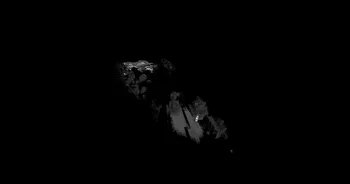

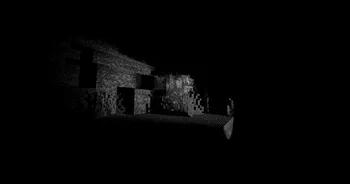
LiDAR Visualizer is a shader pack made by Unequal. A shader that imitates LiDAR visualization software.
It supports Minecraft 1.18 – 26.x. It has been downloaded 5,224 times on Modrinth. The last update came out on Sep 27, 2026.
LiDAR Visualizer has had 4 releases on Modrinth since Apr 1, 2026. 4 of them came out in the past year. The newest is 1.3.2, released on Sep 27, 2026. It is made for Minecraft 1.18 – 26.3. It runs on Iris. The download is 7 KB.
| Version | Released | Minecraft | Type |
|---|---|---|---|
1.3.2 | Sep 27, 2026 | 1.18 – 26.3 | Release |
1.2 | Apr 8, 2026 | 1.18 – 1.21.11 | Release |
1.1 | Apr 5, 2026 | 1.18 – 1.21.11 | Release |
1.0 | Apr 1, 2026 | 1.18 – 1.21.11 | Release |
A shader that imitates LiDAR scan visualization software.
Crouching shoots hundreds rays each frame in a circular pattern from the crosshair, creating points where they land.
These points are persistent and allows for "mapping" of an area.
Reloading the shader will erase all points. There is a limit of 2048000 points at any given moment, replacing the oldest point when reaching the limit.
Written by Unequal. Read it with pictures on Modrinth.
Install Iris (with Sodium) or OptiFine for your Minecraft version: shaders need one of them.
Download the .zip file from Modrinth. Do not unzip it.
In Minecraft, open Options, then Video Settings, then Shader Packs, and click Open Shader Pack Folder.
Drop the .zip file into that folder, pick LiDAR Visualizer in the list and click Done.
Shaders are heavy on the graphics card. If the game gets slow, pick a lower profile in the shader settings.
Full guide: How to install Minecraft shaders
Yes. LiDAR Visualizer supports Minecraft 26.x. All supported versions: 26.x, 1.21, 1.20, 1.19, 1.18.
Yes. LiDAR Visualizer is free to download from Modrinth.
Yes. The last update came out in the past day.
Log in to leave a review.
