
 Tri Valor realistic shaderShaders · 1.21
Dynamic Lighting Glow Utilizing advanced emissive maps light sources like lava and torches cast natural vibrant glows that interact realistically with the…
Free3,567 downloads
Light and Shadow enhances Minecraft with improved block and sky lighting, shadow-map based shadows, GI occlusion, LabPBR material support, and atmospheric…
Opens Modrinth · 4,524 downloads there
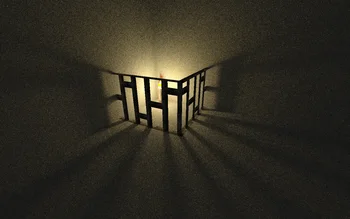
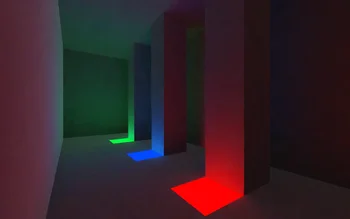
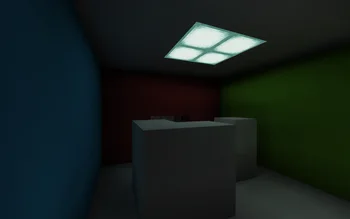
Light and Shadow enhances Minecraft with improved block and sky lighting, shadow-map based shadows, GI occlusion, LabPBR material support, and atmospheric…
Light-Shadow is a shader pack made by cxxk. It supports Minecraft 26.x. It has been downloaded 4,524 times on Modrinth. The last update came out on Nov 7, 2026.
Light-Shadow has had 41 releases on Modrinth since May 14, 2026. 41 of them came out in the past year. The newest is 4.5.1, released on Nov 7, 2026. It is made for Minecraft 26.3. It runs on Iris. The download is 231 KB.
| Version | Released | Minecraft | Type |
|---|---|---|---|
4.5.1 | Nov 7, 2026 | 26.3 | Release |
4.5 | Nov 7, 2026 | 26.3 | Release |
4.4 | Nov 6, 2026 | 26.3 | Release |
4.3 | Nov 5, 2026 | 26.3 | Release |
4.2 | Oct 27, 2026 | 26.3 | Release |
The name says it all: Light and Shadow focuses on the two elements that shape every Minecraft scene — light and darkness.
This shader improves lighting from blocks and the sky, while adding stronger shadow effects through shadow maps, global illumination. The goal is to make Minecraft scenes feel deeper, more atmospheric, and more visually dynamic without losing the familiar look of the game.
Written by cxxk. Read it with pictures on Modrinth.
Install Iris (with Sodium) or OptiFine for your Minecraft version: shaders need one of them.
Download the .zip file from Modrinth. Do not unzip it.
In Minecraft, open Options, then Video Settings, then Shader Packs, and click Open Shader Pack Folder.
Drop the .zip file into that folder, pick Light-Shadow in the list and click Done.
Shaders are heavy on the graphics card. If the game gets slow, pick a lower profile in the shader settings.
| Resource | Downloads | Versions | Last update | Price |
|---|---|---|---|---|
| Light-Shadowthe one you looked at | 4,524 | 26.x | 3 days ago | Free |
| Tri Valor realistic shaderKrosan | 3,567 | 1.21 | May 29, 2026 | Free |
 Altheon ShadersKefir_twtch | 6 | 1.20 – 26.x | Oct 4, 2026 | Free |
 Rethinking Voxelsgri573 | 13.7M | 1.19 – 1.21 | Jun 20, 2025 | Free |
Yes. Light-Shadow supports Minecraft 26.x. All supported versions: 26.x.
Yes. Light-Shadow is free to download from Modrinth.
Yes. The last update came out in the past day.
The closest ones are Tri Valor realistic shader, Altheon Shaders and Rethinking Voxels. Compare all alternatives
Tri Valor realistic shaderShaders · 1.21Dynamic Lighting Glow Utilizing advanced emissive maps light sources like lava and torches cast natural vibrant glows that interact realistically with the…
Altheon ShadersShaders · 1.20 – 26.xRealistic shaders for Iris: colored block lighting that mixes and fills caves, volumetric clouds, a physically based sky with deep sunsets, soft shadows and…
Rethinking VoxelsShaders · 1.19 – 1.21[WIP] A gameplay shaderpack based on complementary reimagined that has coloured block light with sharp shadows
 DMSShaders · 1.8 – 26.x
A shader pack that turns your world into a depth map
 NMSShaders · 1.8 – 26.x
A shader pack that turns your world into a normal map
 Liminal ShaderShaders · 1.17 – 26.x
Perfect for horror maps, liminal space builds, and atmospheric survival gameplay.
Log in to leave a review.