
 Tri Valor realistic shaderShaders · 1.21
Dynamic Lighting Glow Utilizing advanced emissive maps light sources like lava and torches cast natural vibrant glows that interact realistically with the…
Free3,578 downloads
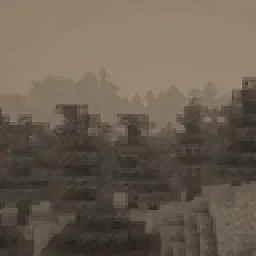
Perfect for horror maps, liminal space builds, and atmospheric survival gameplay.
Direct download from Modrinth · 5,247 downloads
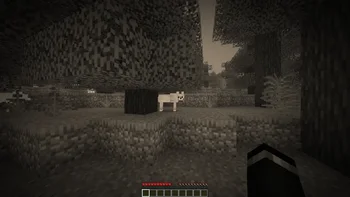
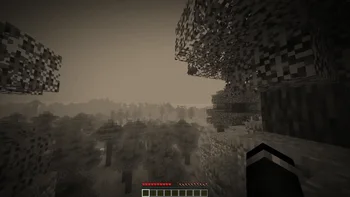
Liminal Shader is a shader pack made by MatinAnceScribe. Perfect for horror maps, liminal space builds, and atmospheric survival gameplay.
It supports Minecraft 1.17 – 26.x. It has been downloaded 5,247 times on Modrinth. The last update came out on Jul 28, 2026.
The newest is 1.0, released on Jul 28, 2026. It is made for Minecraft 1.17 – 26.2. It runs on Iris and Optifine. The download is 13 KB.
| Version | Released | Minecraft | Type |
|---|---|---|---|
1.0 | Jul 28, 2026 | 1.17 – 26.2 | Release |
🎥 Vintage Cinematic Horror
Immerse yourself in a world inspired by classic silent films and aged photographs. This shader introduces subtle film grain, soft focus, and a dramatic vignette that naturally draws your attention to the heart of the scene.
✅ Optimized for Performance
📸 Perfect for Screenshots & Content Creation
Whether you're a content creator, screenshot artist, or horror map builder, this shader provides an ideal visual foundation. It transforms any scene into a striking, cinematic composition.
🖼️ Capture haunting landscapes, desolate cities, or liminal environments
🎬 Ideal for atmospheric let’s plays or silent horror shorts
🎨 Instantly creates mood and narrative—no extra editing required
Written by MatinAnceScribe. Read it with pictures on Modrinth.
Install Iris (with Sodium) or OptiFine for your Minecraft version: shaders need one of them.
Download the .zip file from Modrinth. Do not unzip it.
In Minecraft, open Options, then Video Settings, then Shader Packs, and click Open Shader Pack Folder.
Drop the .zip file into that folder, pick Liminal Shader in the list and click Done.
Shaders are heavy on the graphics card. If the game gets slow, pick a lower profile in the shader settings.
| Resource | Downloads | Versions | Last update | Price |
|---|---|---|---|---|
| Liminal Shaderthe one you looked at | 5,247 | 1.17 – 26.x | Jul 28, 2026 | Free |
| Tri Valor realistic shaderKrosan | 3,578 | 1.21 | May 29, 2026 | Free |
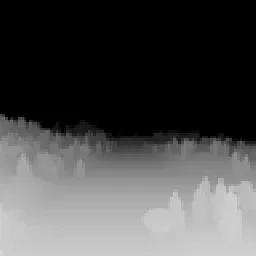 DMSSeltop | 81K | 1.8 – 26.x | Jul 12, 2026 | Free |
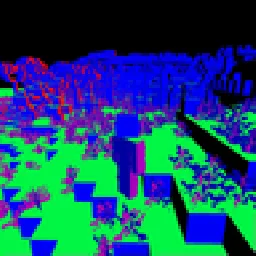 NMSSeltop | 57K | 1.8 – 26.x | Aug 21, 2026 | Free |
Yes. Liminal Shader supports Minecraft 26.x. All supported versions: 26.x, 1.21, 1.20, 1.19, 1.18, 1.17.
Yes. Liminal Shader is free to download from Modrinth.
Yes. The last update came out in the past day.
The closest ones are Tri Valor realistic shader, DMS and NMS. Compare all alternatives
Tri Valor realistic shaderShaders · 1.21Dynamic Lighting Glow Utilizing advanced emissive maps light sources like lava and torches cast natural vibrant glows that interact realistically with the…
DMSShaders · 1.8 – 26.xA shader pack that turns your world into a depth map
NMSShaders · 1.8 – 26.xA shader pack that turns your world into a normal map
 PSX-Core ShaderShaders · 1.8 – 26.x
A PSX shader with affine texture mapping, dithering, vertex snapping and more!
 TildeShaders · 1.21
A highly performant geometry shader that modifies distant terrain, making the world feel alive!
Light and Shadow enhances Minecraft with improved block and sky lighting, shadow-map based shadows, GI occlusion, LabPBR material support, and atmospheric…
Log in to leave a review.