
 SnowimaginedShaders · 1.8 – 1.21
This shader transforms your game into a beautiful winter wonderland.
Free141,170 downloads
This shader transforms Minecraft into a REAL 8-bit NES game – see the insane before/after!
Direct download from Modrinth · 3,352 downloads
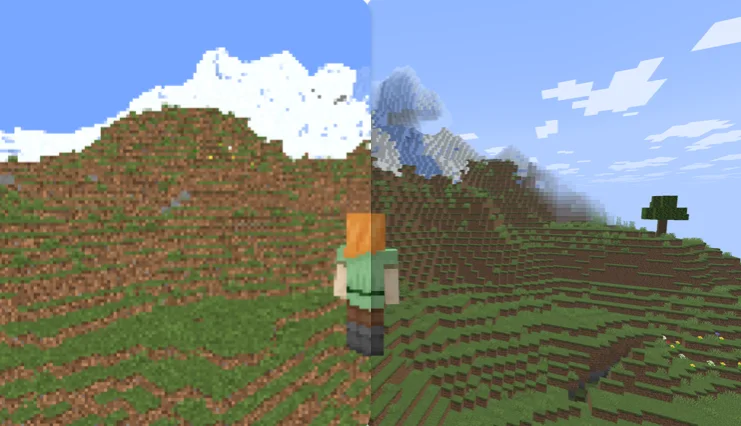
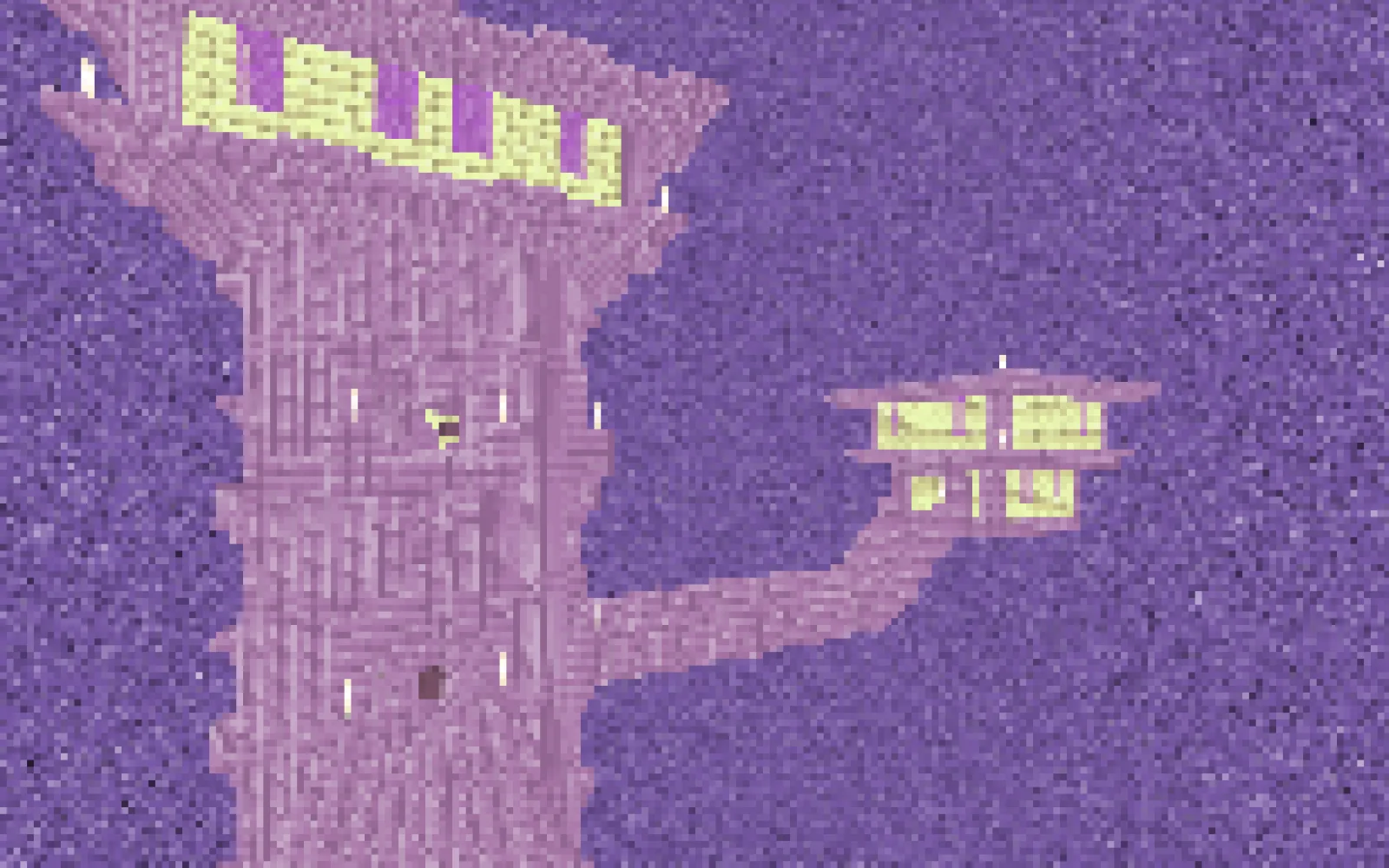
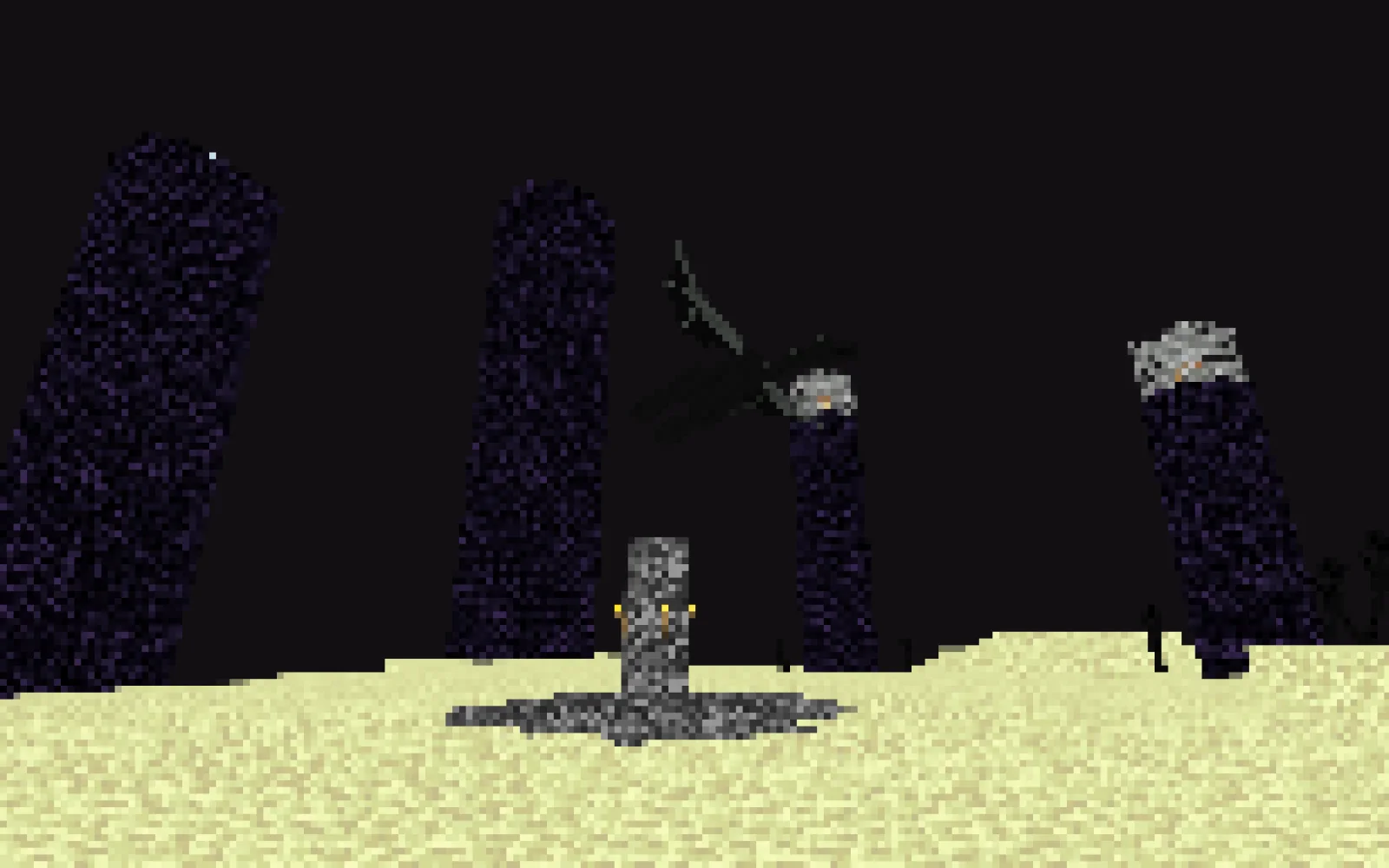
Retro Pixel Shader is a shader pack made by Ritz_Creator. This shader transforms Minecraft into a REAL 8-bit NES game – see the insane before/after!
It supports Minecraft 1.20 – 1.21. It has been downloaded 3,352 times on Modrinth. The last update came out on Mar 21, 2026.
Retro Pixel Shader has had 2 releases on Modrinth since Mar 15, 2026. 2 of them came out in the past year. The newest is 1.1, released on Mar 21, 2026. It is made for Minecraft 1.20 – 1.21.11. It runs on Iris and Optifine. The download is 5 KB.
| Version | Released | Minecraft | Type |
|---|---|---|---|
1.1 | Mar 21, 2026 | 1.20 – 1.21.11 | Release |
1.0 | Mar 15, 2026 | 1.20 – 1.21.11 | Release |
🎮 Retro Pixel Shader – NES Style Minecraft
Turn Minecraft into a retro 8-bit adventure inspired by the Nintendo Entertainment System.
This shaderpack transforms the game into a pixelated retro world while keeping the classic Minecraft colors and atmosphere.
Perfect for players who love retro graphics, pixel art, and nostalgic games.
⚡ Lightweight
🎮 Retro aesthetic
🧩 Fully customizable
✨ Features
🟩 NES-Style Pixel Graphics
Large retro pixels that recreate the look of classic 8-bit games.
🌈 Vanilla Minecraft Colors
The shader keeps the original Minecraft color palette.
⚡ Lightweight Performance
Designed to run smoothly on most computers.
📺 Optional CRT Effects
Scanlines
Dithering
Retro screen look
🔧 Adjustable Shader Settings
You can customize the shader directly in the shader menu:
Pixel Size
Blur Strength
Brightness
Saturation
Contrast
Scanlines
Dithering
🎥 What It Looks Like
Your Minecraft world becomes:
Pixelated landscapes
Retro-style lighting
Classic 8-bit visuals
It feels like playing Minecraft on an NES console.
⚙️ Recommended Settings
For the best retro look:
Pixel Size → 8 – 10
Blur → 0.25 – 0.35
Scanlines → Low
📦 Requirements
Minecraft Java Edition
Iris Shader Loader
Sodium (recommended)
📥 Installation
Install Iris + Sodium
Download the shaderpack
Place it inside:
.minecraft/shaderpacks
Enable it in:
Options → Video Settings → Shaders
🎬 YouTubers & Streamers Welcome
You are free to use this shaderpack in videos or streams. If you do, please consider linking the project page!
⭐ Seen this shader in a video? Download it here and try it yourself!
Written by Ritz_Creator. Read it with pictures on Modrinth.
Install Iris (with Sodium) or OptiFine for your Minecraft version: shaders need one of them.
Download the .zip file from Modrinth. Do not unzip it.
In Minecraft, open Options, then Video Settings, then Shader Packs, and click Open Shader Pack Folder.
Drop the .zip file into that folder, pick Retro Pixel Shader in the list and click Done.
Shaders are heavy on the graphics card. If the game gets slow, pick a lower profile in the shader settings.
Full guide: How to install Minecraft shaders
| Resource | Downloads | Versions | Last update | Price |
|---|---|---|---|---|
| Retro Pixel Shaderthe one you looked at | 3,352 | 1.20 – 1.21 | Mar 21, 2026 | Free |
| SnowimaginedSpacEagle17 | 141K | 1.8 – 1.21 | Dec 27, 2022 | Free |
 CRT ShaderBouncingElf10 | 25K | 1.8 – 26.x | Aug 18, 2024 | Free |
 Fantasy.VTVo1odyamorT | 7,104 | 1.17 – 26.x | May 6, 2026 | Free |
Not yet. The newest version it supports is Minecraft 1.21.
Yes. Retro Pixel Shader is free to download from Modrinth.
Yes. The last update came out in the past day.
The closest ones are Snowimagined, CRT Shader and Fantasy.VT. Compare all alternatives
SnowimaginedShaders · 1.8 – 1.21This shader transforms your game into a beautiful winter wonderland.
CRT ShaderShaders · 1.8 – 26.xA stylized shader aimed to make your game look retro!
Fantasy.VTShaders · 1.17 – 26.xThe shader with the effect of picturesqueness is created for real connoisseurs of the game. It is not only pleasing to the eye, but also optimized to work on…
 Resident CraftShaders · 1.20 – 26.x
Resident-Craft is a custom Minecraft shader that transforms the game into a dark, horror-style experience. It focuses on controlling what the player can and…
 Aurora's ShadersShaders · 1.20 – 1.21
Based on Complimentary Unbound, a beautifully colorful Vanilla+ shader meant for making the game look good while maintaining good performance and vanilla feel.
 CTR VCRShaders · 1.12 – 26.x
Retro stylized shader that brings artifacts from CRT and VCR / VHS
Log in to leave a review.