
 Fresh Flower PotsResource packs · 1.20 – 26.x
Detailed flower pots with vanilla-friendly designs and more variety
Free3,307,198 downloads
More detailed Create machines.更多机械动力元件细节
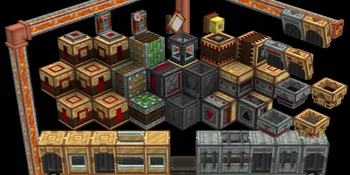

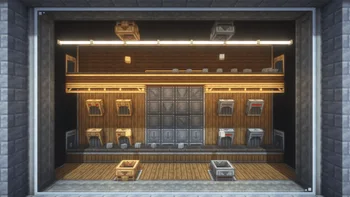
More detailed Create machines.更多机械动力元件细节
Create Enhanced Display is a resource pack made by Multitouches. It supports Minecraft 1.20 – 1.21. It has been downloaded 176,948 times on Modrinth. The last update came out on Mar 7, 2026.
Create Enhanced Display has had 2 releases on Modrinth since Jan 16, 2026. 2 of them came out in the past year. The newest is 1.2, released on Mar 7, 2026. It is made for Minecraft 1.20.1, 1.21.1. It runs on Minecraft. The download is 236 KB.
| Version | Released | Minecraft | Type |
|---|---|---|---|
1.2 | Mar 7, 2026 | 1.20.1, 1.21.1 | Release |
1.1 | Jan 16, 2026 | 1.20.1, 1.21.1 | Release |
Written by Multitouches. Read it with pictures on Modrinth.
Download the .zip file from Modrinth. Do not unzip it.
In Minecraft, open Options, then Resource Packs, then Open Pack Folder.
Drop the .zip file into that folder and go back to the game.
Move Create Enhanced Display to the right-hand list and click Done.
It is made for Minecraft 1.20 – 1.21. On other versions Minecraft marks it as incompatible, but it often still works.
| Resource | Downloads | Versions | Last update | Price |
|---|---|---|---|---|
| Create Enhanced Displaythe one you looked at | 177K | 1.20 – 1.21 | Mar 7, 2026 | Free |
| Fresh Flower PotsBlueHDGaming | 3.3M | 1.20 – 26.x | Sep 19, 2026 | Free |
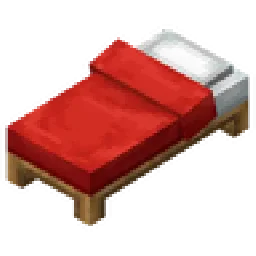 Better 3D Bedsheycronus | 1.7M | 1.12 – 1.21 | Feb 7, 2026 | Free |
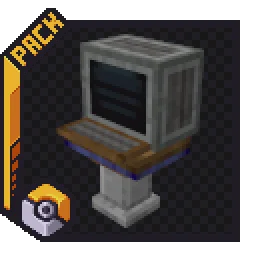 CreateMonDeadlywere | 805K | 1.19 – 1.20 | Dec 29, 2023 | Free |
Not yet. The newest version it supports is Minecraft 1.21.
Yes. Create Enhanced Display is free to download from Modrinth.
Yes. The last update came out in the past day.
The closest ones are Fresh Flower Pots, Better 3D Beds and CreateMon. Compare all alternatives
Fresh Flower PotsResource packs · 1.20 – 26.xDetailed flower pots with vanilla-friendly designs and more variety
Better 3D BedsResource packs · 1.12 – 1.21Better 3D Beds is a texture pack for Minecraft that significantly enhances the appearance of beds in the game, making them more realistic and detailed with…
CreateMonResource packs · 1.19 – 1.20Retexturing cobblemon blocks to fit with the Create mod.
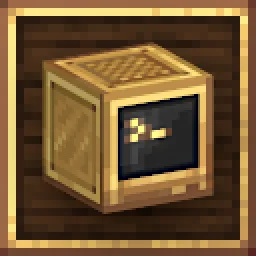 ComputerCraft CreateResource packs · 1.19 – 1.20
ComputerCraft textures that fit in with Create.
 Vanilla EvolvedResource packs · 1.16 – 1.21
A vanilla minecraft resource pack with an enhanced artistic vision through the use of custom models and textures.
 Outlined OresResource packs · 1.8 – 26.x
A texture pack that adds ore outlines/bordered ores, making them far easier to see! No mods or additional downloads required! Now compatible with Create mod
Log in to leave a review.