
 Default Dark ModeTexture packs · 1.8 – 26.x
🌙 The Dark Mode Resource Pack for Minecraft: Java Edition
Free8,300,492 downloads
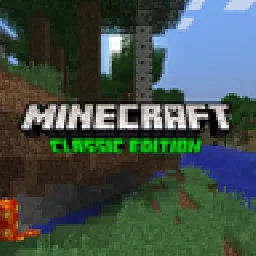
A resource pack that aims to bring back the classic feel of Minecraft
Direct download from Modrinth · 166,310 downloads

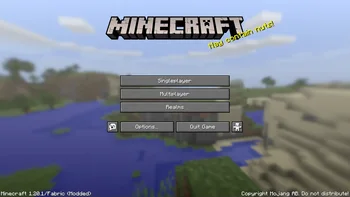
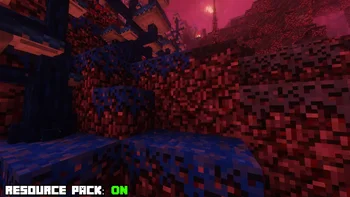
Minecraft: Classic Edition is a texture pack made by JS03. A resource pack that aims to bring back the classic feel of Minecraft.
It supports Minecraft 1.20 – 1.21. It has been downloaded 166,310 times on Modrinth. The last update came out on Jul 11, 2024.
Minecraft: Classic Edition has had 14 releases on Modrinth since Nov 24, 2023. None of them came out in the past year. The newest is 1.2.3, released on Jul 11, 2024. It is made for Minecraft 1.20 – 1.21. It runs on Minecraft. The download is 29.4 MB.
| Version | Released | Minecraft | Type |
|---|---|---|---|
1.2.3 | Jul 11, 2024 | 1.20 – 1.21 | Release |
1.2.2 | Jun 30, 2024 | 1.20 – 1.21 | Release |
1.2.1 | Jun 28, 2024 | 1.20 – 1.21 | Release |
1.2.0 | Jun 27, 2024 | 1.20 – 1.21 | Release |
1.1.1 | Jun 26, 2024 | 1.20 – 1.21 | Release |
Minecraft: Classic Edition is a resource pack that aims to bring the feel of Minecraft's older versions to the most recent ones.
The vanilla version of the pack is a curated mixture of some of my own textures, monsterfart77's / InfiniteVoid's **Classic Alternative pack**, ic22487's **Programmer Art Ultimate pack** and Sencie's **Old Lighting & Water** pack. It also includes UsernameGeri's **Classic Menu Panorama** and tosutosu's **Old Minecraft logo**
All releases of the vanilla pack have an optional ZIP file that contains all the resource packs for the currently supported mods, one for each mod.
Written by JS03. Read it with pictures on Modrinth.
Download the .zip file from Modrinth. Do not unzip it.
In Minecraft, open Options, then Resource Packs, then Open Pack Folder.
Drop the .zip file into that folder and go back to the game.
Move Minecraft: Classic Edition to the right-hand list and click Done.
It is made for Minecraft 1.20 – 1.21. On other versions Minecraft marks it as incompatible, but it often still works.
Full guide: How to install Minecraft resource packs
| Resource | Downloads | Versions | Last update | Price |
|---|---|---|---|---|
| Minecraft: Classic Editionthe one you looked at | 166K | 1.20 – 1.21 | Jul 11, 2024 | Free |
| Default Dark Modenebulr | 8.3M | 1.8 – 26.x | Sep 19, 2026 | Free |
 Beautiful Enchanted BooksLupin | 2.3M | 1.16 – 26.x | 8 days ago | Free |
 Simply Swords ReforgedEftann | 1M | 1.19 – 1.21 | Sep 10, 2026 | Free |
Not yet. The newest version it supports is Minecraft 1.21.
Yes. Minecraft: Classic Edition is free to download from Modrinth.
Yes. The last update came out in the past day.
The closest ones are Default Dark Mode, Beautiful Enchanted Books and Simply Swords Reforged. Compare all alternatives
Default Dark ModeTexture packs · 1.8 – 26.x🌙 The Dark Mode Resource Pack for Minecraft: Java Edition
Beautiful Enchanted BooksTexture packs · 1.16 – 26.xThis resource pack aims to improve the appearance of enchanted books, now each one will be different!
Simply Swords ReforgedTexture packs · 1.19 – 1.21Its a resource pack that will change models of all unique weapons from Simply Swords mod to make them Epic and 3D!
 Overgrown Flowery GUITexture packs · 1.8 – 26.x
Cute & Floral GUI overhaul resource pack
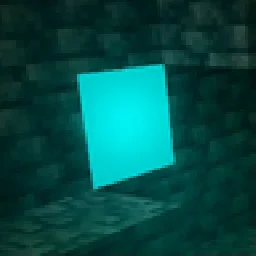 Ore VisibleTexture packs · 1.8 – 26.x
A resource pack that makes spotting ores in dark caves much easier.
 CoquetTexture packs · 1.19 – 1.20
Just a typical resource pack that tries to be faithful to the original style of the game at times
Log in to leave a review.