
 Main Menu PanoramasResource packs · 1.8 – 26.x
15+ different main menu panoramas with shaders
Free158,340 downloads
Changes the main menu panorama to a Pale Garden with Complementary Reimagined Shaders
Direct download from Modrinth · 147,195 downloads
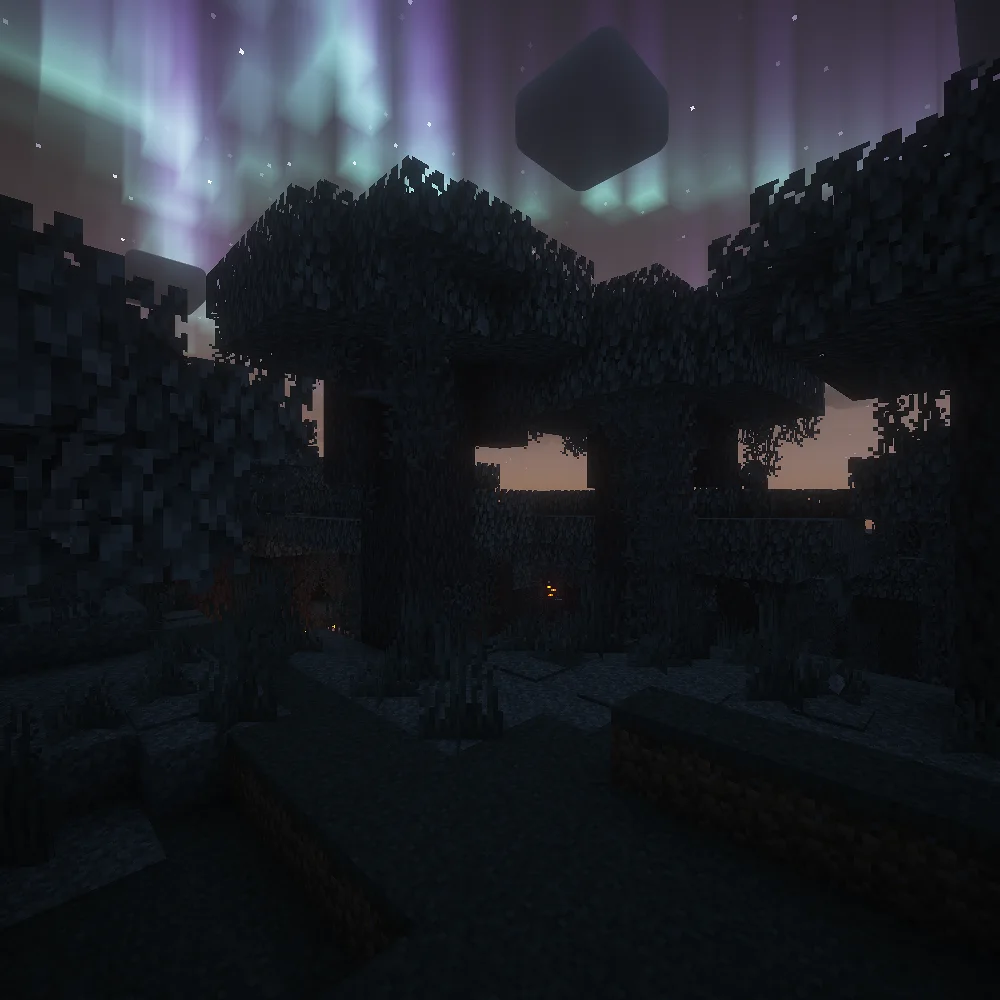
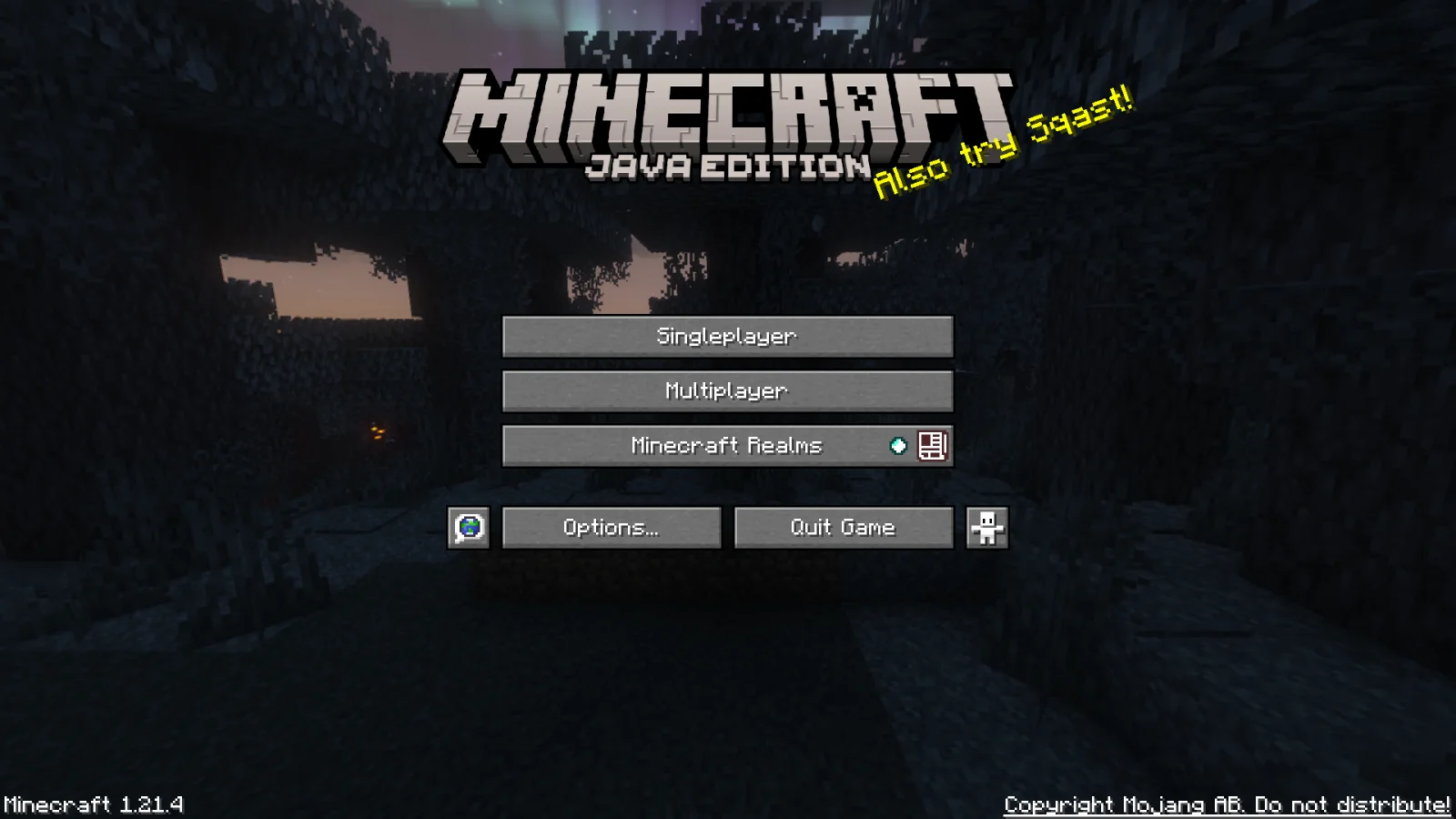
Pale Garden Panorama with Shaders is a resource pack made by EtechMC. Changes the main menu panorama to a Pale Garden with Complementary Reimagined Shaders.
It supports Minecraft 1.21. It has been downloaded 147,195 times on Modrinth. The last update came out on Feb 5, 2025.
Pale Garden Panorama with Shaders has had 2 releases on Modrinth since Jan 15, 2025. None of them came out in the past year. The newest is v2.0, released on Feb 5, 2025. It is made for Minecraft 1.21.4. It runs on Minecraft. The download is 8.3 MB.
| Version | Released | Minecraft | Type |
|---|---|---|---|
v2.0 | Feb 5, 2025 | 1.21.4 | Release |
v1.0 | Jan 15, 2025 | 1.21.4 | Release |
This resource pack changes the main menu panorama to a Pale Garden with Complementary Reimagined shaders :)
This pack is designed for 1.21.4 but it should work in other versions as well.
I used Complementary Reimagined Shaders in order to make this panorama, you can download them here: modrinth.com/shader/complementary-reimagined
Thanks so much to EminGT for making this amazing shader :D
Links:
Complementary Reimagined (The shader used in the panorama)
Bedrock version (Planet Minecraft)
Written by EtechMC. Read it with pictures on Modrinth.
Download the .zip file from Modrinth. Do not unzip it.
In Minecraft, open Options, then Resource Packs, then Open Pack Folder.
Drop the .zip file into that folder and go back to the game.
Move Pale Garden Panorama with Shaders to the right-hand list and click Done.
It is made for Minecraft 1.21. On other versions Minecraft marks it as incompatible, but it often still works.
Full guide: How to install Minecraft resource packs
| Resource | Downloads | Versions | Last update | Price |
|---|---|---|---|---|
| Pale Garden Panorama with Shadersthe one you looked at | 147K | 1.21 | Feb 5, 2025 | Free |
| Main Menu Panoramassumone_lol | 158K | 1.8 – 26.x | Aug 31, 2025 | Free |
 ReimaginedReijvi | 1M | 1.16 – 26.x | 21 days ago | Free |
 Colourful containers GUIKingybu | 907K | 1.8 – 26.x | Sep 9, 2026 | Free |
Not yet. The newest version it supports is Minecraft 1.21.
Yes. Pale Garden Panorama with Shaders is free to download from Modrinth.
Yes. The last update came out in the past day.
The closest ones are Main Menu Panoramas, Reimagined and Colourful containers GUI. Compare all alternatives
Main Menu PanoramasResource packs · 1.8 – 26.x15+ different main menu panoramas with shaders
ReimaginedResource packs · 1.16 – 26.xA Reimagined Vision of Minecraft
Colourful containers GUIResource packs · 1.8 – 26.xA container GUI replacement mod that hopes to match the menu to every one of Minecraft's colourful interactable blocks.
 Colourful containers Dark Mode GUIResource packs · 1.8 – 26.x
A container GUI replacement mod that hopes to match the menu to every one of Minecraft's colourful interactable blocks.
 Shader Panorama For 1.21.6~8:Chase the SkiesResource packs · 1.21
A Panorama with shader for minecraft 1.21.6~8.
 Remodeled Doors 3DResource packs · 1.19 – 26.x
Makes all the doors and trapdoors have 3D models. Changes the model and the item within the GUI.
Log in to leave a review.