
 TrashSlotMods · 1.18 – 26.x
Adds a draggable trash slot to all inventory screens. Press T to toggle.
Free6,661,976 downloads

Adds Tabs to all menus to navigate more easily.
Direct download from Modrinth · 2 downloads
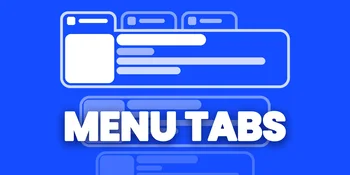
Menu Tabs is a mod made by TheRealRaphael. Adds Tabs to all menus to navigate more easily.
It supports Minecraft 26.x. It has been downloaded 2 times on Modrinth. The last update came out on Nov 8, 2026.
The newest is 1.0.6, released on Nov 8, 2026. It is made for Minecraft 26.3. It runs on Fabric. The download is 118 KB.
| Version | Released | Minecraft | Type |
|---|---|---|---|
1.0.6 | Nov 8, 2026 | 26.3 | Beta |
A cleaner and more organized way to navigate Minecraft's settings.
MenuTabs introduces native navigation tabs to Minecraft's settings screens, making it easier to browse and switch between different settings sections. Instead of navigating through everything in one place, you can use dedicated tabs to access different categories more quickly and comfortably.
Native Minecraft Interface
MenuTabs integrates navigation tabs directly into Minecraft's settings screens, keeping the familiar vanilla look and feel.
Organized Settings
Settings are separated into different sections, helping you find the options you are looking for more easily.
Quick Navigation
Switch between available settings tabs with ease, making the overall navigation experience more convenient.
Clean and Familiar Design
The tabs are designed to fit naturally into Minecraft's existing interface without taking away from its original visual style.
MenuTabs focuses on improving the way you navigate Minecraft's interface while keeping the original game experience intact. Whether you are adjusting display options, exploring quality settings or browsing other preferences, MenuTabs provides a more organized way to access your settings.
Simple, familiar and convenient. That's MenuTabs!
Written by TheRealRaphael. Read it with pictures on Modrinth.
This mod runs only on your own game. Servers do not need it, so you can use it on any server.
Install Fabric for Minecraft 26.x.
Add the mods it needs: Fabric API.
Download the .jar file from Modrinth and put it in the mods folder of your .minecraft directory.
Start Minecraft with the Fabric profile.
Easier: in Prism Launcher or the Modrinth App, search for Menu Tabs in your instance's mods and click Install. It adds the loader and the mods it needs for you.
Full guide: How to install Minecraft mods
| Resource | Downloads | Versions | Last update | Price |
|---|---|---|---|---|
| Menu Tabsthe one you looked at | 2 | 26.x | 2 days ago | Free |
| TrashSlotBlayTheNinth | 6.7M | 1.18 – 26.x | 8 days ago | Free |
 WorldTimesuheckii | 7 | 26.x | Sep 19, 2026 | Free |
 EssftonYedel | 5 | 1.8 | 23 days ago | Free |
Yes. Menu Tabs supports Minecraft 26.x. All supported versions: 26.x.
Yes. Menu Tabs is free to download from Modrinth.
Client-side. Menu Tabs goes in your own mods folder and works on any server, including servers without mods.
Yes: Fabric API. Install it before Menu Tabs.
Yes. The last update came out in the past day.
The closest ones are TrashSlot, WorldTime and Essfton. Compare all alternatives
TrashSlotMods · 1.18 – 26.xAdds a draggable trash slot to all inventory screens. Press T to toggle.
WorldTimeMods · 26.xadds the time spent in the world
EssftonMods · 1.8Adds enhancements to Super Secret Settings
 Easy SubtitleMods · 1.20
Easy Subtitle adds support for synchronized subtitles in Minecraft, allowing dialogue and spoken audio to be displayed on screen at the right time. It makes…
 Tiny Item AnimationsMods · 1.18 – 1.21
Adds little animations when you pick up or insert items with your mouse.
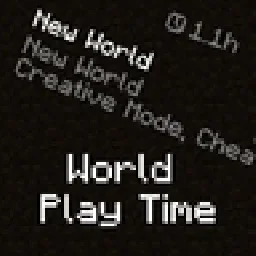 World Play TimeMods · 1.19 – 26.x
Displays the world's play time in the world selection menu.
Log in to leave a review.