
 DonutSellPlugins · 1.21 – 26.x
A simple plugin creates a Sell System using vault or any other economy plugin with multipliers, a full custom menu and a worth menu inspired by DonutSMP owned…
Free36,863 downloads

This project adds a economy system like DonutSMP but will be on my future server.
Direct download from Modrinth · 2 downloads
ZJSMP Plugin is a plugin for Paper / Spigot servers, made by jacobsonz. This project adds a economy system like DonutSMP but will be on my future server.
It supports Minecraft 26.x. It has been downloaded 2 times on Modrinth. That puts it at #141 of the 149 economy and shop plugins listed here. The last update came out on Nov 6, 2026.
The newest is 1.0.0, released on Nov 6, 2026. It is made for Minecraft 26.2. It runs on Paper. The download is 238 KB.
| Version | Released | Minecraft | Type |
|---|---|---|---|
1.0.0 | Nov 6, 2026 | 26.2 | Release |
The commands named on the Modrinth page of ZJSMP Plugin:
/home/zjsmp/ranks/media/staffmode/staff/vanish/freeze/staffchat/sc/stafflist/invsee/ecsee/helpop/report/banPermission nodes named there, to give with a plugin like LuckPerms:
zjsmp.homes.10zjsmp.teleport.bypasszjsmp.staffzjsmp.adminzjsmp.staffmodezjsmp.vanishzjsmp.freezezjsmp.banzjsmp.mutezjsmp.warnzjsmp.kickzjsmp.amodzjsmp.altszjsmp.chatlogzjsmp.maintenancezjsmp.clearlagZJSMP
An all-in-one core plugin for survival SMP servers. Ranks and staff tools, economy, shop, auction house, spawners, homes, friends, moderation and more, in a single jar.
No dependencies. You don't need LuckPerms, Vault, PlaceholderAPI or ProtocolLib. Everything is built in and every message is branded with your own server name.
Not affiliated with or endorsed by any server network. Menus and features are inspired by popular SMP servers.
Requirements
Server Paper 26.2
Java 25
Client Minecraft 1.21.6 or newer (the /home menu is a dialog screen)
Other plugins None
Quick start
Put ZJSMP.jar in your plugins folder and start the server.
Join once, then run this in the console, with your own name: zjsmp rank set YourName owner
Open plugins/ZJSMP/config.yml and set server-name and prefix to your server's name.
Run /zjsmp reload after you change any config file.
Features
Branding
Set server-name and prefix once in config.yml. Chat, the tab list, ban screens, menus and every plugin message use it. All colors support & codes and hex like %BFF9.
Ranks and staff roles
Built-in ranks, no permissions plugin needed: Helper, Mod, Sr.Mod, Admin, Manager and Owner. Each rank inherits the one below it. A rank shows in chat, above the player's head and in the tab list, which is sorted by rank.
Command What it does
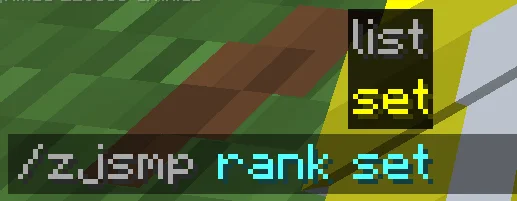
/zjsmp rank set Give a player a rank
/zjsmp rank list or /ranks List the ranks
/zjsmp reload Reload the config
Rename ranks, change colors and weights, and edit each rank's permissions under ranks: in config.yml.
Media badges
Media and Media+ are separate from staff ranks, so a Mod can also be Media. The badge shows in chat, the tab list and join messages. Media players also get more homes.
Command What it does
/media Opens the Media menu with requirements, perks and an apply button that links to your Discord
/zjsmp media set Give or remove a media badge
Set your Discord invite in media.discord and edit the requirement text in config.yml.
Staff mode
/staffmode saves your inventory and gives you a moderation hotbar: vanish, freeze, staff list, better view (night vision and flight) and random teleport. Turn it off and your inventory is restored, even after a restart.
Command What it does
/staffmode (/staff) Toggle staff mode
/vanish (/v) Hide from players, with fake leave and join messages
/freeze Freeze a player in place. They can't move or use commands
/staffchat (/sc) Staff-only chat. Use /sc alone to toggle it
/stafflist Online staff, sorted by rank
/invsee Open a player's inventory
/ecsee Open a player's ender chest
/helpop Ask staff for help
/report Report a player to online staff
Moderation
Bans, mutes, warns and kicks with a full history. Players see a custom ban screen.
Command What it does
/ban, /tempban [reason], /unban Bans
/mute, /tempmute [reason], /unmute Mutes
/warn, /kick Warn or kick
/history [player] Punishment history
Times look like 30s, 15m, 2h, 5d, 1w, or combined like 1d12h. Staff are protected from punishment by staff with a lower rank.
Staff panel and admin tools
Command What it does
/amod Click panel: toggle staff mode and vanish, mute the global chat, run clearlag, toggle maintenance, and pick a player to teleport to, freeze, view, heal, kick, mute or ban
/alts Show accounts that share an IP. Staff are also alerted when a player joins with linked accounts
/chatlog [lines] Search saved chat and command logs
/maintenance Only staff and a whitelist can join. Changes the server list message
/clearlag Remove dropped items. Can also run on a timer
/disguise Change your name and skin
/fakeplayer Fake join and leave messages, chat and player count
/socialspy See private messages
Chat logs and alt detection can be turned off or limited in config.yml (chatlogs, alts). Tell your players if you keep logs.
Economy
Money and shards, saved per player.
Command What it does
/bal [player] Balance (/balance, /money)
/pay Pay a player. Amounts like 1500, 1.5k, 2m, 3b all work
/baltop Richest players
/shards Your shards
/eco give|take|set|reset [amount] Admin money commands
/eco shards give|take|set Admin shard commands
Sidebar scoreboard
An animated sidebar with your money, shards, kills, deaths, keyall countdown, playtime and ping. Players toggle it with /scoreboard (/sb). Every line is editable under scoreboard: in config.yml.
Built-in placeholders
Use these in the scoreboard, tab list and other text: %economy_money%, %economy_nicestMoney%, %economy_shards%, %economy_kills%, %economy_deaths%, %economy_playtime%, %economy_ping%, %economy_keyall_countdown%, %player_name%, %zjsmp_rank%, %zjsmp_media%, %server_online%, %server_name%.
Homes
/home opens a dialog screen with a grid of buttons, 6 per row. A saved home shows as "Home 1", and an empty slot shows as a dim "New Home". Click an empty slot to set a home where you stand. Click a saved home to teleport, move it, rename it or delete it.
Command What it does
/home or /homes Open the homes menu
/home Teleport straight to a home
/sethome [name] Set a home
/delhome Delete a home
Homes per player: 3 for players, 90 for Media, Media+ and staff. Change it under homes.limits, or give someone any number with a permission like zjsmp.homes.10. Block homes in certain worlds with homes.excluded-worlds.
Teleports
Command What it does
/tpa / /tpahere Ask to teleport to a player, or ask them to come to you
/tpaccept, /tpdeny Answer a request. Players also get clickable buttons
/rtp (/wild) Random teleport to a safe spot
/spawn, /setspawn Spawn
/warp , /warps, /setwarp, /delwarp Warps
Teleports have a 3-second stand-still warm-up (teleport.delay-seconds). Staff skip it with zjsmp.teleport.bypass.
Shop
/shop opens a menu of categories: End, Nether, Gear, Food and a Shard shop. Click an item to open a quantity menu where you can add or remove amounts, then confirm. The shard shop is paid in shards and sells spawners and the amethyst tools. All items and prices are in shop.yml.
Selling
Every item in the game can be sold. Items that aren't listed in worth.yml sell for a default price (sell.default-price). Only admin-only blocks, spawners, and containers that still hold items are refused.
Command What it does
/sell Opens a big chest. Put items in and they sell when you close it. Anything unsellable is returned
/sell hand Sell the item in your hand
/sell all or /sellall Sell everything sellable in your inventory
/worth Check the value of the item you're holding
Auction house
Command What it does
/ah Browse listings, newest first. Click to buy, or click your own to cancel
/ah sell List the item in your hand
/ah claim Collect expired listings
Defaults: 48-hour listings, 10 listings per player and a 5% sale tax. All configurable under auction:.
Buy orders
Ask for items and let other players deliver them. The money is held until the order is filled.
Command What it does
/orders Browse orders, best price first. Click one to deliver items from your inventory and get paid instantly
/orders create [item] Place an order. Hold the item or type its name
/orders my See and cancel your orders for a full refund
/orders claim Collect items that were delivered to you
Ender chest
The ender chest is a double chest (6 rows). /enderchest (/ec) and right-clicking an ender chest block both open it. Items from the vanilla ender chest move over automatically the first time. Staff use /ecsee.
Spawners
Spawners stack and store loot instead of spawning mobs.
Place a spawner item to start. Right-click a placed spawner with the same type to stack more onto it. Sneak to add your whole hand.
Right-click a spawner to open its menu: Storage, Collect XP and Sell all loot.
Breaking a spawner needs Silk Touch and takes one off the stack. The last spawner can only be picked up once its storage is empty.
By default only the owner can open a spawner. Change the access mode in spawners.yml.
Mob types and their drop tables are in spawners.yml. Spawners are protected from explosions.
Command What it does
/spawner Your spawners
/spawner types, /spawner info List types, or inspect the spawner you're looking at
/spawner give [amount] Admin: give spawners
/spawner remove, /spawner reload Admin tools
Spawn stash
Bait bases for catching base-finders. /spawnstash [type] places a temporary fake spawner base where you stand. Staff are alerted when someone walks near it or breaks a block. It rolls back on its own after its timer or when the server stops. Use /spawnstash list and /spawnstash remove . Types are in spawn-stash.yml.
Amethyst (shard) tools
Powerful tools that crumble after a set time (24 hours by default).
Tool What it does
Drill Breaks a 3x3 area
Tree Chopper Fells a whole tree
Sell Axe Right-click a chest to sell everything in it
Shovel 3x3 for soft blocks
Bucket Drains water in a 3x3x3 area
Shard Booster Drink it for 4x shards for a while
Buy them in the shard shop, or use /amethysttool give [seconds]. Players earn shards by killing other players, with a cooldown per victim. Change the amounts under shards:.
Social
Command What it does
/friend add|remove|accept|deny|list Friends, with clickable accept and deny buttons
/msg (/pm, /w), /reply (/r) Private messages
/ignore, /unignore, /ignorelist Hide a player's chat and messages. Staff can't be ignored
/settings Menu to choose who can message you, and to toggle teleport requests, payments, friend requests and the scoreboard
Player commands
Command What it does
/fly, /flyspeed Flight
/heal, /feed, /god Heal, feed, god mode
/gamemode [player] (/gm) Change gamemode
/afk Toggle AFK. Players also go AFK automatically after 5 minutes (afk.minutes), and show [AFK] in the tab list
/rename Rename the item in your hand. Media+ and staff only, with colors for those with permission
/playtime, /ping Check a player's playtime or ping
/nightvision (/nv) Toggle night vision
/rules Show your rules (edit them in config.yml)
/discord, /store, /twitter, /website Clickable links. Set them under links:
Permissions
Players have no permissions to set up. Ranks give the right permissions automatically. Staff and owners get zjsmp.staff, and zjsmp.admin gives every ZJSMP permission.
Permission Allows
zjsmp.staffmode, zjsmp.vanish, zjsmp.freeze Staff mode tools
zjsmp.ban, zjsmp.mute, zjsmp.warn, zjsmp.kick Punishments
zjsmp.amod, zjsmp.alts, zjsmp.chatlog Staff panel, alts, chat logs
zjsmp.maintenance, zjsmp.clearlag, zjsmp.disguise Admin tools
zjsmp.eco, zjsmp.spawner.give, zjsmp.amethysttool Admin commands
zjsmp.homes. That many homes
zjsmp.teleport.bypass Skip the teleport warm-up
Configuration files
All files are created in plugins/ZJSMP/ on first start. Run /zjsmp reload after editing.
File Contents
config.yml Branding, ranks, scoreboard, homes, auction, orders, logs and more
shop.yml Shop categories, items and prices
worth.yml Sell prices
spawners.yml Spawner mob types and drops
spawn-stash.yml Bait stash designs
amethyst-tools.yml Tool settings
Player data (ranks, money, homes, orders and so on) is saved in the same folder, so back it up with your server.
Support
Found a bug or want a feature? Open an issue on the project page and include your Paper version and any red errors from the console.
Written by jacobsonz. Read it with pictures on Modrinth.
Make sure your server runs Paper and Spigot on Minecraft 26.x.
Download the .jar file from Modrinth and put it in the plugins folder of your server.
Restart the server. Avoid /reload, many plugins do not handle it well.
Type /plugins in the console: ZJSMP Plugin should be listed in green. Its config files are created in the plugins folder on the first start.
Full guide: How to install plugins on a Minecraft server
| Resource | Downloads | Versions | Last update | Price |
|---|---|---|---|---|
| ZJSMP Pluginthe one you looked at | 2 | 26.x | 5 days ago | Free |
| DonutSellSirSnaryo | 37K | 1.21 – 26.x | Sep 30, 2026 | Free |
 ExcellentEconomyNightExpress | 44K | 1.19 – 26.x | Apr 24, 2026 | Free |
 OrderiumKarven | 8,030 | 1.21 – 26.x | 7 days ago | Free |
Yes. ZJSMP Plugin supports Minecraft 26.x. All supported versions: 26.x.
Yes. ZJSMP Plugin is free to download from Modrinth.
ZJSMP Plugin runs on Paper and Spigot servers.
Yes. The last update came out in the past day.
The closest ones are DonutSell, ExcellentEconomy and Orderium. Compare all alternatives
DonutSellPlugins · 1.21 – 26.xA simple plugin creates a Sell System using vault or any other economy plugin with multipliers, a full custom menu and a worth menu inspired by DonutSMP owned…
ExcellentEconomyPlugins · 1.19 – 26.xA modern and lightweight economy system with unlimited virtual currencies.
OrderiumPlugins · 1.21 – 26.xAdd an order system and let players to create and deliver orders from each others! Inspired by DonutSMP.
 ApxBountyPlugins · 1.20 – 26.x
Modern, lag-free player bounty system with clean custom GUIs, sorting, and Vault economy integration.
 Death PenaltyPlugins · 1.19 – 26.x
Advanced death penalty system: Economy, EXP, inventory & stats per world or rank
 Economy++Plugins · 1.16 – 1.21
Economy • Jobs & Levels • Guilds • Shops • Homes • Chunk Claims • Lootcrates • Traders • Boosters
Log in to leave a review.