
 Cosmetic ArmorMods · 1.16 – 1.20
Adds 4 Curios/Trinkets slots for visual armor overrides.
Free2,880,364 downloads
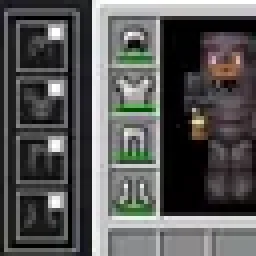
My version of "Cosmetic Armor Reworked". Adds cosmetic armor slots to customize your appearance without affecting stats or protection.
Direct download from Modrinth · 26 downloads
Tepox Cosmetic Armor is a mod made by tepox.juegos@gmail.com. My version of "Cosmetic Armor Reworked". Adds cosmetic armor slots to customize your appearance without affecting stats or protection.
It supports Minecraft 26.x. It has been downloaded 26 times on Modrinth. The last update came out on Sep 18, 2026.
Tepox Cosmetic Armor has had 2 releases on Modrinth since Sep 17, 2026. 2 of them came out in the past year. The newest is 1.0.1, released on Sep 18, 2026. It is made for Minecraft 26.2. It runs on NeoForge. The download is 26 KB.
| Version | Released | Minecraft | Type |
|---|---|---|---|
1.0.1 | Sep 18, 2026 | 26.2 | Release |
1.0.0 | Sep 17, 2026 | 26.2 | Release |
This mod is my version of the famous "Cosmetic Armor Reworked" https://www.curseforge.com/minecraft/mc-mods/cosmetic-armor-reworked mod for a new minecraft version 26.2, which allows you to wear cosmetic armor without affecting your real armor stats or protection.
It adds four new cosmetic armor slots for helmets, chestplates, leggings, and boots. You can open them using a new button in the inventory screen.
Each cosmetic armor piece can also be hidden or shown individually with a small toggle button.
Your normal armor still provides all protection, enchantments, and effects, while the cosmetic armor only changes how your character looks.
Written by tepox.juegos@gmail.com. Read it with pictures on Modrinth.
This mod is needed on both the server and every player who joins.
Install NeoForge for Minecraft 26.x.
Download the .jar file from Modrinth and put it in the mods folder of your .minecraft directory.
Start Minecraft with the NeoForge profile.
Easier: in Prism Launcher or the Modrinth App, search for Tepox Cosmetic Armor in your instance's mods and click Install. It adds the loader and the mods it needs for you.
Full guide: How to install Minecraft mods
| Resource | Downloads | Versions | Last update | Price |
|---|---|---|---|---|
| Tepox Cosmetic Armorthe one you looked at | 26 | 26.x | Sep 18, 2026 | Free |
| Cosmetic ArmorApace | 2.9M | 1.16 – 1.20 | Jul 16, 2023 | Free |
 Armor ReinforcementAkk4 | 19 | 1.20 | 3 hours ago | Free |
 Inventory Profiles Nextblackd | 42.4M | 1.16 – 26.x | Sep 27, 2026 | Free |
Yes. Tepox Cosmetic Armor supports Minecraft 26.x. All supported versions: 26.x.
Yes. Tepox Cosmetic Armor is free to download from Modrinth.
Both. The server and every player need Tepox Cosmetic Armor installed.
Yes. The last update came out in the past day.
The closest ones are Cosmetic Armor, Armor Reinforcement and Inventory Profiles Next. Compare all alternatives
Cosmetic ArmorMods · 1.16 – 1.20Adds 4 Curios/Trinkets slots for visual armor overrides.
Armor ReinforcementMods · 1.20This mod lets you add new layers of protection to your armor that shield you from bullets!
Inventory Profiles NextMods · 1.16 – 26.xTake control over your inventory. Sort. Move matching Items. Throw all. Locked slots. Gear sets! And much more.
 COBBLEVERSE: Badges & TrophiesMods · 1.21
Adds Pokémon Gym Badges and League Trophies from the Kanto, Johto, Hoenn and Sinnoh regions, with more coming soon!
 Hotbar Lock ModMods · 26.x
GUI for locking hotbar slots :)
 FoxyFriendsMods · 26.x
Make foxes your friends: tame them, dress them in armor and let them guard you
Log in to leave a review.