
 Boat Item ViewMods · 1.16 – 26.x
See your held items as you row your boat!
Free14,414,167 downloads

Light up your view with colorful flashlights!
Direct download from Modrinth · 18 downloads
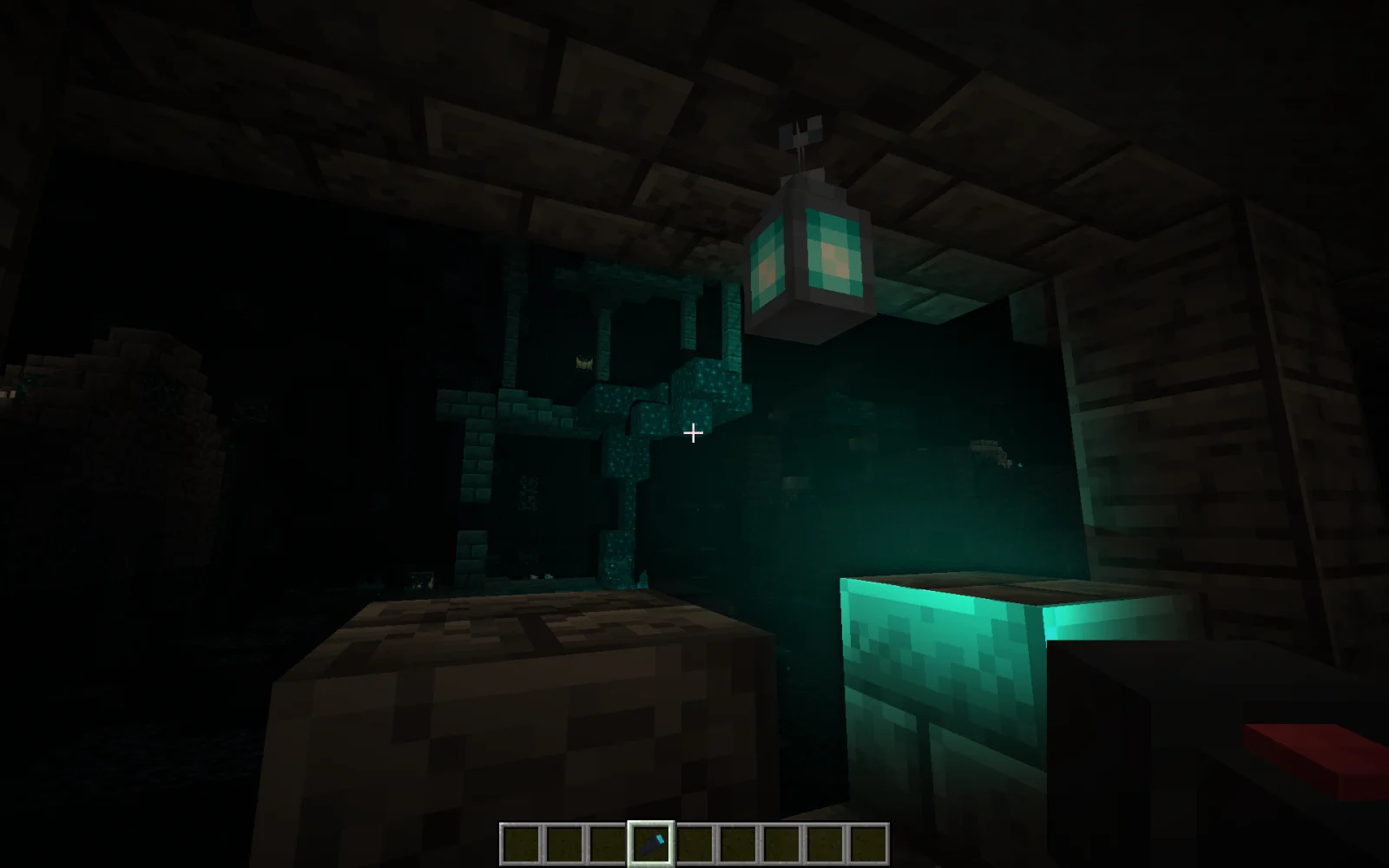
Luminous Flashlights is a mod made by Neoloxal. Light up your view with colorful flashlights!
It supports Minecraft 1.21. It has been downloaded 18 times on Modrinth. The last update came out on Oct 7, 2026.
Luminous Flashlights has had 10 releases on Modrinth since Sep 18, 2026. 10 of them came out in the past year. The newest is 1.0.1, released on Oct 7, 2026. It is made for Minecraft 1.21.1. It runs on NeoForge. The download is 407 KB.
| Version | Released | Minecraft | Type |
|---|---|---|---|
1.0.1 | Oct 7, 2026 | 1.21.1 | Release |
1.0.0 | Sep 26, 2026 | 1.21.1 | Release |
0.3.4 | Sep 21, 2026 | 1.21.1 | Alpha |
0.3.3 | Sep 21, 2026 | 1.21.1 | Alpha |
0.3.2 | Sep 20, 2026 | 1.21.1 | Alpha |
This mod adds colored flashlights you can use to light up caves. These are availible in all 16 colors of stained glass panes.
✅: Added 🚧: In Progress ❌: Planned 🚫: Not going to be added.
Feature · Implementation
16 Colors · ✅ since 0.1.2
Adjust Focus · ✅ since 0.3.0
Overhaul Textures · ✅ since 0.2.1
Balancing · ✅
Light for each hand · ✅ since 0.2.0
Hold Flashlights Differently · ✅ since 1.0.0
Config · ✅ since 1.0.0
Change flashlight depending on wheather and light. · ❌
NOT COMPATIBLE WITH IRIS: As of now I do not know of a way to make veil lights compatabable with Iris in any form. If Iris is installed the lights will be broken.
Written by Neoloxal. Read it with pictures on Modrinth.
This mod is needed on both the server and every player who joins.
Install NeoForge for Minecraft 1.21.
Add the mods it needs: Veil and Paint Palette Lib.
Download the .jar file from Modrinth and put it in the mods folder of your .minecraft directory.
Start Minecraft with the NeoForge profile.
Easier: in Prism Launcher or the Modrinth App, search for Luminous Flashlights in your instance's mods and click Install. It adds the loader and the mods it needs for you.
Full guide: How to install Minecraft mods
| Resource | Downloads | Versions | Last update | Price |
|---|---|---|---|---|
| Luminous Flashlightsthe one you looked at | 18 | 1.21 | Oct 7, 2026 | Free |
| Boat Item View50ap5ud5 | 14.4M | 1.16 – 26.x | 22 days ago | Free |
 TslatEntityStatusTslat | 8.3M | 1.16 – 26.x | Oct 2, 2026 | Free |
 Zombie AwarenessCorosus | 9.2M | 1.12 – 1.21 | Sep 17, 2024 | Free |
Not yet. The newest version it supports is Minecraft 1.21.
Yes. Luminous Flashlights is free to download from Modrinth.
Both. The server and every player need Luminous Flashlights installed.
Yes: Veil, Paint Palette Lib. Install it before Luminous Flashlights.
Yes. The last update came out in the past day.
The closest ones are Boat Item View, TslatEntityStatus and Zombie Awareness. Compare all alternatives
Boat Item ViewMods · 1.16 – 26.xSee your held items as you row your boat!
TslatEntityStatusMods · 1.16 – 26.xView entity health and other statuses. Make smacking things fun again!
Zombie AwarenessMods · 1.12 – 1.21Smarter more aware zombies (and others), they track you down via blood scent, sound, and light source awareness
 Blue SkiesMods · 1.16 – 1.20
Blue Skies is survival mod that adds aspects like dimensions, dungeons and more in a light and dark scenario.
 Nature's CompassMods · 1.12 – 26.x
Allows you to locate biomes anywhere in the world.
 Advancement PlaquesMods · 1.12 – 26.x
Replace those boring advancement popups with something flashier.
Log in to leave a review.