
 CustomCraftingPlugins · 1.16 – 26.x
Easily create custom recipes via an in-game GUI, including Crafting, Cooking, Smithing, etc. Use advanced config features to merge/copy NBT from ingredients…
Free242,009 downloads
The plugin adds a lightweight system for customizing the GUI interface directly in-game!
Direct download from Modrinth · 3 downloads
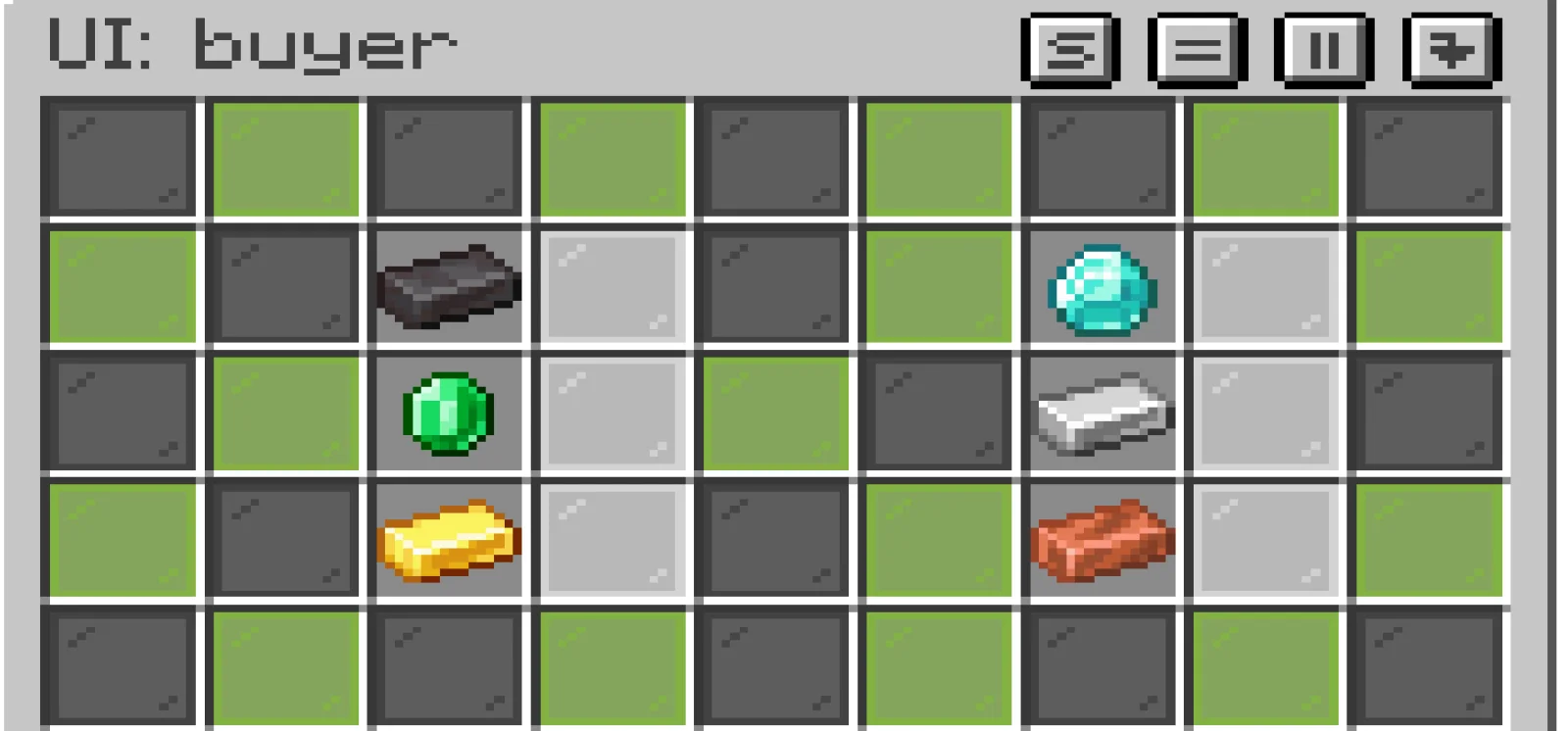
KusakaUI is a plugin for Paper / Spigot servers, made by g2191565. The plugin adds a lightweight system for customizing the GUI interface directly in-game!
It supports Minecraft 1.21. It has been downloaded 3 times on Modrinth. That puts it at #420 of the 440 utility plugins listed here. The last update came out on Nov 8, 2026.
The newest is 1.0-SNAPSHOT, released on Nov 8, 2026. It is made for Minecraft 1.21 – 1.21.11. It runs on Paper. The download is 12 KB.
| Version | Released | Minecraft | Type |
|---|---|---|---|
1.0-SNAPSHOT | Nov 8, 2026 | 1.21 – 1.21.11 | Beta |
The commands named on the Modrinth page of KusakaUI:
/km/ksWith the "kusakaUI" plugin by Bronka, you can create a user-friendly interface directly within the game. You can build fully functional elements, such as shop menus and more. The plugin uses the following commands: /km and /ks. The /km command allows you to create an interface or edit an existing one, while the /ks command lets you open the interface in "player" mode, enabling you to test its functionality.**
Written by g2191565. Read it with pictures on Modrinth.
Make sure your server runs Paper and Spigot on Minecraft 1.21.
Install what it needs first: Vault 2.0 economy plugins.
Download the .jar file from Modrinth and put it in the plugins folder of your server.
Restart the server. Avoid /reload, many plugins do not handle it well.
Type /plugins in the console: KusakaUI should be listed in green. Its config files are created in the plugins folder on the first start.
Full guide: How to install plugins on a Minecraft server
| Resource | Downloads | Versions | Last update | Price |
|---|---|---|---|---|
| KusakaUIthe one you looked at | 3 | 1.21 | 5 days ago | Free |
| CustomCraftingWolfyScript | 242K | 1.16 – 26.x | 6 days ago | Free |
 Random Death Dropvae_fbi | 65K | 1.20 – 26.x | Oct 9, 2026 | Free |
 SmartSpawnerNightter | 232K | 1.20 – 26.x | 16 days ago | Free |
Not yet. The newest version it supports is Minecraft 1.21.
Yes. KusakaUI is free to download from Modrinth.
KusakaUI runs on Paper and Spigot servers.
Yes: Vault 2.0 economy plugins. Install it before KusakaUI.
Yes. The last update came out in the past day.
The closest ones are CustomCrafting, Random Death Drop and SmartSpawner. Compare all alternatives
CustomCraftingPlugins · 1.16 – 26.xEasily create custom recipes via an in-game GUI, including Crafting, Cooking, Smithing, etc. Use advanced config features to merge/copy NBT from ingredients…
Random Death DropPlugins · 1.20 – 26.xThis Plugin adds at every dead one inventary slot drops or armor slot the cpability is variable in config or In-Game GUI
SmartSpawnerPlugins · 1.20 – 26.xAdd custom GUI spawners that generate items and XP instead of spawning mobs.
 Open InventoryPlugins · 1.16 – 26.x
OpenInv is a powerful Minecraft admin plugin that lets staff view and edit player inventories and ender chests using /inv commands, featuring a modern GUI…
 Unstable SMP Scripted PluginPlugins · 1.21 – 26.x
UnstableSMP Plugin is a hardcore-style SMP plugin that combines immortality, death bans, and immersive proximity features. It adds intense gameplay with smart…
 ExcellentEconomyPlugins · 1.19 – 26.x
A modern and lightweight economy system with unlimited virtual currencies.
Log in to leave a review.