
 CobbleFurniesMods · 1.21
CobbleFurnies is here to bring your creations to life with beautifully crafted, Cobblemon-inspired furniture that blends seamlessly into your Minecraft world!
Free8,166,318 downloads
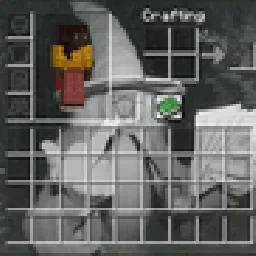
A nicer alternative for changing the background of containers instead of a texture pack. Works with gifs!
Direct download from Modrinth · 2 downloads
Inventory Wallpaper is a mod made by inatorcreator. A nicer alternative for changing the background of containers instead of a texture pack. Works with gifs!
It supports Minecraft 26.x. It has been downloaded 2 times on Modrinth. The last update came out on Nov 9, 2026.
The newest is 1.0.0, released on Nov 9, 2026. It is made for Minecraft 26.3. It runs on Fabric. The download is 57 KB.
| Version | Released | Minecraft | Type |
|---|---|---|---|
1.0.0 | Nov 9, 2026 | 26.3 | Release |
Make ANY picture or GIF your inventory background! works with storages too! access with command /inventorywallpaper, or the keybind in the controls menu!
can still read them.
every container. basically all things with a gui and most modded menus.
screen, press Reload after editing an image. You never need to restart.
window.
MIT licensed. Made by InatorCreator.
Written by inatorcreator. Read it with pictures on Modrinth.
This mod runs only on your own game. Servers do not need it, so you can use it on any server.
Install Fabric for Minecraft 26.x.
Download the .jar file from Modrinth and put it in the mods folder of your .minecraft directory.
Start Minecraft with the Fabric profile.
Easier: in Prism Launcher or the Modrinth App, search for Inventory Wallpaper in your instance's mods and click Install. It adds the loader and the mods it needs for you.
Full guide: How to install Minecraft mods
| Resource | Downloads | Versions | Last update | Price |
|---|---|---|---|---|
| Inventory Wallpaperthe one you looked at | 2 | 26.x | 5 days ago | Free |
| CobbleFurniesLunazStudios | 8.2M | 1.21 | Jun 29, 2026 | Free |
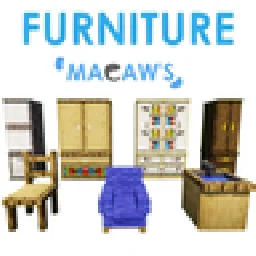 Macaw's Furnituresketchmacaw | 7.5M | 1.16 – 26.x | Sep 29, 2026 | Free |
 More DelightAxperty | 5.2M | 1.19 – 26.x | Sep 16, 2026 | Free |
Yes. Inventory Wallpaper supports Minecraft 26.x. All supported versions: 26.x.
Yes. Inventory Wallpaper is free to download from Modrinth.
Client-side. Inventory Wallpaper goes in your own mods folder and works on any server, including servers without mods.
Yes. The last update came out in the past day.
The closest ones are CobbleFurnies, Macaw's Furniture and More Delight. Compare all alternatives
CobbleFurniesMods · 1.21CobbleFurnies is here to bring your creations to life with beautifully crafted, Cobblemon-inspired furniture that blends seamlessly into your Minecraft world!
Macaw's FurnitureMods · 1.16 – 26.xDecorate your world with wardrobes, drawers, chairs, desks, couches, chaise, sinks, tables and more...!
More DelightMods · 1.19 – 26.xExtra meals, knives, and ingredients for Farmer's Delight that improve your culinary experience.
 Carved WoodMods · 1.20 – 26.x
Adds new sets of wooden blocks and new variants of existing wooden blocks!
 Immortalers DelightMods · 1.20 – 1.21
Ancient plants, ancient tools, and the expansion of ancient diets!
 Mouse TweaksMods · 1.16 – 26.x
Enhances inventory management by adding various functions to the mouse buttons.
Log in to leave a review.