
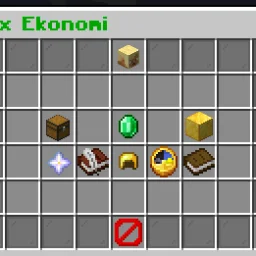
 RexExchangePlugins · 1.8 – 26.x
Live supply & demand market, player stock exchange and bank with loans in one GUI-driven plugin. Works on 1.8 to 26.x.
Free0 downloads

Place [Supply] signs that give players unlimited items and kits. Paper 26.2 and 26.3.
Direct download from Hangar · 0 downloads
Source and ownership. This page was generated automatically from public data that Hangar provides through its public API. The name, descriptions, images, trademarks and all other content of this project belong to VashaTS and their respective owners. CraftRank is not the author of this project and is not affiliated with, endorsed or sponsored by its author or by Hangar.
Hosting and distribution. CraftRank does not host, store, upload or distribute the download files of this project, and no such file is kept on CraftRank's servers. Every download is provided directly by Hangar from its own servers; the Download button only links to the file there. The license stated on Hangar is GPL.
Use of public APIs. Modrinth, Hangar (PaperMC) and SpigotMC (through the Spiget API) make their APIs publicly available to third-party websites and applications. Modrinth's Terms of Use give API users a license to download, display and query content through their own services (section “API Usage”), and creators who publish on Modrinth grant Modrinth and its licensees the right to display and distribute their content to third parties (section “User Contributions”). CraftRank uses these APIs in line with the platforms' published rules: it identifies itself in every request and respects their rate limits.
No warranty. The information on this page is provided "as is", without any warranty. Downloading and using this project is at your own risk and subject to the license and terms of its author.
Copyright notices (DMCA). Only the copyright owner or someone authorised to act for them may file a notice, and it must come from a person of legal age or from their parent or legal guardian. A valid notice sent to abuse@craftrank.org must contain: the link of this page; the work claimed to be infringed; your full name, postal address, phone number and e-mail; a statement that you believe in good faith that the use is not authorised by the owner, its agent or the law; a statement, under penalty of perjury, that the notice is accurate and that you are the owner or authorised to act for them; and your physical or electronic signature. Incomplete notices are not processed. Valid notices are acted on within 48 hours, with no need to go through Google.
False notices. Anyone who knowingly misrepresents that material is infringing is liable for the damages caused, including costs and attorneys' fees (17 U.S.C. § 512(f)). Notices filed in bad faith or by someone who does not hold the rights are kept on record and will be contested.
SupplySign is a plugin for Paper / Spigot servers, made by VashaTS. Place [Supply] signs that give players unlimited items and kits. Paper 26.2 and 26.3.
It supports Minecraft 26.x. That puts it at #348 of the 348 admin and permission plugins listed here. The last update came out on Nov 26, 2026.
The newest is 2.0.0, released on Nov 26, 2026. It is made for Minecraft 26.2, 26.3. It runs on Paper. The download is 43 KB.
| Version | Released | Minecraft | Type |
|---|---|---|---|
2.0.0 | Nov 26, 2026 | 26.2, 26.3 | Release |
The commands named on the Hangar page of SupplySign:
/supplysignPermission nodes named there, to give with a plugin like LuckPerms:
supplysign.reloadsupplysign.createsupplysign.accesssupplysign.destroysupplysign.*SupplySign is open source. Its newest release on GitHub is SupplySign 2.0.0 (Paper 26.2 / 26.3), published on Nov 26, 2026.
Maintained fork of redsgreens/SupplySign, ported to modern Paper.
Requires Paper 26.2 or 26.3 (or newer, if the API stays compatible) and Java 25. Server only.
Tested on Paper 26.2 build 135 and Paper 26.3 build 262 with a real client: placing item and kit signs, sign on chest, sign on dispenser (refill), permission denied. See README for details. GPL-3.0, credit to redsgreens.
SupplySign is a Paper plugin that lets admins place [Supply] signs that give players unlimited items or kits. Right-click the sign (or the chest it is attached to) to open a chest-like window full of the listed items, and take what you need.
This is a maintained fork of redsgreens/SupplySign, updated for Paper 26.2 and 26.3. The original plugin was last updated in 2021 (Minecraft 1.12). The fork is at VashaTS/SupplySign.
Chest sign: place the sign on the ground next to a chest (not within one block of another chest). After you finish editing, the sign attaches itself to the chest as a wall sign. Right-clicking the sign or the chest shows the contents of the sign. On a large chest you can put a sign on both halves.
Dispenser: attach a sign to a dispenser the same way. The dispenser is always refilled with the items on the sign (one slot per item, up to nine). Dispensers need redstone to fire. A dispenser with a supply sign cannot be opened.
Kits: set the second line to kit: followed by the kit name, e.g. kit:wool. Included kits: wool, dye, woodtools, woodplus, irontools, ironplus, diamondtool, diamondplus, goldtools, goldplus, desert, makecake, chainmail, stonebricks, bigredmush, cookedmeat. Add your own in plugins/SupplySign/kits.yml.
Signs have two sides: a sign works if either side has [Supply] on its first line, and the items are read from that side.
plugins/SupplySign/config.yml:
Custom item names go in plugins/SupplySign/items-custom.csv. Place the jar in the server plugins folder and restart. It runs on the server only; players do not need a client mod.
Paper 26.2 and 26.3, and newer Paper builds as long as the sign and chest APIs stay compatible. Requires Java 25.
Welcome to your new project!
Written by VashaTS. Read it with pictures on Hangar.
Make sure your server runs Paper and Spigot on Minecraft 26.x.
Download the .jar file from Hangar and put it in the plugins folder of your server.
Restart the server. Avoid /reload, many plugins do not handle it well.
Type /plugins in the console: SupplySign should be listed in green. Its config files are created in the plugins folder on the first start.
Full guide: How to install plugins on a Minecraft server
| Resource | Downloads | Versions | Last update | Price |
|---|---|---|---|---|
| SupplySignthe one you looked at | 0 | 26.x | 1 hour ago | Free |
| RexExchangeRedux | 0 | 1.8 – 26.x | 29 days ago | Free |
 UltraDropsPritam11638 | 31 | 1.21 – 26.x | 8 days ago | Free |
 Airdrop ProHyper-Mayank | 1 | 1.16 – 26.x | 8 days ago | Free |
Yes. SupplySign supports Minecraft 26.x. All supported versions: 26.x.
Yes. SupplySign is free to download from Hangar.
SupplySign runs on Paper and Spigot servers.
Yes. SupplySign is a server plugin: it goes in the plugins folder of the server, not in the mods folder of a player's game.
Yes. The last update came out in the past day.
The closest ones are RexExchange, UltraDrops and Airdrop Pro. Compare all alternatives
RexExchangePlugins · 1.8 – 26.xLive supply & demand market, player stock exchange and bank with loans in one GUI-driven plugin. Works on 1.8 to 26.x.
UltraDropsPlugins · 1.21 – 26.xUltraDrops is a Paper/Folia-compatible Minecraft plugin that automatically spawns customizable supply drop chests with timed countdowns, particle animations…
Airdrop ProPlugins · 1.16 – 26.xRegion-safe sky supply drops for Bukkit, Spigot, Paper, Purpur & Folia with GUI loot editor, BossBar radar & flares.
 RexEnvoysPlugins · 1.21 – 26.x
Supply crate events for Paper, Purpur and Folia. Run several at once, each with its own region, flare, loot and messages.
 Bigger Stack SizePlugins · 1.20 – 26.x
Stack all items to 64: potions, ender pearls, totems, buckets, signs, tools and more
A highly customizable plugin that lets players sign their items with custom text. Easily configure signature formats, permissions, messages, filters, and more…
Log in to leave a review.