
 Vanilla Plus ShaderШейдеры · 1.16 – 1.21
A shaderpack that gives Minecraft a modern visual overhaul while staying faithful to its original look.
БесплатноЗагрузок: 2,761,939
Unique Particle Effects — шейдерпак от AlphaLeoli. Gives a different look to each potion particle. Creator friendly.
Поддерживаемые версии: Minecraft 1.20 – 1.21. Скачиваний на Modrinth: 9,038. Последнее обновление: 09.10.2025.
С 01.09.2025 у Unique Particle Effects вышло 3 версий на Modrinth. За последний год ни одной не вышло. Новейшая — 1.0.2, вышла 08.10.2025. Она сделана для Minecraft 1.20.2 – 1.21.10. Работает на Minecraft. Размер файла — 27 KB.
| Версия | Выпущен | Minecraft | Тип |
|---|---|---|---|
1.0.2 | 08.10.2025 | 1.20.2 – 1.21.10 | Релиз |
1.0.1 | 05.09.2025 | 1.20.5 – 1.21.8 | Релиз |
1.0.0 | 01.09.2025 | 1.20.5 – 1.21.8 | Релиз |
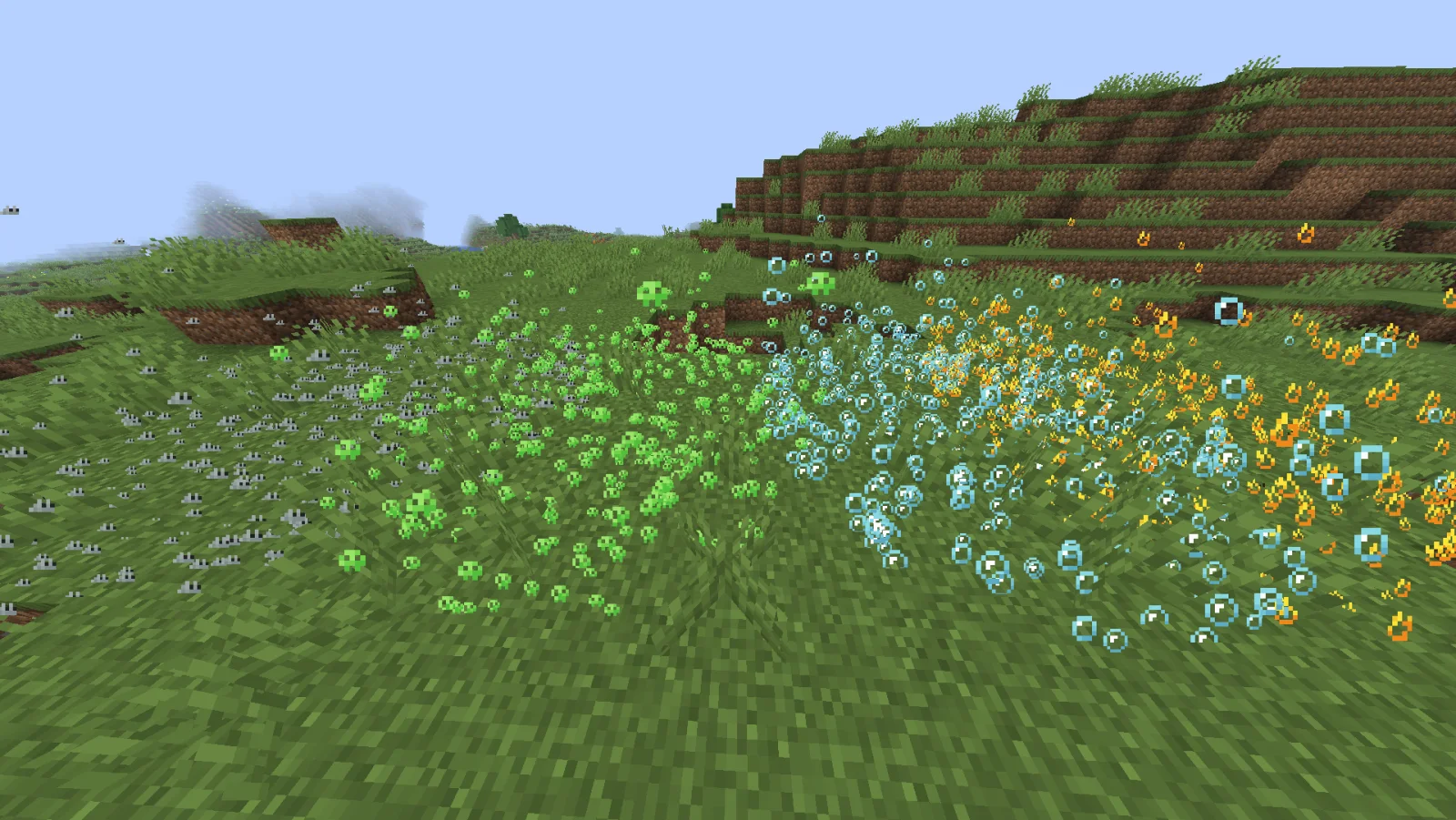
The above image shows 4 different particle types. From left to right, the particle types are Infestation, Poison, Water Breathing and Fire Resistance (A few of my favorites).
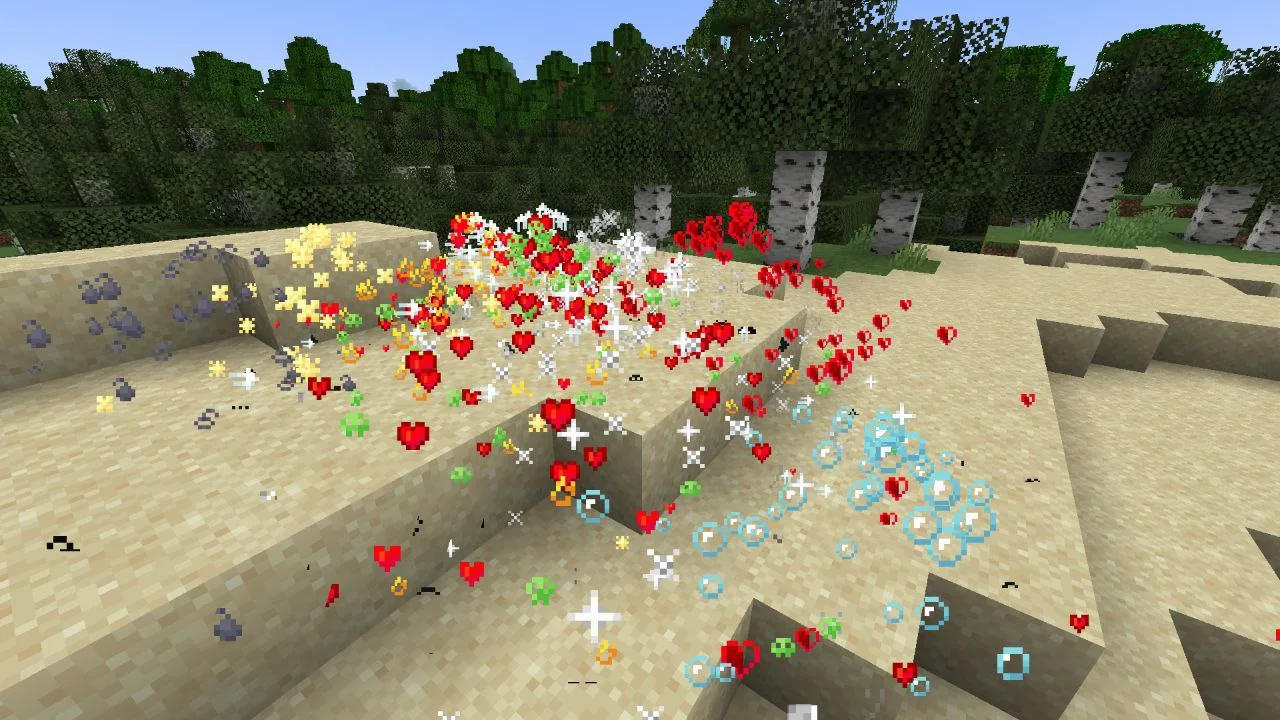
For more example images, head to the gallery
This pack uses vanilla's core shader system in order to make a way for creators to change the texture of each potion particle to something unique. It is easy to use, fast and lightweight, and is compatible with many Minecraft versions, including the latest versions of the game. Below there is some more information on how to use it.
All textures included in this pack are from the Particle Effects mod (created by LopyMine and KlashRaick), and I have been given permission to use them in this pack. All included textures are licensed under the LGPL-3.0-only license, whereas the code in this texture pack is licensed as CC-BY-NC-SA-4.0
If you want to know more about how this works, or have questions about other vanilla shader related things, you can join my discord and ask in there :)
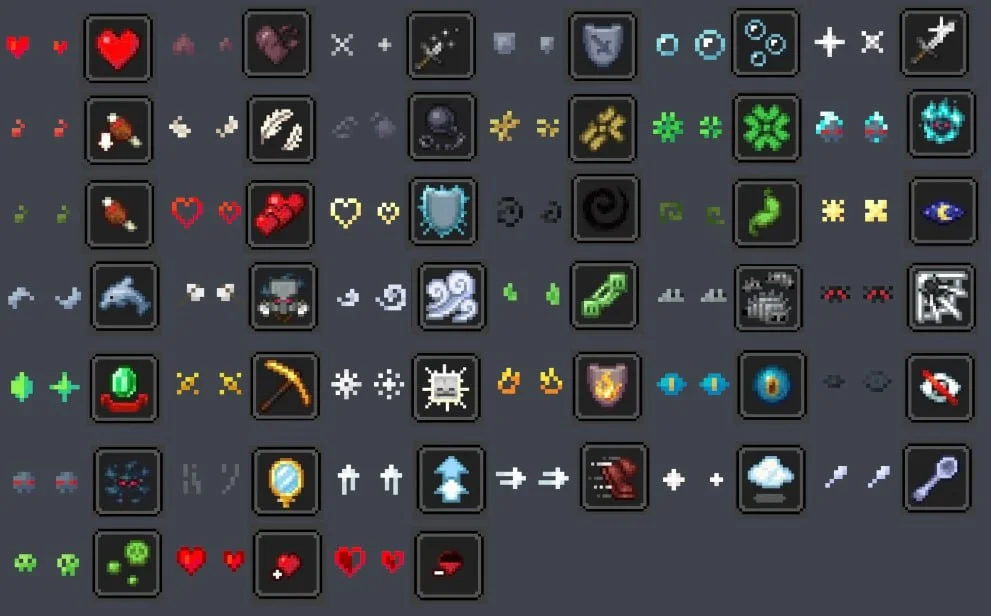
If you would like to create your own unique particle textures, this is the guide for you.
This is how the default "effect_5" texture looks that is included in the pack, for reference:
Note that you cannot use the example image above for a starting point. For that, download the pack and use the default textures included.
Here are some things to keep in mind when creating textures for this pack:
Join My Discord
Check out The Repository
Автор: AlphaLeoli. С картинками — на Modrinth.
Установите Iris (с Sodium) или OptiFine для своей версии Minecraft: шейдерам нужен один из них.
Скачай .zip-файл с Modrinth. Не распаковывай его.
В Minecraft откройте Настройки, затем Настройки графики, затем Шейдеры и нажмите Открыть папку шейдеров.
Перетащите .zip в эту папку, выберите Unique Particle Effects в списке и нажмите Готово.
Шейдеры сильно нагружают видеокарту. Если игра тормозит, выберите профиль пониже в настройках шейдера.
| Ресурс | Загрузки | Версии | Обновление | Цена |
|---|---|---|---|---|
 Unique Particle Effectsтот, что ты смотрел | 9,038 | 1.20 – 1.21 | 9 окт. 2025 | Бесплатно |
| Vanilla Plus ShaderRRe36 | 2.8M | 1.16 – 1.21 | 28 февр. 2025 | Бесплатно |
 ReverieTheCMK | 439K | 1.20 – 26.x | 4 окт. 2026 | Бесплатно |
| Cinematic Color CorrectionBestsoft100 | 39K | 1.8 – 1.21 | 20 сент. 2024 | Бесплатно |
Пока нет. Последняя поддерживаемая версия — Minecraft 1.21.
Да. Unique Particle Effects можно бесплатно скачать на Modrinth.
Да. Последнее обновление вышло за последние сутки.
Ближе всего к нему Vanilla Plus Shader, Reverie и Cinematic Color Correction. Сравнить все альтернативы
Vanilla Plus ShaderШейдеры · 1.16 – 1.21A shaderpack that gives Minecraft a modern visual overhaul while staying faithful to its original look.
ReverieШейдеры · 1.20 – 26.xShader with a foggy and warm look. It leverages new features added by Iris for effects previously impossible to achieve.
This shader gives the game a more cinematic look by changing the color and adding a Bloom effect.
Войди, чтобы оставить отзыв.