
 Vanilla Plus ShaderShaders · 1.16 – 1.21
A shaderpack that gives Minecraft a modern visual overhaul while staying faithful to its original look.
Grátis2,773,145 downloads
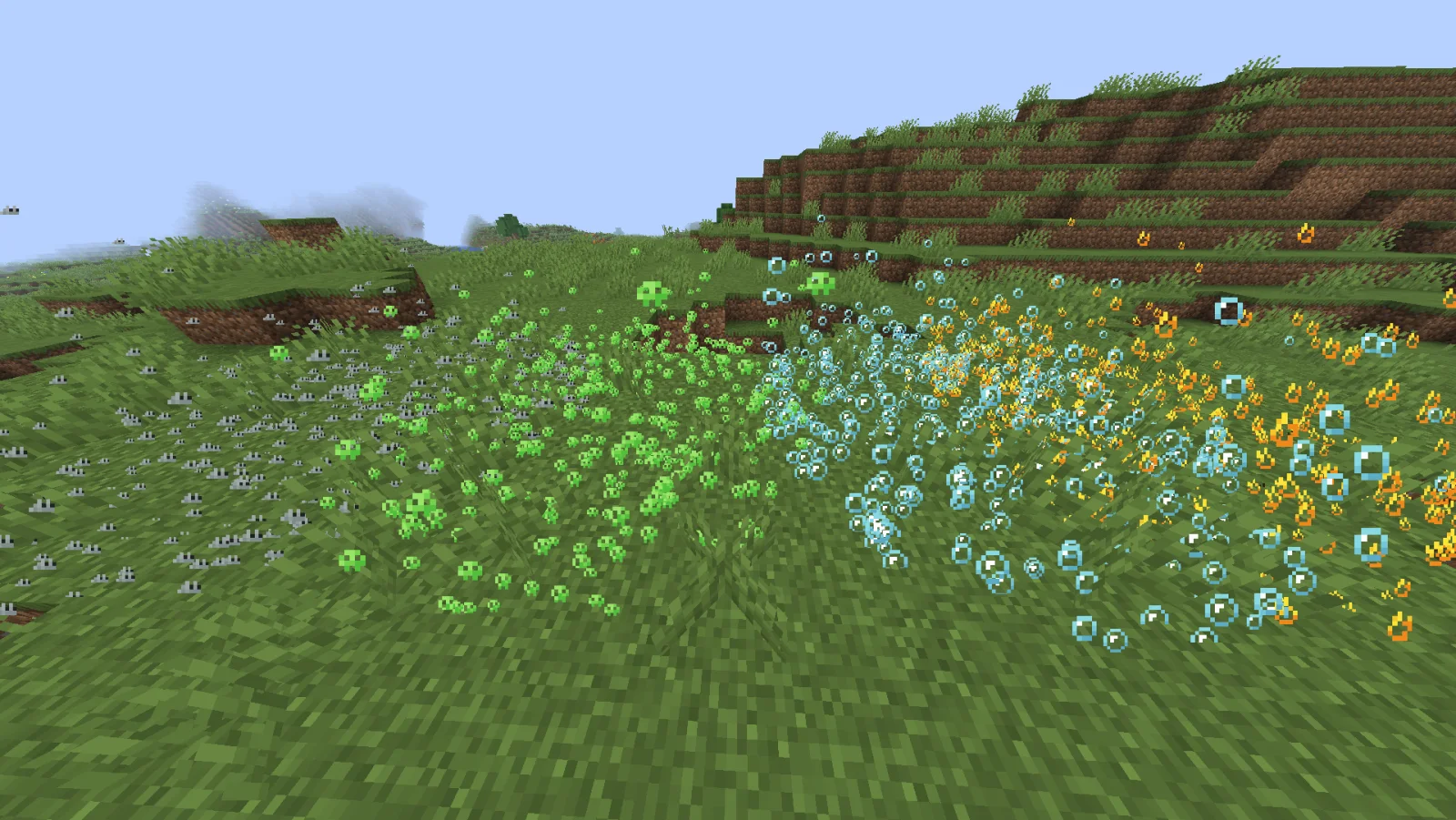
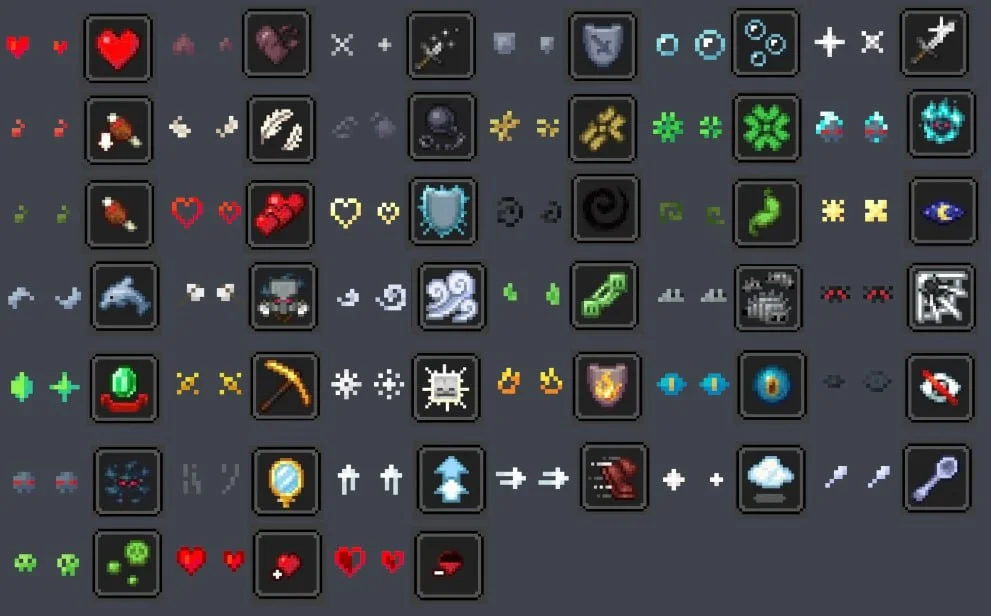
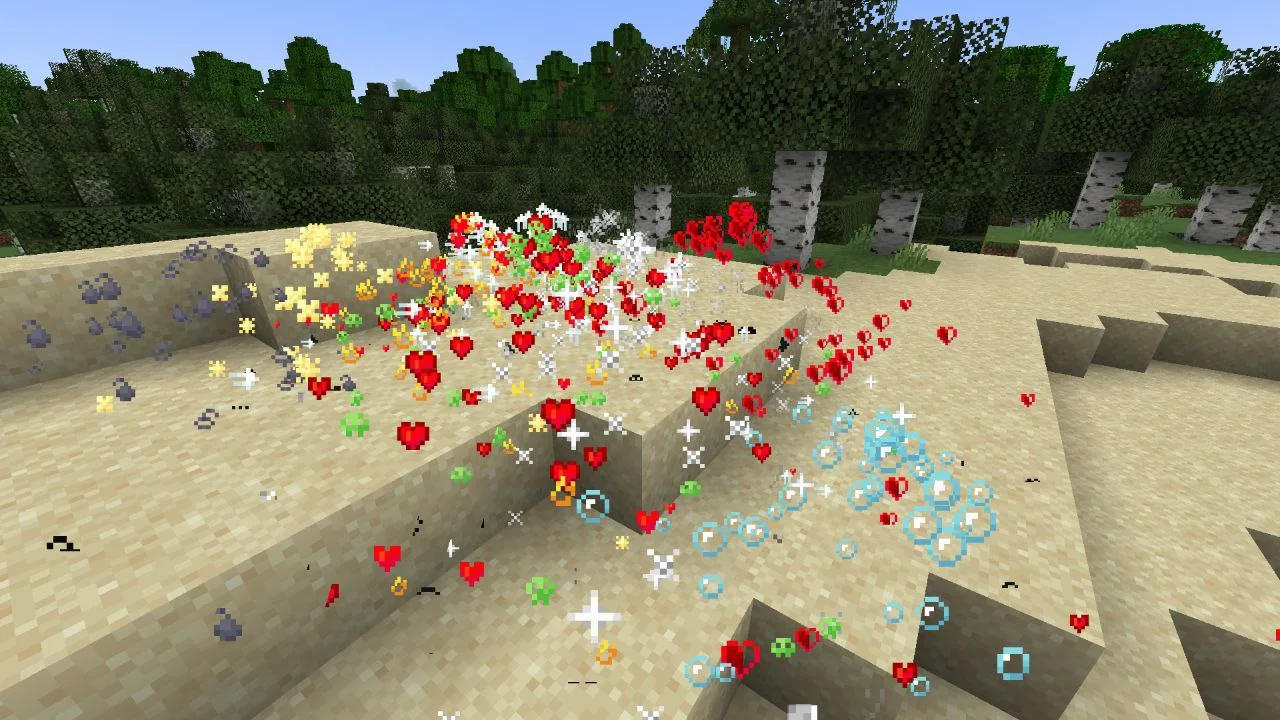
Unique Particle Effects (pacote de shaders) é obra de AlphaLeoli. Gives a different look to each potion particle. Creator friendly.
É compatível com o Minecraft 1.20 – 1.21. Tem 9,065 downloads em Modrinth. A última atualização saiu em 09/10/2025.
Unique Particle Effects teve 3 versões no Modrinth desde 01/09/2025. Nenhuma saiu no último ano. A mais recente é 1.0.2, lançada em 08/10/2025. Ela é feita para o Minecraft 1.20.2 – 1.21.10. Ela roda em Minecraft. O download tem 27 KB.
| Versão | Lançado | Minecraft | Tipo |
|---|---|---|---|
1.0.2 | 08/10/2025 | 1.20.2 – 1.21.10 | Estável |
1.0.1 | 05/09/2025 | 1.20.5 – 1.21.8 | Estável |
1.0.0 | 01/09/2025 | 1.20.5 – 1.21.8 | Estável |
The above image shows 4 different particle types. From left to right, the particle types are Infestation, Poison, Water Breathing and Fire Resistance (A few of my favorites).
For more example images, head to the gallery
This pack uses vanilla's core shader system in order to make a way for creators to change the texture of each potion particle to something unique. It is easy to use, fast and lightweight, and is compatible with many Minecraft versions, including the latest versions of the game. Below there is some more information on how to use it.
All textures included in this pack are from the Particle Effects mod (created by LopyMine and KlashRaick), and I have been given permission to use them in this pack. All included textures are licensed under the LGPL-3.0-only license, whereas the code in this texture pack is licensed as CC-BY-NC-SA-4.0
If you want to know more about how this works, or have questions about other vanilla shader related things, you can join my discord and ask in there :)
If you would like to create your own unique particle textures, this is the guide for you.
This is how the default "effect_5" texture looks that is included in the pack, for reference:
Note that you cannot use the example image above for a starting point. For that, download the pack and use the default textures included.
Here are some things to keep in mind when creating textures for this pack:
Join My Discord
Check out The Repository
Escrita por AlphaLeoli. Leia com imagens no Modrinth.
Instale o Iris (com Sodium) ou o OptiFine para sua versão do Minecraft: shaders precisam de um deles.
Baixe o arquivo .zip pelo Modrinth. Não descompacte.
No Minecraft, abra Opções, depois Gráficos, depois Shader Packs e clique em Abrir pasta de shaders.
Coloque o arquivo .zip nessa pasta, escolha Unique Particle Effects na lista e clique em Concluído.
Shaders pesam na placa de vídeo. Se o jogo ficar lento, escolha um perfil mais baixo nas configurações.
| Recurso | Downloads | Versões | Última atualização | Preço |
|---|---|---|---|---|
 Unique Particle Effectso que você estava vendo | 9,065 | 1.20 – 1.21 | 9 out 2025 | Grátis |
| Vanilla Plus ShaderRRe36 | 2.8M | 1.16 – 1.21 | 28 fev 2025 | Grátis |
 ReverieTheCMK | 441K | 1.20 – 26.x | 4 out 2026 | Grátis |
| Cinematic Color CorrectionBestsoft100 | 39K | 1.8 – 1.21 | 20 set 2024 | Grátis |
Ainda não. A versão mais recente compatível é o Minecraft 1.21.
Sim. Você pode baixar Unique Particle Effects de graça em Modrinth.
Sim. A última atualização saiu no último dia.
Os mais parecidos são Vanilla Plus Shader, Reverie e Cinematic Color Correction. Comparar todas as alternativas
Vanilla Plus ShaderShaders · 1.16 – 1.21A shaderpack that gives Minecraft a modern visual overhaul while staying faithful to its original look.
ReverieShaders · 1.20 – 26.xShader with a foggy and warm look. It leverages new features added by Iris for effects previously impossible to achieve.
This shader gives the game a more cinematic look by changing the color and adding a Bloom effect.
Entre para deixar uma avaliação.