
 Vanilla Plus ShaderShaders · 1.16 – 1.21
A shaderpack that gives Minecraft a modern visual overhaul while staying faithful to its original look.
Gratuit2,761,939 téléchargements
Gives a different look to each potion particle. Creator friendly.
Téléchargement direct depuis Modrinth · 9,050 téléchargements
Unique Particle Effects (pack de shaders) est une création de AlphaLeoli. Gives a different look to each potion particle. Creator friendly.
Versions prises en charge : Minecraft 1.20 – 1.21. On compte 9,050 téléchargements sur Modrinth. La dernière mise à jour date du 09/10/2025.
Unique Particle Effects a publié 3 versions sur Modrinth depuis le 01/09/2025. Aucune n'est sortie au cours de l'année passée. La plus récente est 1.0.2, sortie le 08/10/2025. Elle est faite pour Minecraft 1.20.2 – 1.21.10. Elle fonctionne sur Minecraft. Le téléchargement fait 27 KB.
| Version | Publié | Minecraft | Type |
|---|---|---|---|
1.0.2 | 08/10/2025 | 1.20.2 – 1.21.10 | Stable |
1.0.1 | 05/09/2025 | 1.20.5 – 1.21.8 | Stable |
1.0.0 | 01/09/2025 | 1.20.5 – 1.21.8 | Stable |
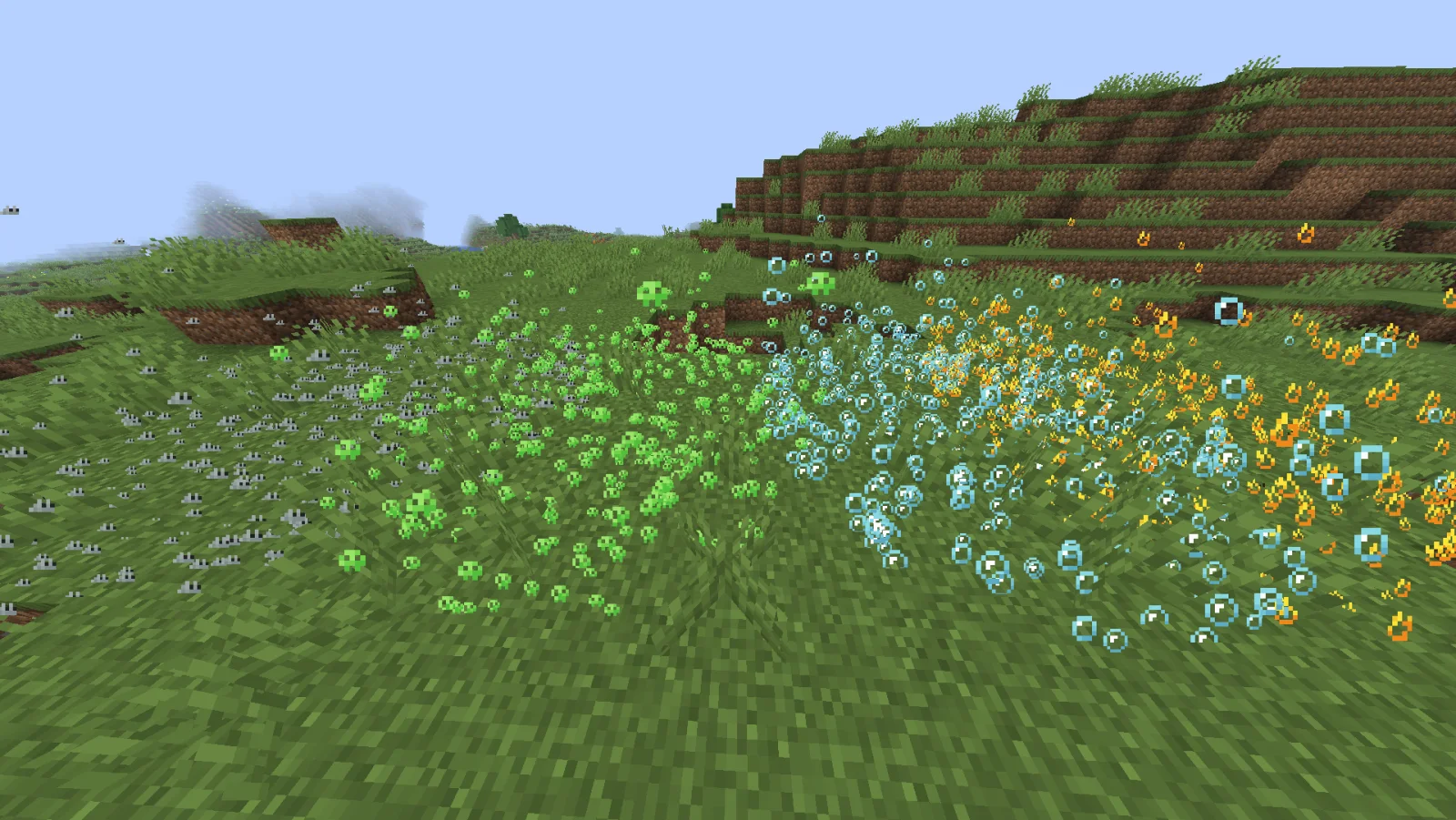
The above image shows 4 different particle types. From left to right, the particle types are Infestation, Poison, Water Breathing and Fire Resistance (A few of my favorites).
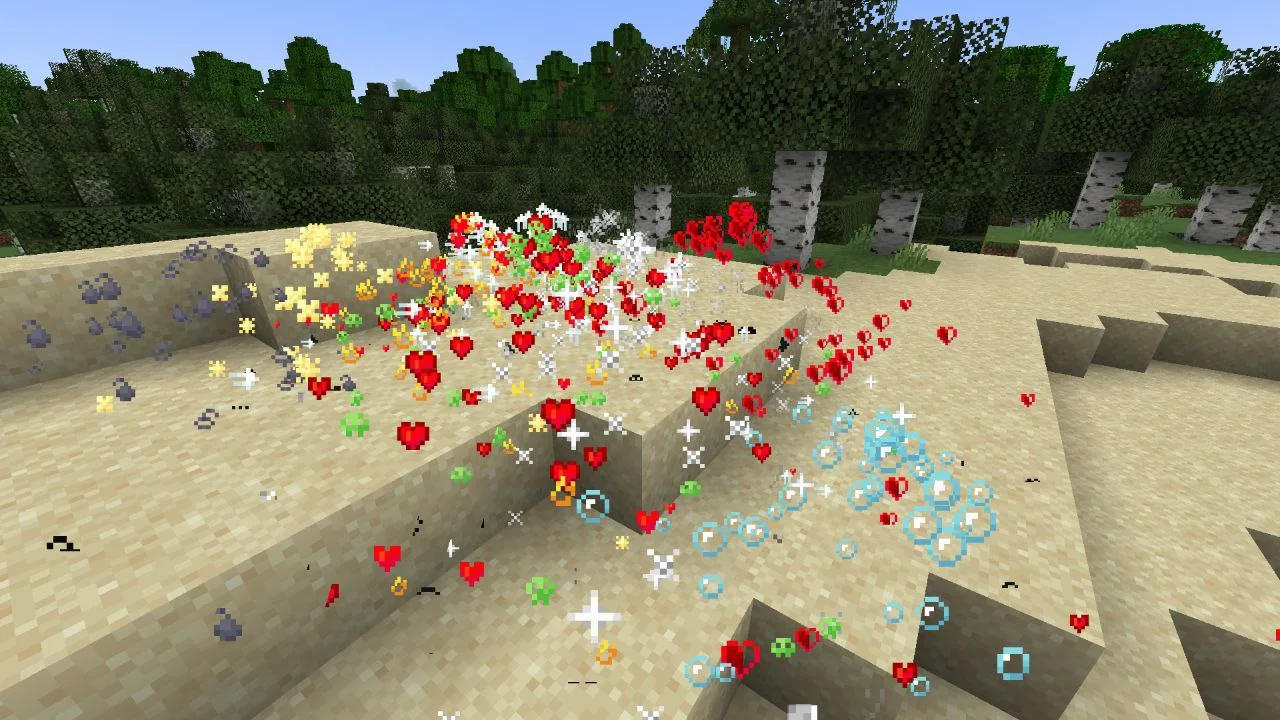
For more example images, head to the gallery
This pack uses vanilla's core shader system in order to make a way for creators to change the texture of each potion particle to something unique. It is easy to use, fast and lightweight, and is compatible with many Minecraft versions, including the latest versions of the game. Below there is some more information on how to use it.
All textures included in this pack are from the Particle Effects mod (created by LopyMine and KlashRaick), and I have been given permission to use them in this pack. All included textures are licensed under the LGPL-3.0-only license, whereas the code in this texture pack is licensed as CC-BY-NC-SA-4.0
If you want to know more about how this works, or have questions about other vanilla shader related things, you can join my discord and ask in there :)
If you would like to create your own unique particle textures, this is the guide for you.
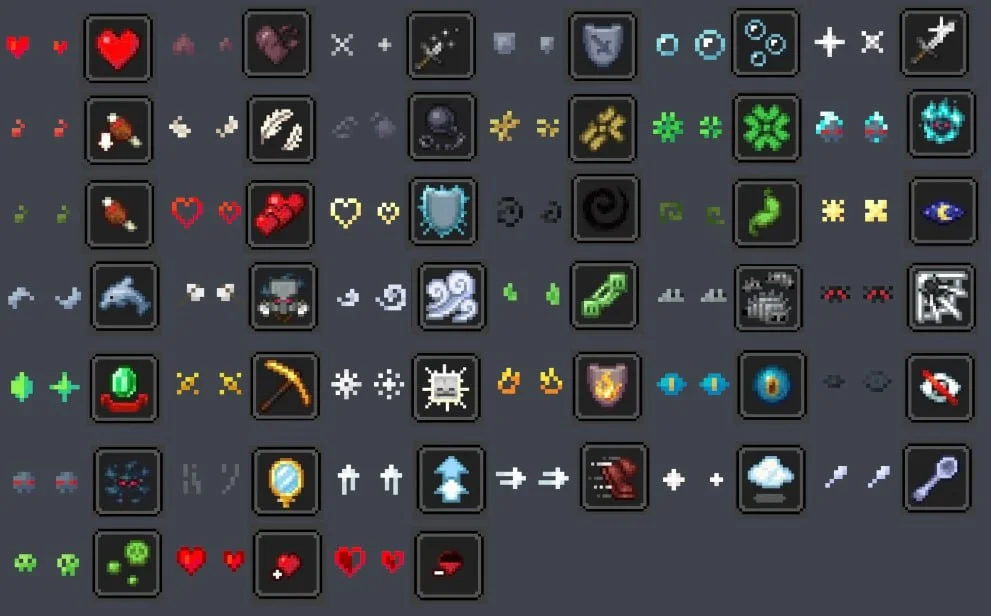
This is how the default "effect_5" texture looks that is included in the pack, for reference:
Note that you cannot use the example image above for a starting point. For that, download the pack and use the default textures included.
Here are some things to keep in mind when creating textures for this pack:
Join My Discord
Check out The Repository
Écrite par AlphaLeoli. À lire avec les images sur Modrinth.
Installe Iris (avec Sodium) ou OptiFine pour ta version de Minecraft : les shaders ont besoin de l'un des deux.
Télécharge le fichier .zip depuis Modrinth. Ne le décompresse pas.
Dans Minecraft, ouvre Options, puis Paramètres vidéo, puis Shaders, et clique sur Ouvrir le dossier des shaders.
Dépose le fichier .zip dans ce dossier, choisis Unique Particle Effects dans la liste et clique sur Terminé.
Les shaders sollicitent beaucoup la carte graphique. Si le jeu ralentit, choisis un profil plus bas dans leurs réglages.
| Ressource | Téléchargements | Versions | Mise à jour | Prix |
|---|---|---|---|---|
| Unique Particle Effectscelle que tu regardais | 9,050 | 1.20 – 1.21 | 9 oct. 2025 | Gratuit |
| Vanilla Plus ShaderRRe36 | 2.8M | 1.16 – 1.21 | 28 févr. 2025 | Gratuit |
 ReverieTheCMK | 439K | 1.20 – 26.x | 4 oct. 2026 | Gratuit |
| Cinematic Color CorrectionBestsoft100 | 39K | 1.8 – 1.21 | 20 sept. 2024 | Gratuit |
Pas encore. La version la plus récente prise en charge est Minecraft 1.21.
Oui. Unique Particle Effects se télécharge gratuitement sur Modrinth.
Oui. La dernière mise à jour date des dernières 24 heures.
Les plus proches sont Vanilla Plus Shader, Reverie et Cinematic Color Correction. Comparer toutes les alternatives
Vanilla Plus ShaderShaders · 1.16 – 1.21A shaderpack that gives Minecraft a modern visual overhaul while staying faithful to its original look.
ReverieShaders · 1.20 – 26.xShader with a foggy and warm look. It leverages new features added by Iris for effects previously impossible to achieve.
This shader gives the game a more cinematic look by changing the color and adding a Bloom effect.
Connecte-toi pour laisser un avis.