
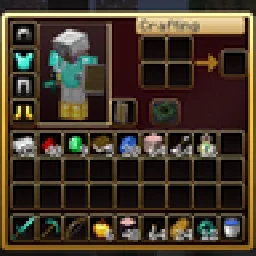
 RBZ GUIТекстурпаки · 26.x
Dark crimson and gold redesign of the vanilla menus and HUD: inventory, crafting table, furnaces, chests, villagers, hotbar, hearts, buttons and more – in HD.
БесплатноЗагрузок: 1

A dark interface with obsidian-violet details: redesigned inventory, containers, HUD, buttons, menus and main-menu panorama.
Прямая загрузка с Modrinth · 5 загрузок
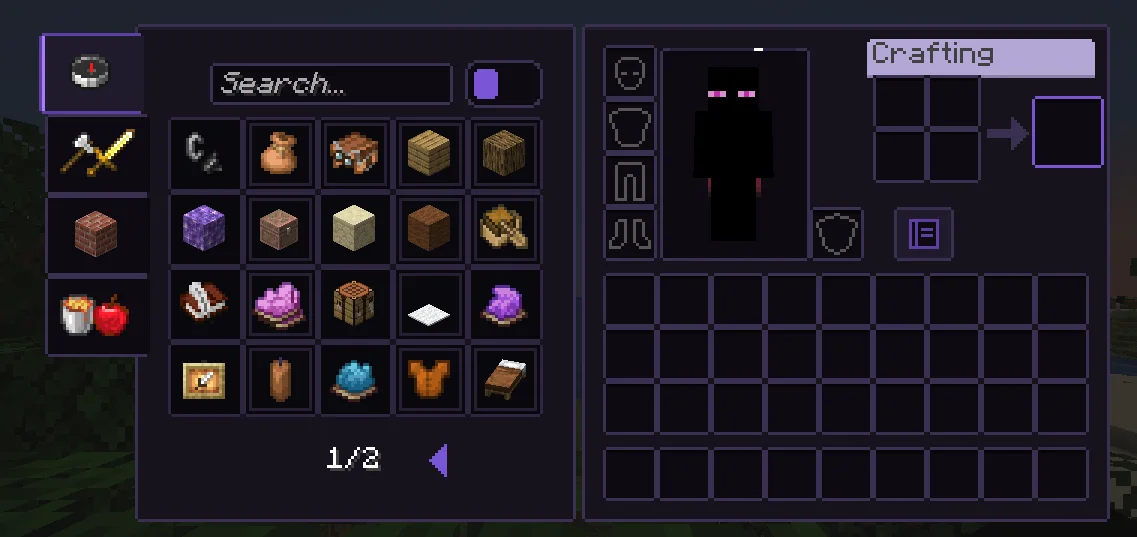
Obsidian UI-Amethyst — текстурпак от Troncoh. A dark interface with obsidian-violet details: redesigned inventory, containers, HUD, buttons, menus and main-menu panorama.
Поддерживаемые версии: Minecraft 1.20 – 26.x. Скачиваний на Modrinth: 5. Последнее обновление: 08.11.2026.
С 08.11.2026 у Obsidian UI-Amethyst вышло 2 версий на Modrinth. 2 из них вышли за последний год. Новейшая — 26.3, вышла 08.11.2026. Она сделана для Minecraft 26.2, 26.3. Работает на Minecraft. Размер файла — 1.1 MB.
| Версия | Выпущен | Minecraft | Тип |
|---|---|---|---|
26.3 | 08.11.2026 | 26.2, 26.3 | Релиз |
1.21.11 | 08.11.2026 | 1.20.2 – 1.21.1 | Релиз |
A clean, dark, minimalist interface for Minecraft: Java Edition with discreet obsidian-violet accents. Obsidian UI restyles the inventory, containers, HUD, menus and main-menu panorama with consistent 1px borders, soft corners and a restrained palette, while staying close to Minecraft's pixel identity.
Near-black surfaces with a faint violet tint, thin graphite borders. The main-menu panorama is a dark void with soft violet glass shards.
Автор: Troncoh. С картинками — на Modrinth.
Скачай .zip-файл с Modrinth. Не распаковывай его.
В Minecraft открой Настройки, затем Наборы ресурсов, затем Открыть папку наборов.
Положи .zip-файл в эту папку и вернись в игру.
Перенеси Obsidian UI-Amethyst в правый список и нажми Готово.
Он сделан для Minecraft 1.20 – 26.x. На других версиях Minecraft помечает его как несовместимый, но часто он всё равно работает.
| Ресурс | Загрузки | Версии | Обновление | Цена |
|---|---|---|---|---|
| Obsidian UI-Amethystтот, что ты смотрел | 5 | 1.20 – 26.x | 7 дн. назад | Бесплатно |
| RBZ GUIRedBlockZ | 1 | 26.x | 8 дн. назад | Бесплатно |
 Better GUI for Sophisticated BackpacksMoongosu | 367K | 1.16 – 1.21 | 4 янв. 2025 | Бесплатно |
 PVP zegarn+Anime skyzegarn | 867K | 1.8 – 26.x | 7 июл. 2026 | Бесплатно |
Да. Obsidian UI-Amethyst поддерживает Minecraft 26.x. Все поддерживаемые версии: 26.x, 1.21, 1.20.
Да. Obsidian UI-Amethyst можно бесплатно скачать на Modrinth.
Да. Последнее обновление вышло за последние сутки.
Ближе всего к нему RBZ GUI, Better GUI for Sophisticated Backpacks и PVP zegarn+Anime sky. Сравнить все альтернативы
RBZ GUIТекстурпаки · 26.xDark crimson and gold redesign of the vanilla menus and HUD: inventory, crafting table, furnaces, chests, villagers, hotbar, hearts, buttons and more – in HD.
Better GUI for Sophisticated BackpacksТекстурпаки · 1.16 – 1.21A complete redesign of the Sophisticated Backpacks interface, buttons, slots, indicators and much more!
PVP zegarn+Anime skyТекстурпаки · 1.8 – 26.x[UPD 1.3.6] Minimalistic PvP resource pack with dark UI, custom sky, clean HUD & crosshair, small fire, and refined visuals (see description)
 Default Dark ModeТекстурпаки · 1.8 – 26.x
🌙 The Dark Mode Resource Pack for Minecraft: Java Edition
 Mandala's GUIТекстурпаки · 1.12 – 1.21
Mandala GUI is an elegant theme, in the style of Mandala Creations. It is specifically made for people who like Dark mode. It only changes the UI of…
 Unique Dark RefinedТекстурпаки · 1.18 – 26.x
Dark UI with unique textures for functional blocks. Different version of Unique Dark
Войди, чтобы оставить отзыв.