
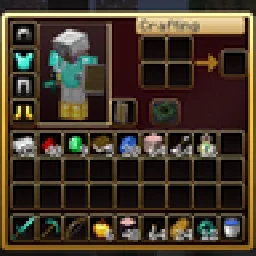
 RBZ GUIPacotes de texturas · 26.x
Dark crimson and gold redesign of the vanilla menus and HUD: inventory, crafting table, furnaces, chests, villagers, hotbar, hearts, buttons and more – in HD.
Grátis1 downloads

A dark interface with obsidian-violet details: redesigned inventory, containers, HUD, buttons, menus and main-menu panorama.
Download direto do Modrinth · 5 downloads
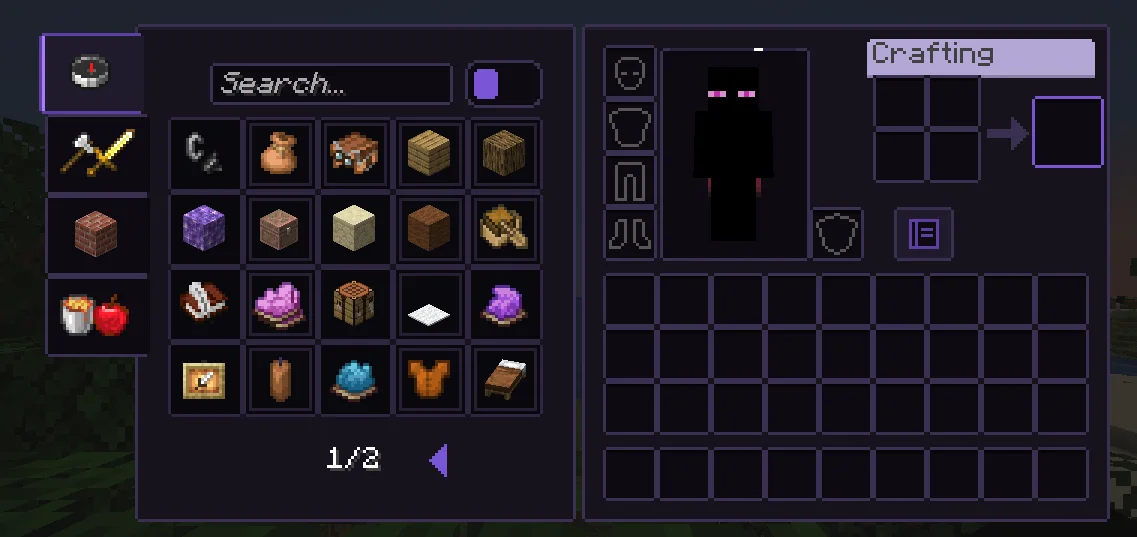
Obsidian UI-Amethyst (pacote de texturas) é obra de Troncoh. A dark interface with obsidian-violet details: redesigned inventory, containers, HUD, buttons, menus and main-menu panorama.
É compatível com o Minecraft 1.20 – 26.x. Tem 5 downloads em Modrinth. A última atualização saiu em 08/11/2026.
Obsidian UI-Amethyst teve 2 versões no Modrinth desde 08/11/2026. 2 saíram no último ano. A mais recente é 26.3, lançada em 08/11/2026. Ela é feita para o Minecraft 26.2, 26.3. Ela roda em Minecraft. O download tem 1.1 MB.
| Versão | Lançado | Minecraft | Tipo |
|---|---|---|---|
26.3 | 08/11/2026 | 26.2, 26.3 | Estável |
1.21.11 | 08/11/2026 | 1.20.2 – 1.21.1 | Estável |
A clean, dark, minimalist interface for Minecraft: Java Edition with discreet obsidian-violet accents. Obsidian UI restyles the inventory, containers, HUD, menus and main-menu panorama with consistent 1px borders, soft corners and a restrained palette, while staying close to Minecraft's pixel identity.
Near-black surfaces with a faint violet tint, thin graphite borders. The main-menu panorama is a dark void with soft violet glass shards.
Escrita por Troncoh. Leia com imagens no Modrinth.
Baixe o arquivo .zip pelo Modrinth. Não descompacte.
No Minecraft, abra Opções, depois Pacotes de recursos, depois Abrir pasta de pacotes.
Coloque o arquivo .zip nessa pasta e volte ao jogo.
Mova Obsidian UI-Amethyst para a lista da direita e clique em Concluído.
Foi feito para o Minecraft 1.20 – 26.x. Em outras versões o Minecraft marca como incompatível, mas muitas vezes funciona mesmo assim.
| Recurso | Downloads | Versões | Última atualização | Preço |
|---|---|---|---|---|
| Obsidian UI-Amethysto que você estava vendo | 5 | 1.20 – 26.x | há 7 dias | Grátis |
| RBZ GUIRedBlockZ | 1 | 26.x | há 8 dias | Grátis |
 Better GUI for Sophisticated BackpacksMoongosu | 367K | 1.16 – 1.21 | 4 jan 2025 | Grátis |
 Colourful Containersnolyoly_ | 372K | 1.16 – 1.21 | 7 fev 2026 | Grátis |
Sim. Obsidian UI-Amethyst é compatível com o Minecraft 26.x. Todas as versões compatíveis: 26.x, 1.21, 1.20.
Sim. Você pode baixar Obsidian UI-Amethyst de graça em Modrinth.
Sim. A última atualização saiu no último dia.
Os mais parecidos são RBZ GUI, Better GUI for Sophisticated Backpacks e Colourful Containers. Comparar todas as alternativas
RBZ GUIPacotes de texturas · 26.xDark crimson and gold redesign of the vanilla menus and HUD: inventory, crafting table, furnaces, chests, villagers, hotbar, hearts, buttons and more – in HD.
Better GUI for Sophisticated BackpacksPacotes de texturas · 1.16 – 1.21A complete redesign of the Sophisticated Backpacks interface, buttons, slots, indicators and much more!
Colourful ContainersPacotes de texturas · 1.16 – 1.21Adds a new look to all the boring modded GUI's, now in dark mode
 PVP zegarn+Anime skyPacotes de texturas · 1.8 – 26.x
[UPD 1.3.6] Minimalistic PvP resource pack with dark UI, custom sky, clean HUD & crosshair, small fire, and refined visuals (see description)
 rroots' pvp hudPacotes de texturas · 1.21 – 26.x
cool transparent hotbar and inventory design
 Opposite ObsidianPacotes de texturas · 1.21 – 26.x
Inverts the texture of Obsidian so it is bright instead of dark.
Entre para deixar uma avaliação.