
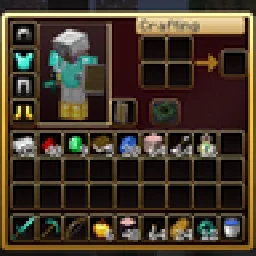
 RBZ GUIDoku paketleri · 26.x
Dark crimson and gold redesign of the vanilla menus and HUD: inventory, crafting table, furnaces, chests, villagers, hotbar, hearts, buttons and more – in HD.
Ücretsiz1 indirme

A dark interface with obsidian-violet details: redesigned inventory, containers, HUD, buttons, menus and main-menu panorama.
Modrinth üzerinden doğrudan indirme · 5 indirme
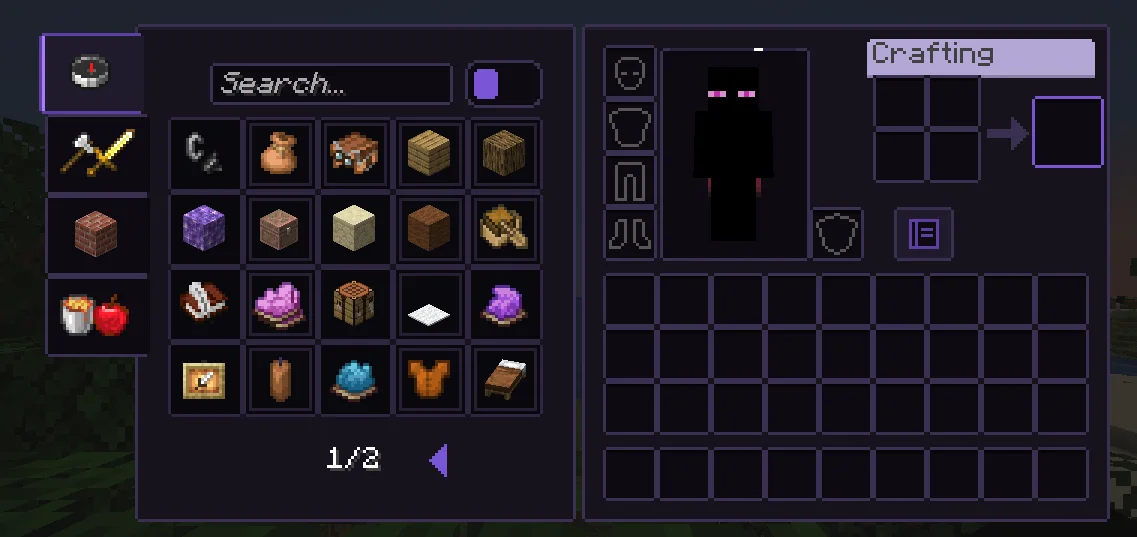
Obsidian UI-Amethyst, Troncoh tarafından yapılmış bir doku paketi. A dark interface with obsidian-violet details: redesigned inventory, containers, HUD, buttons, menus and main-menu panorama.
Desteklediği sürümler: Minecraft 1.20 – 26.x. Modrinth üzerinde 5 kez indirildi. Son güncelleme 08.11.2026 tarihinde çıktı.
Obsidian UI-Amethyst, 08.11.2026 tarihinden beri Modrinth üzerinde 2 sürüm yayınladı. Bunların 2 tanesi son bir yılda çıktı. En yenisi 08.11.2026 tarihinde çıkan 26.3. Minecraft 26.2, 26.3 için yapıldı. Minecraft üzerinde çalışır. İndirme boyutu 1.1 MB.
| Sürüm | Yayın tarihi | Minecraft | Tür |
|---|---|---|---|
26.3 | 08.11.2026 | 26.2, 26.3 | Kararlı |
1.21.11 | 08.11.2026 | 1.20.2 – 1.21.1 | Kararlı |
A clean, dark, minimalist interface for Minecraft: Java Edition with discreet obsidian-violet accents. Obsidian UI restyles the inventory, containers, HUD, menus and main-menu panorama with consistent 1px borders, soft corners and a restrained palette, while staying close to Minecraft's pixel identity.
Near-black surfaces with a faint violet tint, thin graphite borders. The main-menu panorama is a dark void with soft violet glass shards.
Yazan: Troncoh. Resimli halini Modrinth sayfasında oku.
.zip dosyasını Modrinth üzerinden indir. Zipten çıkarma.
Minecraft'ta Seçenekler'i, sonra Kaynak Paketleri'ni aç ve Paket Klasörünü Aç'a tıkla.
.zip dosyasını o klasöre bırak ve oyuna dön.
Obsidian UI-Amethyst paketini sağdaki listeye taşı ve Bitti'ye tıkla.
Minecraft 1.20 – 26.x için yapıldı. Diğer sürümlerde Minecraft onu uyumsuz olarak işaretler ama çoğu zaman yine de çalışır.
| Kaynak | İndirmeler | Sürümler | Son güncelleme | Fiyat |
|---|---|---|---|---|
| Obsidian UI-Amethystbaktığın | 5 | 1.20 – 26.x | 7 gün önce | Ücretsiz |
| RBZ GUIRedBlockZ | 1 | 26.x | 8 gün önce | Ücretsiz |
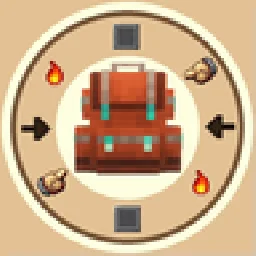 Better GUI for Sophisticated BackpacksMoongosu | 367K | 1.16 – 1.21 | 4 Oca 2025 | Ücretsiz |
 PVP zegarn+Anime skyzegarn | 867K | 1.8 – 26.x | 7 Tem 2026 | Ücretsiz |
Evet. Obsidian UI-Amethyst, Minecraft 26.x sürümünü destekliyor. Desteklenen tüm sürümler: 26.x, 1.21, 1.20.
Evet. Obsidian UI-Amethyst, Modrinth üzerinden ücretsiz indirilebilir.
Evet. Son güncelleme son 24 saat içinde çıktı.
En yakın olanlar RBZ GUI, Better GUI for Sophisticated Backpacks ve PVP zegarn+Anime sky. Tüm alternatifleri karşılaştır
RBZ GUIDoku paketleri · 26.xDark crimson and gold redesign of the vanilla menus and HUD: inventory, crafting table, furnaces, chests, villagers, hotbar, hearts, buttons and more – in HD.
Better GUI for Sophisticated BackpacksDoku paketleri · 1.16 – 1.21A complete redesign of the Sophisticated Backpacks interface, buttons, slots, indicators and much more!
PVP zegarn+Anime skyDoku paketleri · 1.8 – 26.x[UPD 1.3.6] Minimalistic PvP resource pack with dark UI, custom sky, clean HUD & crosshair, small fire, and refined visuals (see description)
 Default Dark ModeDoku paketleri · 1.8 – 26.x
🌙 The Dark Mode Resource Pack for Minecraft: Java Edition
 Mandala's GUIDoku paketleri · 1.12 – 1.21
Mandala GUI is an elegant theme, in the style of Mandala Creations. It is specifically made for people who like Dark mode. It only changes the UI of…
 Unique Dark RefinedDoku paketleri · 1.18 – 26.x
Dark UI with unique textures for functional blocks. Different version of Unique Dark
Yorum yazmak için giriş yap.