
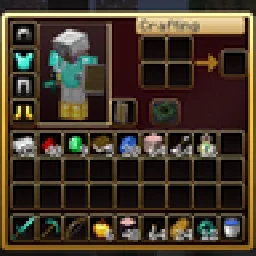
 RBZ GUITexture packs · 26.x
Dark crimson and gold redesign of the vanilla menus and HUD: inventory, crafting table, furnaces, chests, villagers, hotbar, hearts, buttons and more – in HD.
Free1 downloads

A dark interface with obsidian-violet details: redesigned inventory, containers, HUD, buttons, menus and main-menu panorama.
Direct download from Modrinth · 5 downloads
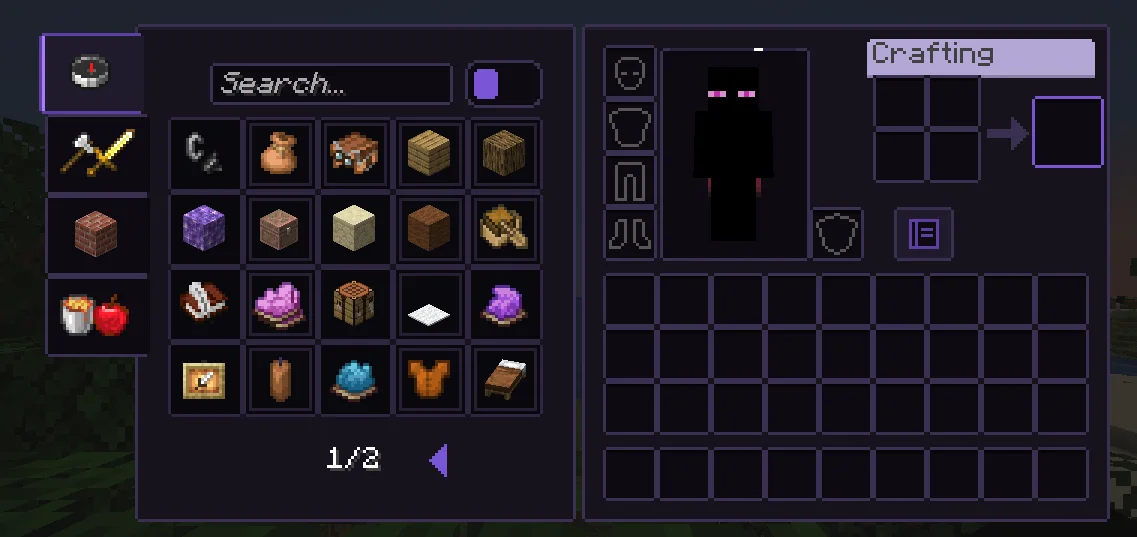
Obsidian UI-Amethyst is a texture pack made by Troncoh. A dark interface with obsidian-violet details: redesigned inventory, containers, HUD, buttons, menus and main-menu panorama.
It supports Minecraft 1.20 – 26.x. It has been downloaded 5 times on Modrinth. The last update came out on Nov 8, 2026.
Obsidian UI-Amethyst has had 2 releases on Modrinth since Nov 8, 2026. 2 of them came out in the past year. The newest is 26.3, released on Nov 8, 2026. It is made for Minecraft 26.2, 26.3. It runs on Minecraft. The download is 1.1 MB.
| Version | Released | Minecraft | Type |
|---|---|---|---|
26.3 | Nov 8, 2026 | 26.2, 26.3 | Release |
1.21.11 | Nov 8, 2026 | 1.20.2 – 1.21.1 | Release |
A clean, dark, minimalist interface for Minecraft: Java Edition with discreet obsidian-violet accents. Obsidian UI restyles the inventory, containers, HUD, menus and main-menu panorama with consistent 1px borders, soft corners and a restrained palette, while staying close to Minecraft's pixel identity.
Near-black surfaces with a faint violet tint, thin graphite borders. The main-menu panorama is a dark void with soft violet glass shards.
Written by Troncoh. Read it with pictures on Modrinth.
Download the .zip file from Modrinth. Do not unzip it.
In Minecraft, open Options, then Resource Packs, then Open Pack Folder.
Drop the .zip file into that folder and go back to the game.
Move Obsidian UI-Amethyst to the right-hand list and click Done.
It is made for Minecraft 1.20 – 26.x. On other versions Minecraft marks it as incompatible, but it often still works.
Full guide: How to install Minecraft resource packs
| Resource | Downloads | Versions | Last update | Price |
|---|---|---|---|---|
| Obsidian UI-Amethystthe one you looked at | 5 | 1.20 – 26.x | 7 days ago | Free |
| RBZ GUIRedBlockZ | 1 | 26.x | 8 days ago | Free |
 Better GUI for Sophisticated BackpacksMoongosu | 367K | 1.16 – 1.21 | Jan 4, 2025 | Free |
 PVP zegarn+Anime skyzegarn | 867K | 1.8 – 26.x | Jul 7, 2026 | Free |
Yes. Obsidian UI-Amethyst supports Minecraft 26.x. All supported versions: 26.x, 1.21, 1.20.
Yes. Obsidian UI-Amethyst is free to download from Modrinth.
Yes. The last update came out in the past day.
The closest ones are RBZ GUI, Better GUI for Sophisticated Backpacks and PVP zegarn+Anime sky. Compare all alternatives
RBZ GUITexture packs · 26.xDark crimson and gold redesign of the vanilla menus and HUD: inventory, crafting table, furnaces, chests, villagers, hotbar, hearts, buttons and more – in HD.
Better GUI for Sophisticated BackpacksTexture packs · 1.16 – 1.21A complete redesign of the Sophisticated Backpacks interface, buttons, slots, indicators and much more!
PVP zegarn+Anime skyTexture packs · 1.8 – 26.x[UPD 1.3.6] Minimalistic PvP resource pack with dark UI, custom sky, clean HUD & crosshair, small fire, and refined visuals (see description)
 Default Dark ModeTexture packs · 1.8 – 26.x
🌙 The Dark Mode Resource Pack for Minecraft: Java Edition
 Mandala's GUITexture packs · 1.12 – 1.21
Mandala GUI is an elegant theme, in the style of Mandala Creations. It is specifically made for people who like Dark mode. It only changes the UI of…
 Unique Dark RefinedTexture packs · 1.18 – 26.x
Dark UI with unique textures for functional blocks. Different version of Unique Dark
Log in to leave a review.