
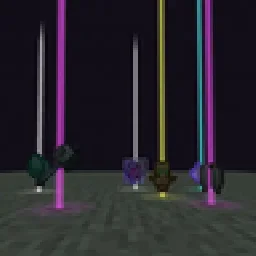
 Yet Another Loot Beams ModMods · 26.x
Fork of a fork of the original lootbeams mod. This client side mod highlights dropped items and loot with cool customizable beams! No more losing items or…
Gratuit23 téléchargements
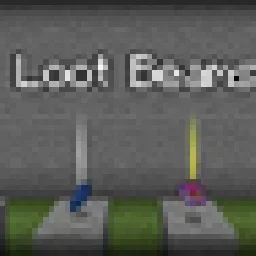
A client-side Fabric mod that adds customizable glowing beams of light and nametags above dropped items.
Téléchargement direct depuis Modrinth · 15 téléchargements
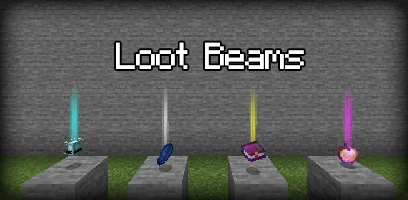
LootBeams (mod) est une création de manorrahamim. A client-side Fabric mod that adds customizable glowing beams of light and nametags above dropped items.
Versions prises en charge : Minecraft 1.21 – 26.x. On compte 15 téléchargements sur Modrinth. La dernière mise à jour date du 26/09/2026.
LootBeams a publié 7 versions sur Modrinth depuis le 26/09/2026. 7 sont sorties au cours de l'année passée. La plus récente est 1.0.0+26.3, sortie le 26/09/2026. Elle est faite pour Minecraft 26.3. Elle fonctionne sur Fabric. Le téléchargement fait 66 KB.
| Version | Publié | Minecraft | Type |
|---|---|---|---|
1.0.0+26.3 | 26/09/2026 | 26.3 | Stable |
1.0.0+26.2 | 26/09/2026 | 26.2 | Stable |
1.0.0+26.1.2 | 26/09/2026 | 26.1.2 | Stable |
1.0.0+1.21.11 | 26/09/2026 | 1.21.11 | Stable |
1.0.0+1.21.10 | 26/09/2026 | 1.21.10 | Stable |
LootBeams is a client-side Fabric mod that renders customizable beacon-style beams of light and floating nametags above dropped items in the world, making valuable loot easy to spot from a distance.
This project is an updated Fabric port of the original Forge mod by Elise (shiroroku).
LootBeams can be configured through two methods:
If OneConfig is present in your mod list, LootBeams registers an interactive configuration page under the Visuals category. You can toggle the master switch, adjust beam height, radius, opacity, render distance, and configure nametags in real time without restarting the game.
Note: The mod is disabled by default upon first install. Open OneConfig in-game to toggle it on and adjust your preferences.
Settings are also stored locally in:
config/lootbeams.json
Key configuration options include:
Écrite par manorrahamim. À lire avec les images sur Modrinth.
Ce mod fonctionne uniquement dans ton jeu. Les serveurs n'en ont pas besoin, tu peux donc l'utiliser sur n'importe quel serveur.
Installe Fabric pour Minecraft 1.21 – 26.x.
Ajoute les mods dont il a besoin : API Fabric.
Télécharge le fichier .jar depuis Modrinth et place-le dans le dossier mods de ton répertoire .minecraft.
Lance Minecraft avec le profil Fabric.
Plus simple : dans Prism Launcher ou la Modrinth App, cherche LootBeams dans les mods de ton instance et clique sur Install. Le loader et les mods requis sont ajoutés pour toi.
| Ressource | Téléchargements | Versions | Mise à jour | Prix |
|---|---|---|---|---|
| LootBeamscelle que tu regardais | 15 | 1.21 – 26.x | 26 sept. 2026 | Gratuit |
| Yet Another Loot Beams ModderexXD | 23 | 26.x | 11 oct. 2026 | Gratuit |
 Armor Chroma for FabricA5b84 | 3.8M | 1.16 – 1.21 | 28 mars 2025 | Gratuit |
 Chat PatchesOBro1961 | 7.3M | 1.18 – 26.x | 4 oct. 2026 | Gratuit |
Oui. LootBeams prend en charge Minecraft 26.x. Toutes les versions prises en charge : 26.x, 1.21.
Oui. LootBeams se télécharge gratuitement sur Modrinth.
Côté client. LootBeams se place dans ton propre dossier mods et fonctionne sur n'importe quel serveur, même sans mods.
Oui : Fabric API. Installe-le avant LootBeams.
Oui. La dernière mise à jour date des dernières 24 heures.
Les plus proches sont Yet Another Loot Beams Mod, Armor Chroma for Fabric et Chat Patches. Comparer toutes les alternatives
Yet Another Loot Beams ModMods · 26.xFork of a fork of the original lootbeams mod. This client side mod highlights dropped items and loot with cool customizable beams! No more losing items or…
Armor Chroma for FabricMods · 1.16 – 1.21Fabric fork of Armor Chroma, adds different icons in the armor bar depending on the material and can display glint for enchanted items.
Chat PatchesMods · 1.18 – 26.xA Minecraft Fabric client-side mod that touches up a few aspects of Minecraft's mundane chat, with as much configurability as possible!
 IJM's TweaksMods · 1.20 – 26.x
⚙️ A Fabric mod that tweaks the client side of Minecraft.
 EffectiveMods · 1.18 – 1.21
Fabric client-side mod designed to improve Minecraft's ambience through particles, visual effects and sounds
 PunchyMods · 1.20 – 26.x
A mod that adds various first person animations and visible hands with held items!
Connecte-toi pour laisser un avis.