
 CobbleFurniesMods · 1.21
CobbleFurnies is here to bring your creations to life with beautifully crafted, Cobblemon-inspired furniture that blends seamlessly into your Minecraft world!
Grátis8,166,318 downloads
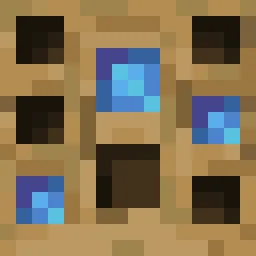
Turn your own Blockbench models into placeable furniture and decorations. You design a piece in an in-game editor, then craft it from planks and nails. No…
Download direto do Modrinth · 12 downloads
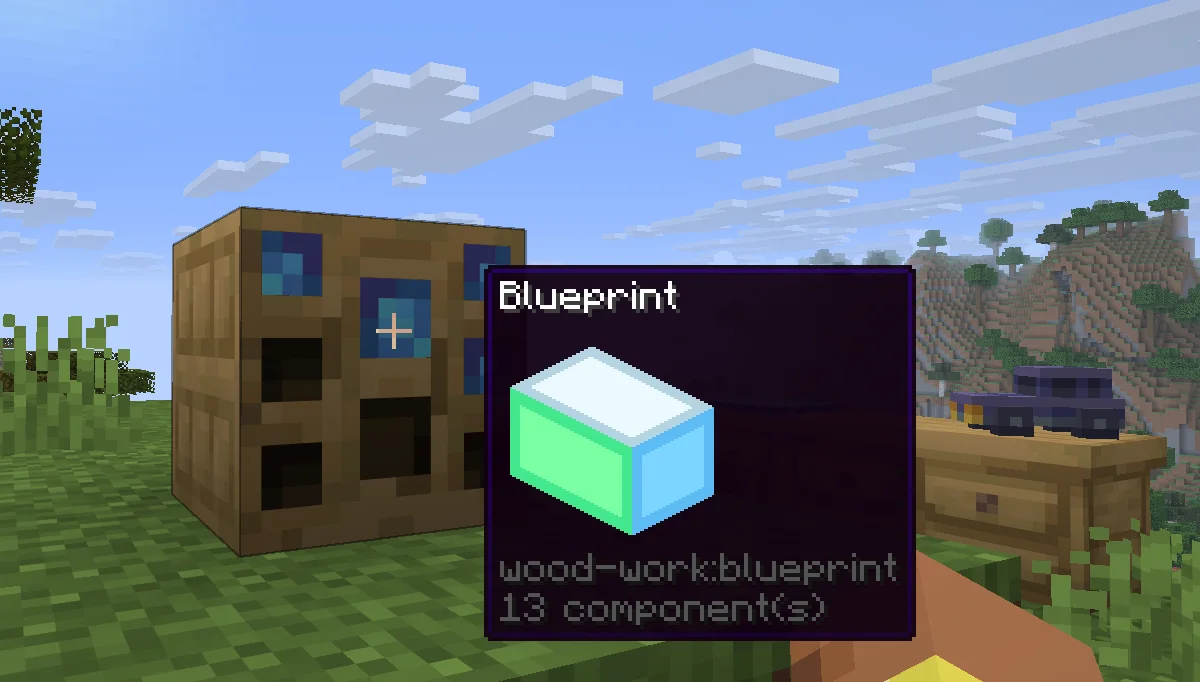
Wood Work (mod) é obra de Oybek. Turn your own Blockbench models into placeable furniture and decorations. You design a piece in an in-game editor, then craft it from planks and nails. No…
É compatível com o Minecraft 1.21. Tem 12 downloads em Modrinth. A última atualização saiu em 12/10/2026.
A mais recente é 1.0.0, lançada em 12/10/2026. Ela é feita para o Minecraft 1.21.11. Ela roda em Fabric. O download tem 223 KB.
| Versão | Lançado | Minecraft | Tipo |
|---|---|---|---|
1.0.0 | 12/10/2026 | 1.21.11 | Estável |
Design your own furniture. Draw it in Blockbench, build it at a workbench, and place it in the world with its own hitbox, rotation, connections and seat.
Tip: always upload textures before the models that use them. A model is linked to the textures you have already uploaded, so if a texture is missing at that moment, the model will show a missing texture and you will have to upload the model again.
Install the mod on the server and players don't need any extra files: models and textures are sent to them automatically when they join. Files uploaded through a blueprint appear for everyone online right away. Uploaded files get a short random ID prefix, so two players can upload files with the same name, and the prefix is hidden in the editor.
Escrita por Oybek. Leia com imagens no Modrinth.
Este mod é necessário no servidor e em cada jogador que entra.
Instale Fabric para o Minecraft 1.21.
Baixe o arquivo .jar pelo Modrinth e coloque na pasta mods do seu diretório .minecraft.
Abra o Minecraft com o perfil Fabric.
Mais fácil: no Prism Launcher ou no Modrinth App, procure Wood Work nos mods da sua instância e clique em Install. Ele adiciona o loader e os mods necessários para você.
| Recurso | Downloads | Versões | Última atualização | Preço |
|---|---|---|---|---|
| Wood Worko que você estava vendo | 12 | 1.21 | 12 out 2026 | Grátis |
| CobbleFurniesLunazStudios | 8.2M | 1.21 | 29 jun 2026 | Grátis |
 Macaw's Furnituresketchmacaw | 7.5M | 1.16 – 26.x | 29 set 2026 | Grátis |
 Carved WoodIm_Maker | 4.5M | 1.20 – 26.x | 9 set 2026 | Grátis |
Ainda não. A versão mais recente compatível é o Minecraft 1.21.
Sim. Você pode baixar Wood Work de graça em Modrinth.
Os dois. O servidor e cada jogador precisam ter Wood Work instalado.
Sim. A última atualização saiu há 2 dias.
Os mais parecidos são CobbleFurnies, Macaw's Furniture e Carved Wood. Comparar todas as alternativas
CobbleFurniesMods · 1.21CobbleFurnies is here to bring your creations to life with beautifully crafted, Cobblemon-inspired furniture that blends seamlessly into your Minecraft world!
Macaw's FurnitureMods · 1.16 – 26.xDecorate your world with wardrobes, drawers, chairs, desks, couches, chaise, sinks, tables and more...!
Carved WoodMods · 1.20 – 26.xAdds new sets of wooden blocks and new variants of existing wooden blocks!
 More DelightMods · 1.19 – 26.x
Extra meals, knives, and ingredients for Farmer's Delight that improve your culinary experience.
 Immortalers DelightMods · 1.20 – 1.21
Ancient plants, ancient tools, and the expansion of ancient diets!
 Joy of PaintingMods · 1.12 – 26.x
This mod lets you craft a blank canvas and a palette, with which you can paint your own pictures and hang them on a wall like the vanilla paintings.
Entre para deixar uma avaliação.