
 CobbleFurniesModlar · 1.21
CobbleFurnies is here to bring your creations to life with beautifully crafted, Cobblemon-inspired furniture that blends seamlessly into your Minecraft world!
Ücretsiz8,145,331 indirme
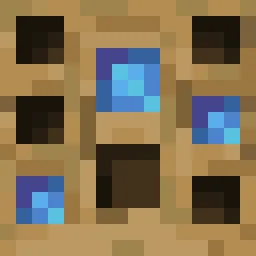
Turn your own Blockbench models into placeable furniture and decorations. You design a piece in an in-game editor, then craft it from planks and nails. No…
Modrinth üzerinden doğrudan indirme · 12 indirme
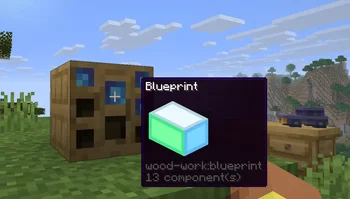
Wood Work, Oybek tarafından yapılmış bir mod. Turn your own Blockbench models into placeable furniture and decorations. You design a piece in an in-game editor, then craft it from planks and nails. No…
Desteklediği sürümler: Minecraft 1.21. Modrinth üzerinde 12 kez indirildi. Son güncelleme 12.10.2026 tarihinde çıktı.
En yenisi 12.10.2026 tarihinde çıkan 1.0.0. Minecraft 1.21.11 için yapıldı. Fabric üzerinde çalışır. İndirme boyutu 223 KB.
| Sürüm | Yayın tarihi | Minecraft | Tür |
|---|---|---|---|
1.0.0 | 12.10.2026 | 1.21.11 | Kararlı |
Design your own furniture. Draw it in Blockbench, build it at a workbench, and place it in the world with its own hitbox, rotation, connections and seat.
Tip: always upload textures before the models that use them. A model is linked to the textures you have already uploaded, so if a texture is missing at that moment, the model will show a missing texture and you will have to upload the model again.
Install the mod on the server and players don't need any extra files: models and textures are sent to them automatically when they join. Files uploaded through a blueprint appear for everyone online right away. Uploaded files get a short random ID prefix, so two players can upload files with the same name, and the prefix is hidden in the editor.
Yazan: Oybek. Resimli halini Modrinth sayfasında oku.
Bu mod hem sunucuda hem de giren her oyuncuda gerekli.
Minecraft 1.21 için Fabric kur.
.jar dosyasını Modrinth üzerinden indir ve .minecraft klasöründeki mods klasörüne koy.
Minecraft'ı Fabric profiliyle başlat.
Daha kolayı: Prism Launcher veya Modrinth App'te instance'ının modlarında Wood Work ara ve Install'a tıkla. Mod yükleyiciyi ve gereken modları senin için ekler.
| Kaynak | İndirmeler | Sürümler | Son güncelleme | Fiyat |
|---|---|---|---|---|
| Wood Workbaktığın | 12 | 1.21 | 12 Eki 2026 | Ücretsiz |
| CobbleFurniesLunazStudios | 8.1M | 1.21 | 29 Haz 2026 | Ücretsiz |
 Macaw's Furnituresketchmacaw | 7.4M | 1.16 – 26.x | 29 Eyl 2026 | Ücretsiz |
 Carved WoodIm_Maker | 4.5M | 1.20 – 26.x | 9 Eyl 2026 | Ücretsiz |
Henüz değil. Desteklediği en yeni sürüm Minecraft 1.21.
Evet. Wood Work, Modrinth üzerinden ücretsiz indirilebilir.
İkisi de. Hem sunucuda hem de giren her oyuncuda Wood Work kurulu olmalı.
Evet. Son güncelleme son 24 saat içinde çıktı.
En yakın olanlar CobbleFurnies, Macaw's Furniture ve Carved Wood. Tüm alternatifleri karşılaştır
CobbleFurniesModlar · 1.21CobbleFurnies is here to bring your creations to life with beautifully crafted, Cobblemon-inspired furniture that blends seamlessly into your Minecraft world!
Macaw's FurnitureModlar · 1.16 – 26.xDecorate your world with wardrobes, drawers, chairs, desks, couches, chaise, sinks, tables and more...!
Carved WoodModlar · 1.20 – 26.xAdds new sets of wooden blocks and new variants of existing wooden blocks!
 More DelightModlar · 1.19 – 26.x
Extra meals, knives, and ingredients for Farmer's Delight that improve your culinary experience.
 Immortalers DelightModlar · 1.20 – 1.21
Ancient plants, ancient tools, and the expansion of ancient diets!
 Joy of PaintingModlar · 1.12 – 26.x
This mod lets you craft a blank canvas and a palette, with which you can paint your own pictures and hang them on a wall like the vanilla paintings.
Yorum yazmak için giriş yap.