
 CobbleFurniesMods · 1.21
CobbleFurnies is here to bring your creations to life with beautifully crafted, Cobblemon-inspired furniture that blends seamlessly into your Minecraft world!
Free8,138,956 downloads
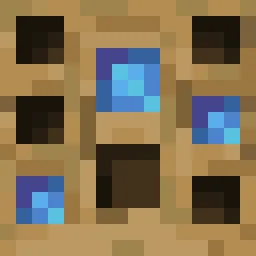
Turn your own Blockbench models into placeable furniture and decorations. You design a piece in an in-game editor, then craft it from planks and nails. No…
Direct download from Modrinth · 5 downloads
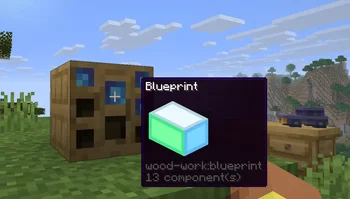
Wood Work is a mod made by Oybek. Turn your own Blockbench models into placeable furniture and decorations. You design a piece in an in-game editor, then craft it from planks and nails. No…
It supports Minecraft 1.21. It has been downloaded 5 times on Modrinth. The last update came out on Oct 12, 2026.
The newest is 1.0.0, released on Oct 12, 2026. It is made for Minecraft 1.21.11. It runs on Fabric. The download is 223 KB.
| Version | Released | Minecraft | Type |
|---|---|---|---|
1.0.0 | Oct 12, 2026 | 1.21.11 | Release |
Design your own furniture. Draw it in Blockbench, build it at a workbench, and place it in the world with its own hitbox, rotation, connections and seat.
Tip: always upload textures before the models that use them. A model is linked to the textures you have already uploaded, so if a texture is missing at that moment, the model will show a missing texture and you will have to upload the model again.
Install the mod on the server and players don't need any extra files: models and textures are sent to them automatically when they join. Files uploaded through a blueprint appear for everyone online right away. Uploaded files get a short random ID prefix, so two players can upload files with the same name, and the prefix is hidden in the editor.
Written by Oybek. Read it with pictures on Modrinth.
This mod is needed on both the server and every player who joins.
Install Fabric for Minecraft 1.21.
Download the .jar file from Modrinth and put it in the mods folder of your .minecraft directory.
Start Minecraft with the Fabric profile.
Easier: in Prism Launcher or the Modrinth App, search for Wood Work in your instance's mods and click Install. It adds the loader and the mods it needs for you.
Full guide: How to install Minecraft mods
| Resource | Downloads | Versions | Last update | Price |
|---|---|---|---|---|
| Wood Workthe one you looked at | 5 | 1.21 | 29 days ago | Free |
| CobbleFurniesLunazStudios | 8.1M | 1.21 | Jun 29, 2026 | Free |
 Macaw's Furnituresketchmacaw | 7.4M | 1.16 – 26.x | Sep 29, 2026 | Free |
 Carved WoodIm_Maker | 4.5M | 1.20 – 26.x | Sep 9, 2026 | Free |
Not yet. The newest version it supports is Minecraft 1.21.
Yes. Wood Work is free to download from Modrinth.
Both. The server and every player need Wood Work installed.
Yes. The last update came out in the past day.
The closest ones are CobbleFurnies, Macaw's Furniture and Carved Wood. Compare all alternatives
CobbleFurniesMods · 1.21CobbleFurnies is here to bring your creations to life with beautifully crafted, Cobblemon-inspired furniture that blends seamlessly into your Minecraft world!
Macaw's FurnitureMods · 1.16 – 26.xDecorate your world with wardrobes, drawers, chairs, desks, couches, chaise, sinks, tables and more...!
Carved WoodMods · 1.20 – 26.xAdds new sets of wooden blocks and new variants of existing wooden blocks!
 More DelightMods · 1.19 – 26.x
Extra meals, knives, and ingredients for Farmer's Delight that improve your culinary experience.
 Immortalers DelightMods · 1.20 – 1.21
Ancient plants, ancient tools, and the expansion of ancient diets!
 Joy of PaintingMods · 1.12 – 26.x
This mod lets you craft a blank canvas and a palette, with which you can paint your own pictures and hang them on a wall like the vanilla paintings.
Log in to leave a review.