
 Immersive PaintingsMods · 1.16 – 26.x
Drag and drop, pixelate and hang up beautiful art. On servers too.
Grátis5,517,553 downloads
Draw your own pixel-art crosshair and rebuild your HUD in-game: move and resize every element, add smooth animations, auto-hide the hotbar, share crosshairs…
Download direto do Modrinth · 12 downloads
Origem e propriedade. Esta página foi gerada automaticamente a partir de dados públicos que o Modrinth oferece por meio de sua API pública. O nome, as descrições, as imagens, as marcas e todo o restante do conteúdo deste projeto pertencem a pa1ych_ e aos respectivos titulares. O CraftRank não é o autor deste projeto e não tem afiliação, endosso ou patrocínio do autor nem do Modrinth.
Hospedagem e distribuição. O CraftRank não hospeda, não armazena, não envia e não distribui os arquivos de download deste projeto, e nenhum arquivo desse tipo é mantido nos servidores do CraftRank. Todos os downloads são fornecidos diretamente pelo Modrinth a partir de seus próprios servidores; o botão Baixar apenas leva ao arquivo lá. A licença informada no Modrinth é MIT.
Uso de APIs públicas. Modrinth, Hangar (PaperMC) e SpigotMC (por meio da API Spiget) disponibilizam publicamente suas APIs para sites e aplicativos de terceiros. Os Termos de Uso do Modrinth concedem aos usuários da API uma licença para baixar, exibir e consultar conteúdo por meio de seus próprios serviços (seção “API Usage”), e os criadores que publicam no Modrinth concedem ao Modrinth e a seus licenciados o direito de exibir e distribuir seu conteúdo a terceiros (seção “User Contributions”). O CraftRank usa essas APIs de acordo com as regras publicadas das plataformas: se identifica em cada requisição e respeita os limites de uso.
Sem garantia. As informações desta página são fornecidas "como estão", sem qualquer garantia. Baixar e usar este projeto é por sua conta e risco e está sujeito à licença e aos termos do autor.
Notificações de direitos autorais (DMCA). Somente o titular dos direitos autorais ou alguém autorizado a agir em seu nome pode enviar uma notificação, e ela deve vir de uma pessoa maior de idade ou de seu pai, mãe ou responsável legal. Uma notificação válida enviada para abuse@craftrank.org deve conter: o link desta página; a obra supostamente violada; seu nome completo, endereço postal, telefone e e-mail; uma declaração de que você acredita de boa-fé que o uso não é autorizado pelo titular, seu representante ou a lei; uma declaração, sob pena de perjúrio, de que a notificação é exata e de que você é o titular ou está autorizado a agir em seu nome; e sua assinatura física ou eletrônica. Notificações incompletas não são processadas. Notificações válidas são atendidas em até 48 horas, sem precisar passar pelo Google.
Notificações falsas. Quem declarar conscientemente e de forma falsa que um material é infrator responde pelos danos causados, incluindo custas e honorários advocatícios (17 U.S.C. § 512(f)). Notificações feitas de má-fé ou por quem não detém os direitos ficam registradas e serão contestadas.
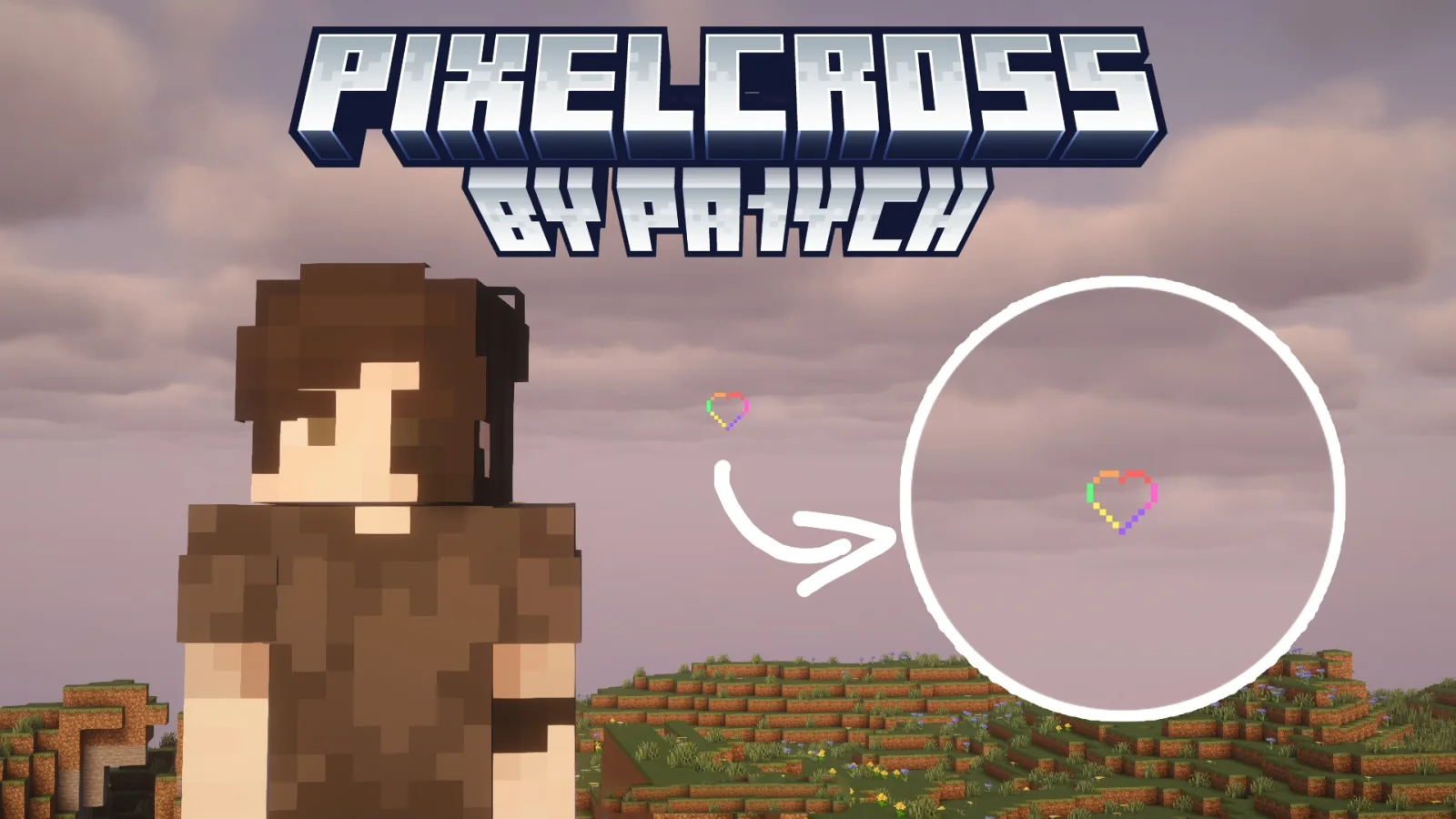
PixelCross (mod) é obra de pa1ych_. Draw your own pixel-art crosshair and rebuild your HUD in-game: move and resize every element, add smooth animations, auto-hide the hotbar, share crosshairs…
É compatível com o Minecraft 26.x. Tem 12 downloads em Modrinth. A última atualização saiu em 25/10/2026.
PixelCross teve 7 versões no Modrinth desde 27/09/2026. 7 saíram no último ano. A mais recente é 5.4.1, lançada em 25/10/2026. Ela é feita para o Minecraft 26.3. Ela roda em Fabric. O download tem 695 KB.
| Versão | Lançado | Minecraft | Tipo |
|---|---|---|---|
5.4.1 | 25/10/2026 | 26.3 | Estável |
5.4.1 | 25/10/2026 | 26.2 | Estável |
4.7.7 | 11/10/2026 | 26.2 | Estável |
4.4.3 | 05/10/2026 | 26.2 | Estável |
4.4.2 | 04/10/2026 | 26.2 | Estável |
Draw your own crosshair. Reposition your HUD. No resource packs, no restarts — see it in-game instantly.
PixelCross is more than a crosshair mod — it's a full HUD editor built
right into the game. It adds a built-in pixel-art editor for designing your
own crosshair (or picking one from a gallery), a drag-to-reposition editor
for the whole HUD, optional smooth animations, and, separately, a way to
hide the entire vanilla HUD while keeping just your drawn cursor on screen.
Everything is done from in-game settings screens — no texture files to
create, package, or install.
Cursor editor
Crosshair gallery & share codes
chevron, box, diamond, scope and more — plus your own designs
edit it in the editor, or delete it; the + tile adds your
current drawing to the gallery
send it to a friend, or paste one in (Ctrl+C / Ctrl+V work too)
Bow crosshair
bow, crossbow or trident in either hand
switch in the gallery
Display options
opaque, like the real crosshair)
to white / transparent, so it reads correctly against any background)
HUD editor
mouse and drag it anywhere on screen. You can move and resize:
bar) — one element while the bars ride on the hotbar, or split them
with one click and edit each on its own
hotbar or anywhere on its own, with separate settings for survival and
creative
from the nearest screen edge (newest effect closest to it), so they
never go off screen
its hint text
get close, so centering is exact every time
the window or change the GUI scale
as a 50% placeholder, so you can always place it
you're dragging, so it doesn't block your view
Animations (each one optional, on its own switch — Animations... in settings)
slots (the spectator hotbar's too), in Smooth or Springy style,
with adjustable slide time
out off one edge and back in from the other, carousel-style
dim when you're idle, and come back as soon as something changes:
switching slots or hands, damage, hunger, air, armor, experience, your
mount, the spectator menu
mine, with adjustable size
while you aim at a mob, with adjustable zoom
or a player; a big crosshair never covers it
hint fade, slide up or pop in
HUD & crosshair control
(minimaps, status overlays, etc.) that check it hide right along with it.
Your drawn cursor keeps rendering even with the rest of the HUD gone.
one during normal play, on its own switch, independent of the HUD-hide
toggle.
third person, spectator rules, F3 axes
that a bigger crosshair never covers it
Compatibility
Other
In-game keybinds (both unbound by default — set them in Controls)
Action · Default key
Toggle full HUD hide (cursor stays visible) · Unbound
Open PixelCross settings · Unbound
Inside the cursor editor
Action · Control
Draw with the current color · Left-click on the grid (click-drag to paint continuously)
Erase a pixel · Right-click on the grid (click-drag to erase continuously)
Pick a palette color · Left-click a palette swatch
Sample a color already on the grid · Click Eyedropper, then left-click the grid
Flood-fill a connected area · Click Fill, then left-click the grid
Enter a custom color · Type into the hex field, click Apply Color
Save current drawing to a preset · Shift + Click preset A/B/C
Load a saved preset · Click preset A/B/C
Clear a preset slot · Ctrl + Click preset A/B/C
Rotate the drawing 90° · Click ⟳90°
Mirror horizontally / vertically · Click ⇄ / ⇅
Symmetry drawing (left/right, up/down) · Toggle the two symmetry buttons (both = four quarters)
Undo / Redo · Ctrl+Z / Ctrl+Y, or click ↶ / ↷
Draw the main / bow crosshair · Click the Drawing: Main / Bow toggle
Show/hide the drawn cursor · Click the Cursor toggle
Clear the entire grid · Click Clear Drawing
Enable/disable the crosshair replacement · Click the Crosshair toggle
Adjust size · Cursor Size slider (0.5×–5×)
Adjust transparency · Opacity slider (0–100%)
Switch render style · Click the Style toggle (Vanilla / Flat)
Restore defaults · Click Reset to Default
Scroll the settings screen (if it overflows) · Mouse wheel
Save and close · Click Done
Inside the crosshair gallery (opened via Crosshair Gallery... in settings)
Action · Control
Select a crosshair · Click it
Use it as your main crosshair · Set as Main (or double-click it)
Use it as your bow crosshair · Set for Bow
Edit it · Edit, then Save to Gallery (or Cancel)
Delete it · Delete (click twice)
Add your current drawing · Click the + tile
Copy / paste a crosshair code · Copy Code / Paste Code, or Ctrl+C / Ctrl+V
Turn the bow crosshair on/off · Bow Crosshair toggle
Bring back deleted built-in crosshairs · Restore Built-in
Inside the HUD editor (opened via Edit HUD in settings)
Action · Control
Select and move an element · Click and drag it
Grab an element under the panel · Right-click and drag
Snap movement to a grid · Hold Shift while dragging
Snap to screen-center guides · Drag close to a guide line — it snaps automatically
Resize the selected element · Size slider (0.5×–2.0×)
Split / join the hotbar and bars · Together / Separately
Text: survival / creative settings · The small heart / block button next to the controls
Effect icons in a row / column · Select the effects → Icons: In a Row / In a Column
Switch between normal and spectator HUD · The tab button at the top of the panel
Undo to the default position/size · Click Reset Position
Save and close · Click Done
Discard changes made this session · Press Esc
Escrita por pa1ych_. Leia com imagens no Modrinth.
Este mod roda só no seu jogo. Os servidores não precisam dele, então você pode usar em qualquer servidor.
Instale Fabric para o Minecraft 26.x.
Baixe o arquivo .jar pelo Modrinth e coloque na pasta mods do seu diretório .minecraft.
Abra o Minecraft com o perfil Fabric.
Mais fácil: no Prism Launcher ou no Modrinth App, procure PixelCross nos mods da sua instância e clique em Install. Ele adiciona o loader e os mods necessários para você.
| Recurso | Downloads | Versões | Última atualização | Preço |
|---|---|---|---|---|
| PixelCrosso que você estava vendo | 12 | 26.x | 25 out 2026 | Grátis |
| Immersive PaintingsLuke100000 | 5.5M | 1.16 – 26.x | há 1 dia | Grátis |
 Dynamic CrosshairCrendgrim | 22.4M | 1.18 – 26.x | 16 set 2026 | Grátis |
 Raisedyurisuika | 2.9M | 1.16 – 26.x | 23 set 2026 | Grátis |
Sim. PixelCross é compatível com o Minecraft 26.x. Todas as versões compatíveis: 26.x.
Sim. Você pode baixar PixelCross de graça em Modrinth.
Do lado do cliente. PixelCross vai na sua própria pasta mods e funciona em qualquer servidor, inclusive sem mods.
Sim. A última atualização saiu no último dia.
Os mais parecidos são Immersive Paintings, Dynamic Crosshair e Raised. Comparar todas as alternativas
Immersive PaintingsMods · 1.16 – 26.xDrag and drop, pixelate and hang up beautiful art. On servers too.
Dynamic CrosshairMods · 1.18 – 26.xA mod that hides or changes the crosshair dependent on context
RaisedMods · 1.16 – 26.xMove around your HUD and fix the broken hotbar selection indicator!
 Crosshair BobbingMods · 1.16 – 1.20
This mod allows the crosshair to follow the view bobbing and play the animation according to the player's actions.
 Cursor CrosshairMods · 26.x
Free your crosshair from the center of the screen and control it with your mouse—interact with blocks, entities, and hotbar slots without moving the camera.
 Spotify HudMods · 1.21
Spotify HUD shows the song you're playing in Spotify (Windows desktop app) as a small card on your Minecraft screen. The card has the title, artist, cover art…
Entre para deixar uma avaliação.