
 Custom Totem 3DResource packs · 1.16 – 26.x
Customizable 3D Totem resource pack that lets you use your own skin as the Totem of Undying
Free247,013 downloads
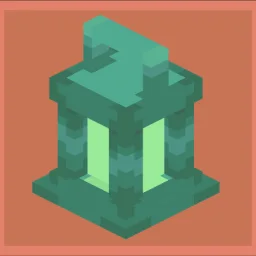
Replaces the Totem of Undying with a custom 3D Oxidized Copper Lantern model when the item is renamed "Фонарик" or “Oxidized Copper Lantern”.
Direct download from Modrinth · 6 downloads
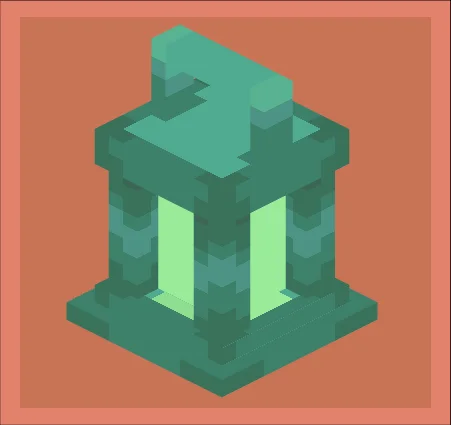
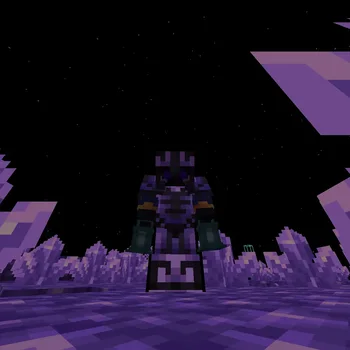
oxidized copper lantern is a resource pack made by KETIK4. Replaces the Totem of Undying with a custom 3D Oxidized Copper Lantern model when the item is renamed "Фонарик" or “Oxidized Copper Lantern”.
It supports Minecraft 1.21. It has been downloaded 6 times on Modrinth. The last update came out on Nov 4, 2026.
The newest is 1.0.0, released on Nov 4, 2026. It is made for Minecraft 1.21.11. It runs on Minecraft. The download is 11 KB.
| Version | Released | Minecraft | Type |
|---|---|---|---|
1.0.0 | Nov 4, 2026 | 1.21.11 | Release |
A small, lightweight resource pack that adds a custom 3D oxidized copper lantern to the game. The model was made in Blockbench.
A Totem of Undying with any other name stays completely vanilla.
Written by KETIK4. Read it with pictures on Modrinth.
Download the .zip file from Modrinth. Do not unzip it.
In Minecraft, open Options, then Resource Packs, then Open Pack Folder.
Drop the .zip file into that folder and go back to the game.
Move oxidized copper lantern to the right-hand list and click Done.
It is made for Minecraft 1.21. On other versions Minecraft marks it as incompatible, but it often still works.
Full guide: How to install Minecraft resource packs
| Resource | Downloads | Versions | Last update | Price |
|---|---|---|---|---|
| oxidized copper lanternthe one you looked at | 6 | 1.21 | 7 days ago | Free |
| Custom Totem 3Dspunkyinsaan | 247K | 1.16 – 26.x | Mar 25, 2026 | Free |
 Animated Totem of Undyingrebonok | 561K | 1.20 – 26.x | 11 days ago | Free |
 ZickZack V6peaceful | 15K | 1.21 – 26.x | 26 days ago | Free |
Not yet. The newest version it supports is Minecraft 1.21.
Yes. oxidized copper lantern is free to download from Modrinth.
Yes. The last update came out in the past day.
The closest ones are Custom Totem 3D, Animated Totem of Undying and ZickZack V6. Compare all alternatives
Custom Totem 3DResource packs · 1.16 – 26.xCustomizable 3D Totem resource pack that lets you use your own skin as the Totem of Undying
Animated Totem of UndyingResource packs · 1.20 – 26.xAnimates the eyes of the totem
ZickZack V6Resource packs · 1.21 – 26.xA texture pack in the style of BastiGHG and ZickZack V6, which contains an animated hotbar, custom overlay, totem model and more.
 Remodeled Doors 3DResource packs · 1.19 – 26.x
Makes all the doors and trapdoors have 3D models. Changes the model and the item within the GUI.
 Totem Da CapoeiraResource packs · 1.12 – 26.x
Finally gives Totem of Undying a good texture
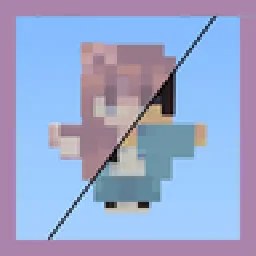 Customizable TotemResource packs · 1.17 – 26.x
By adding your own skin to the pack, the totem of undying will update to look like ClownPierce's or Theobald's totem but with your skin!
Log in to leave a review.