
 Cobblemon Trainer BattleMods · 1.20 – 1.21
Cobblemon side mod that offers trainer battle system
Free6,718,889 downloads
Arcade minigame extension for TAOV-X mod series
Direct download from Modrinth · 13 downloads
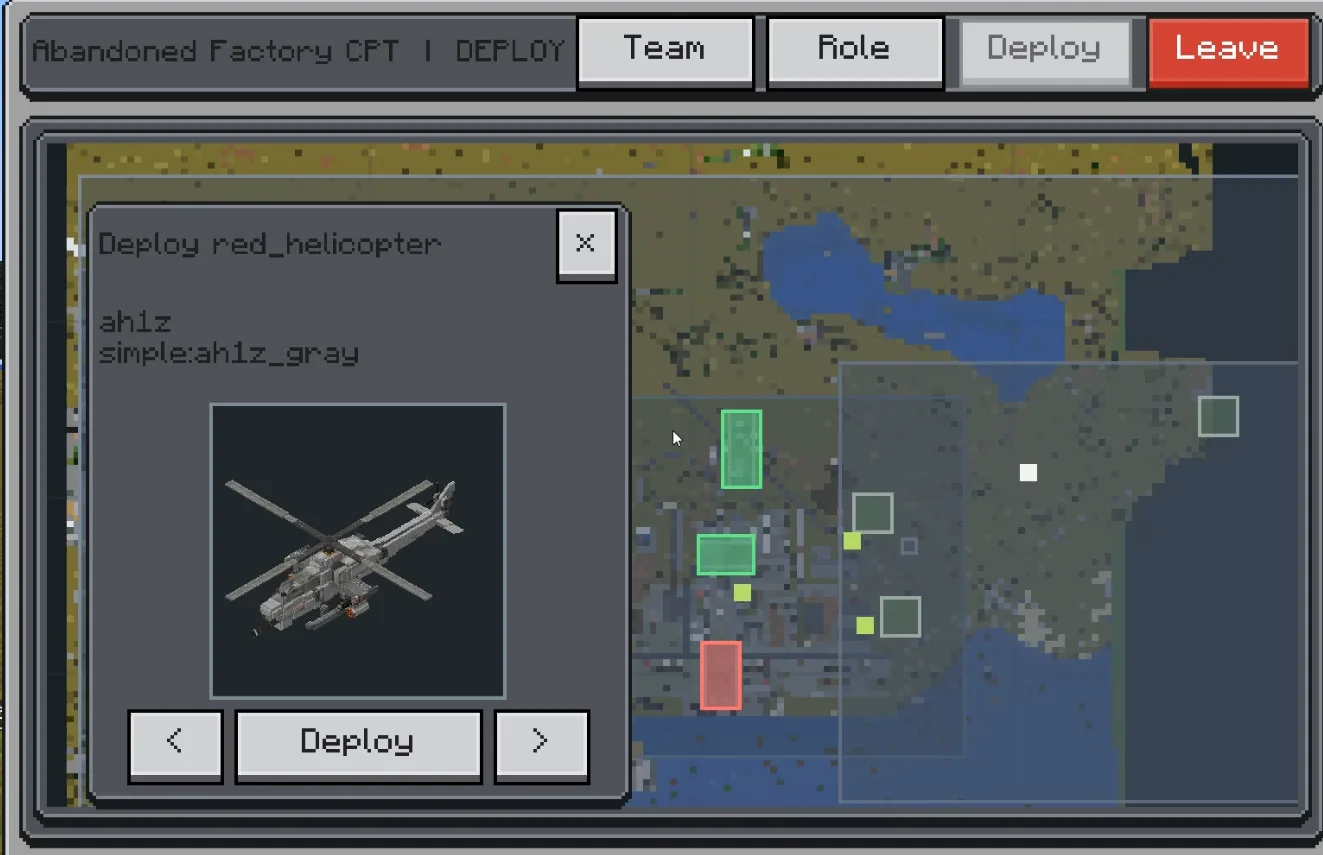
TAOV Arcade is a mod made by Rew1nd. Arcade minigame extension for TAOV-X mod series.
It supports Minecraft 1.21. It has been downloaded 13 times on Modrinth. The last update came out on Aug 24, 2026.
The newest is 0.1.0, released on Aug 24, 2026. It is made for Minecraft 1.21.1. It runs on NeoForge. The download is 3.4 MB.
| Version | Released | Minecraft | Type |
|---|---|---|---|
0.1.0 | Aug 24, 2026 | 1.21.1 | Release |
Taov Arcade is the competitive and scenario-play layer of Taovmod II. It turns large Sable-based physical builds into playable match actors: deployable vehicles, team roles, capture areas, scoreboards, repairs, arena reset flows, and tutorial-style scenarios.
Within the Taov series, Taov Arcade sits above Taov Core. Core provides the shared technical foundation; Arcade uses it to run structured multiplayer experiences around physics vehicles and large combat arenas.
Taov Arcade is for servers and worlds that want vehicle-based combat sessions instead of loose sandbox combat only. It is especially useful for organized arenas where players choose a team, select a role or vehicle, deploy into a controlled area, fight over objectives, and then reset or repair the battlefield for the next round.
Arcade content is meant to be configured. Arenas, teams, roles, match modes, deploy areas, and tutorials are described through JSON configuration and in-world marker tools. This allows a server to build custom battlefields and vehicle lineups without hardcoding each scenario into the mod.
The module also includes practical maintenance tools for large physical arenas: repairing missing snapshot blocks, smoothing terrain, relocating connected body clusters, and restoring dirty arena chunks between matches.
Mod ID: taov_arcade
Taov Arcade is built around a server-authoritative match runtime, client command envelopes, synchronized view snapshots, and mode-specific presentation modules. Match logic is separated from Minecraft UI details so that new modes can reuse the same session, team, deployment, actor, scoring, and feedback infrastructure.
Developers can integrate with Arcade through match modes, view data types, body/actor fact sources, deployment services, blueprint mappers, targeting hooks, and Shaolib/Synaxis/Sable adapters. The API is still evolving with Taovmod II, so addon authors should treat it as an active-development interface.
Written by Rew1nd. Read it with pictures on Modrinth.
This mod is needed on both the server and every player who joins.
Install NeoForge for Minecraft 1.21.
Download the .jar file from Modrinth and put it in the mods folder of your .minecraft directory.
Start Minecraft with the NeoForge profile.
Easier: in Prism Launcher or the Modrinth App, search for TAOV Arcade in your instance's mods and click Install. It adds the loader and the mods it needs for you.
Full guide: How to install Minecraft mods
| Resource | Downloads | Versions | Last update | Price |
|---|---|---|---|---|
| TAOV Arcadethe one you looked at | 13 | 1.21 | Aug 24, 2026 | Free |
| Cobblemon Trainer BattleKiwiFlavoredApollo | 6.7M | 1.20 – 1.21 | 11 days ago | Free |
 ParCoolalRex_U | 3.4M | 1.16 – 1.21 | 8 days ago | Free |
 BingoBongoDarkndX | 225 | 26.x | 2 days ago | Free |
Not yet. The newest version it supports is Minecraft 1.21.
Yes. TAOV Arcade is free to download from Modrinth.
Both. The server and every player need TAOV Arcade installed.
Yes. The last update came out in the past day.
The closest ones are Cobblemon Trainer Battle, ParCool and BingoBongo. Compare all alternatives
Cobblemon Trainer BattleMods · 1.20 – 1.21Cobblemon side mod that offers trainer battle system
ParCoolMods · 1.16 – 1.21A Minecraft Forge Mod for Cool actions like Parkour
BingoBongoMods · 26.xA lockout style bingo mod with normal and custom objectives! (Custom like 'sit on the dragon egg')
 HyBedWarsMods · 1.8 – 26.x
Minecraft mod for Hypixel adding BedWars QoL features like resource display, height limit and more!
 Skipping StoneMods · 26.x
Pick up real stones from riverbanks and beaches, time your throw on a power meter, and watch the physics decide how far it skips.
 TouhouLittleMaid ShogiMods · 1.21
Play Japanese shogi against your maids in this Touhou Little Maid add-on.
Log in to leave a review.