
 Fast Better GrassResource packs · 1.19 – 26.x
Makes grass and related blocks use the top texture on the sides. Works with other resource packs!
Free14,104,648 downloads

Removes fog in the Overworld, Nether and End for a clear, long-distance view — spot structures, biomes and players from far away, with an FPS boost…
Direct download from Modrinth · 1,044,485 downloads
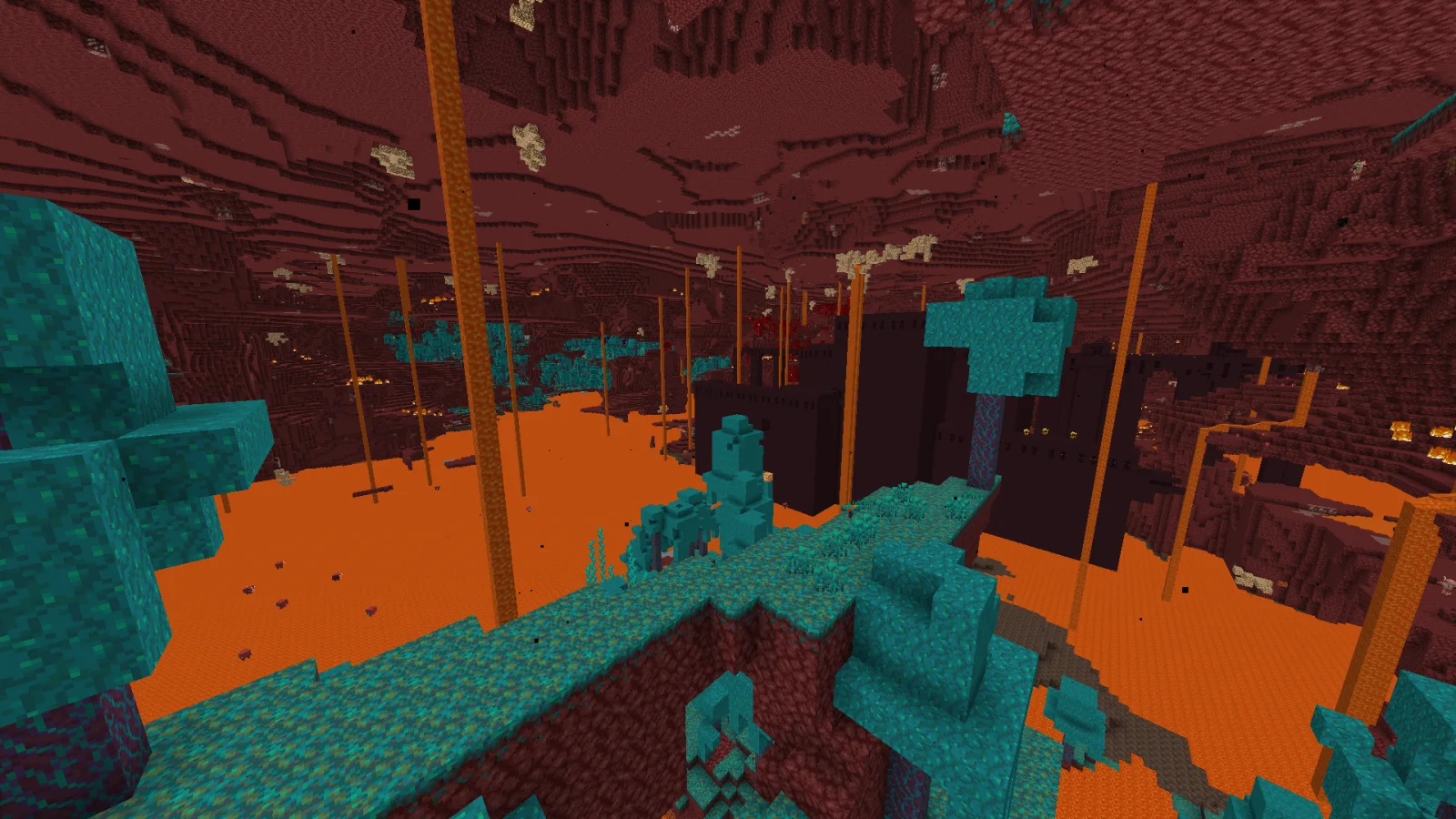
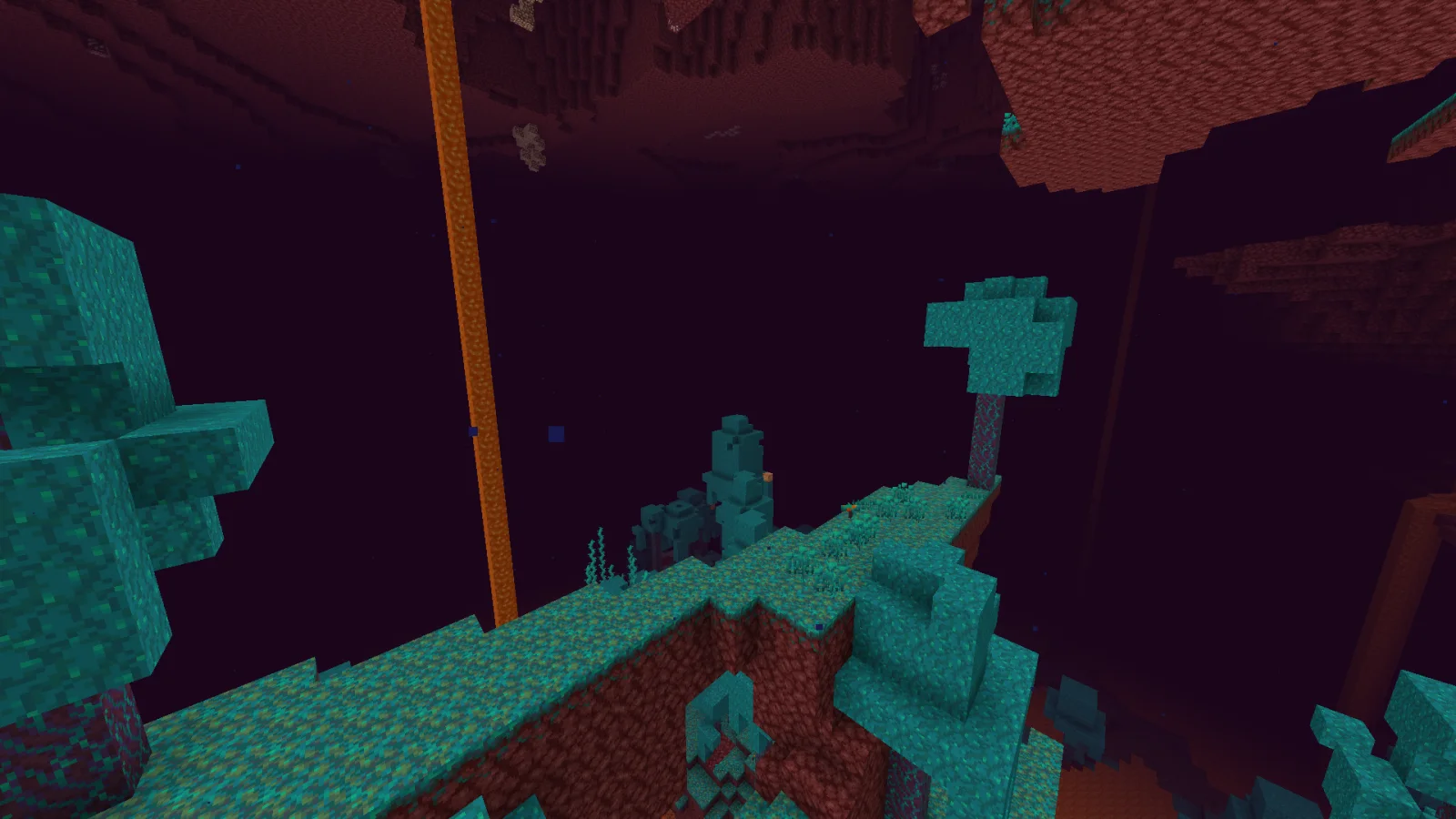
No Fog is a resource pack made by Hxndrik. Removes fog in the Overworld, Nether and End for a clear, long-distance view — spot structures, biomes and players from far away, with an FPS boost…
It supports Minecraft 1.21 – 26.x. It has been downloaded 1,044,485 times on Modrinth. The last update came out on Jun 23, 2026.
No Fog has had 3 releases on Modrinth since Jan 2, 2025. 2 of them came out in the past year. The newest is 26.2, released on Jun 23, 2026. It is made for Minecraft 26.1 – 26.2. It runs on Minecraft. The download is 11 KB.
| Version | Released | Minecraft | Type |
|---|---|---|---|
26.2 | Jun 23, 2026 | 26.1 – 26.2 | Release |
1.21.4-r2 | May 7, 2026 | 1.21.4 | Release |
1.21.4 | Jan 2, 2025 | 1.21.4 | Release |
See the whole world. No Fog removes the fog in every dimension (Overworld, Nether and End) so you can spot structures, biomes, mobs and players from far away — with a nice FPS boost.
The universal release supports the Minecraft versions listed on this page, including the latest releases, and works in vanilla alongside Sodium or OptiFine.
Does it work underwater and in the Nether? Yes — fog is removed in all dimensions.
Written by Hxndrik. Read it with pictures on Modrinth.
Download the .zip file from Modrinth. Do not unzip it.
In Minecraft, open Options, then Resource Packs, then Open Pack Folder.
Drop the .zip file into that folder and go back to the game.
Move No Fog to the right-hand list and click Done.
It is made for Minecraft 1.21 – 26.x. On other versions Minecraft marks it as incompatible, but it often still works.
Full guide: How to install Minecraft resource packs
| Resource | Downloads | Versions | Last update | Price |
|---|---|---|---|---|
| No Fogthe one you looked at | 1M | 1.21 – 26.x | Jun 23, 2026 | Free |
| Fast Better Grassrobotkoer | 14.1M | 1.19 – 26.x | Sep 15, 2026 | Free |
 Os' Colorful GrassesOslypsis | 5.3M | 1.20 – 26.x | Sep 21, 2026 | Free |
 Recolourful Containers GUI + HUDVi_Tul | 4.3M | 1.19 – 26.x | Oct 1, 2026 | Free |
Yes. No Fog supports Minecraft 26.x. All supported versions: 26.x, 1.21.
Yes. No Fog is free to download from Modrinth.
Yes. The last update came out in the past day.
The closest ones are Fast Better Grass, Os' Colorful Grasses and Recolourful Containers GUI + HUD. Compare all alternatives
Fast Better GrassResource packs · 1.19 – 26.xMakes grass and related blocks use the top texture on the sides. Works with other resource packs!
Os' Colorful GrassesResource packs · 1.20 – 26.xFluffier grasses! Tall, short, or original X style versions available, as well as a mix of the three for the optimal balance of visuals & performance. Get the…
Recolourful Containers GUI + HUDResource packs · 1.19 – 26.xDo you want more immersive, more interesting, more colourful GUIs and HUD? Than this pack is for you!
 Remodeled Doors 3DResource packs · 1.19 – 26.x
Makes all the doors and trapdoors have 3D models. Changes the model and the item within the GUI.
 Chests ReimaginedResource packs · 1.19 – 1.21
Chests Reopened!
 Os' 3D Iron BarsResource packs · 1.20 – 26.x
This pack changes iron bars to be darker to match the chain, and cleans up the textures. Also, there won't be any Z-fighting since it's 3D. 2D version is…
Log in to leave a review.