
 Nostalgia Ultra ShaderShaders · 1.16 – 1.21
Download Nostalgia Ultra, the retro Minecraft shader that brings back Beta 1.7 to 1.5.2 visuals in 4K. CRT scanlines, turquoise water, orange torches…
Free20,509 downloads
BTB is a shader that emulates the looks of old retro PS1 3D games.
Direct download from Modrinth · 211,359 downloads


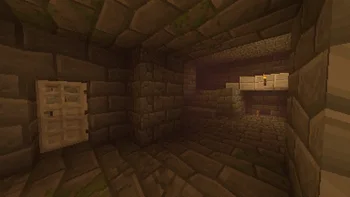
Back To Basics is a shader pack made by HackFight. BTB is a shader that emulates the looks of old retro PS1 3D games.
It supports Minecraft 1.17 – 26.x. It has been downloaded 211,359 times on Modrinth. The last update came out on Oct 23, 2025.
Back To Basics has had 5 releases on Modrinth since May 5, 2025. None of them came out in the past year. The newest is 1.1.1, released on Oct 22, 2025. It is made for Minecraft 1.17 – 26.1.2. It runs on Iris and Optifine. The download is 12 KB.
| Version | Released | Minecraft | Type |
|---|---|---|---|
1.1.1 | Oct 22, 2025 | 1.17 – 26.1.2 | Release |
1.1.0 | Oct 21, 2025 | 1.17 – 26.1.2 | Release |
1.0.0 | May 5, 2025 | 1.17 – 26.1.2 | Release |
0.0.2-b | May 5, 2025 | 1.17 – 1.21.11 | Beta |
0.0.1-a | May 5, 2025 | 1.17 – 1.21.11 | Alpha |
BTB simulates the physical restrictions of the PS1 3D games to transform your Minecraft in a nostalgic moment.
It's so good that it optimises your game!
Written by HackFight. Read it with pictures on Modrinth.
Install Iris (with Sodium) or OptiFine for your Minecraft version: shaders need one of them.
Download the .zip file from Modrinth. Do not unzip it.
In Minecraft, open Options, then Video Settings, then Shader Packs, and click Open Shader Pack Folder.
Drop the .zip file into that folder, pick Back To Basics in the list and click Done.
Shaders are heavy on the graphics card. If the game gets slow, pick a lower profile in the shader settings.
| Resource | Downloads | Versions | Last update | Price |
|---|---|---|---|---|
| Back To Basicsthe one you looked at | 211K | 1.17 – 26.x | Oct 23, 2025 | Free |
| Nostalgia Ultra Shadermaxlananass | 21K | 1.16 – 1.21 | Sep 10, 2026 | Free |
 Nostalgia ShaderRRe36 | 4.6M | 1.16 – 1.21 | Feb 28, 2025 | Free |
 CTR VCRmillennIumAMbiguity | 631K | 1.12 – 26.x | May 29, 2026 | Free |
Yes. Back To Basics supports Minecraft 26.x. All supported versions: 26.x, 1.21, 1.20, 1.19, 1.18, 1.17.
Yes. Back To Basics is free to download from Modrinth.
Yes. The last update came out in the past day.
The closest ones are Nostalgia Ultra Shader, Nostalgia Shader and CTR VCR. Compare all alternatives
Nostalgia Ultra ShaderShaders · 1.16 – 1.21Download Nostalgia Ultra, the retro Minecraft shader that brings back Beta 1.7 to 1.5.2 visuals in 4K. CRT scanlines, turquoise water, orange torches…
Nostalgia ShaderShaders · 1.16 – 1.21Capturing the essence of old shaderpacks to create a stylized and modern Minecraft-look.
CTR VCRShaders · 1.12 – 26.xRetro stylized shader that brings artifacts from CRT and VCR / VHS
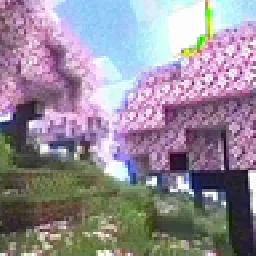 MC VHSShaders · 1.19 – 1.21
A relatively simple shader for minecraft, made to emulate the look of old VHS recordings.
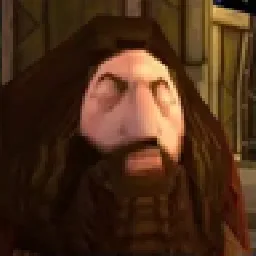 PSX ShaderShaders · 1.20 – 1.21
Simple shader, the goal is to imitate the look of the PSX Games.
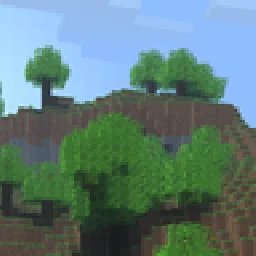 GenesisShaders · 1.20 – 1.21
A shader that looks exactly like Alpha Minecraft.
Log in to leave a review.