
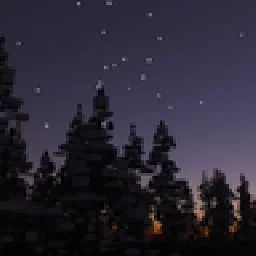
 Zephyr StarlightShaders · 1.21
Experimental real-time path traced shaderpack for Minecraft
Free19,277 downloads
Physically-Based Real-Time Path Traced Graphics.
Direct download from Modrinth · 46,794 downloads


Lyrae Shaders is a shader pack made by lucysir. Physically-Based Real-Time Path Traced Graphics.
It supports Minecraft 1.20 – 1.21. It has been downloaded 46,794 times on Modrinth. The last update came out on Jan 23, 2026.
Lyrae Shaders has had 5 releases on Modrinth since Nov 22, 2025. 5 of them came out in the past year. The newest is 0.1.0a, released on Jan 23, 2026. It is made for Minecraft 1.21 – 1.21.11. It runs on Iris. The download is 4.4 MB.
| Version | Released | Minecraft | Type |
|---|---|---|---|
0.1.0a | Jan 23, 2026 | 1.21 – 1.21.11 | Alpha |
0.0.4a | Dec 5, 2025 | 1.20 – 1.21.10 | Alpha |
0.0.3a | Nov 29, 2025 | 1.20 – 1.21.6 | Alpha |
0.0.2a | Nov 24, 2025 | 1.21.4 | Alpha |
0.0.1a | Nov 22, 2025 | 1.21.4 | Alpha |
Lyrae • Physically-Based Real-Time Path Traced Shaderpack
📌 NOTICE: This project is currently in very early alpha stages. Expect issues, visual artifacts and varying performance. I have a huge roadmap. I'd appreciate any kind of feedback and your support!
If you enjoy my shaderpack, you can support me & my studies here: Buy Me a Coffee ❤️
You can join the discord server here, share screenshots or provide feedback and report issues.
Lyrae supports LabPBR 1.3 standard. So make sure to use a resourcepack with LabPBR material support, here's a list of resourcepacks on shaderlabs site.
Written by lucysir. Read it with pictures on Modrinth.
Install Iris (with Sodium) or OptiFine for your Minecraft version: shaders need one of them.
Download the .zip file from Modrinth. Do not unzip it.
In Minecraft, open Options, then Video Settings, then Shader Packs, and click Open Shader Pack Folder.
Drop the .zip file into that folder, pick Lyrae Shaders in the list and click Done.
Shaders are heavy on the graphics card. If the game gets slow, pick a lower profile in the shader settings.
| Resource | Downloads | Versions | Last update | Price |
|---|---|---|---|---|
| Lyrae Shadersthe one you looked at | 47K | 1.20 – 1.21 | Jan 23, 2026 | Free |
| Zephyr StarlightKirilpro6284 | 19K | 1.21 | Feb 23, 2026 | Free |
 FS shadersroi.berezovsky | 3,334 | 26.x | Jul 30, 2026 | Free |
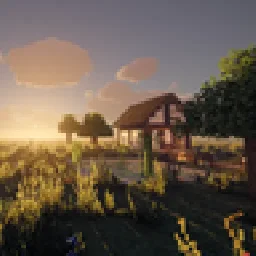 Medieval Realism Shadersdaviteleste | 629 | 26.x | 13 days ago | Free |
Not yet. The newest version it supports is Minecraft 1.21.
Yes. Lyrae Shaders is free to download from Modrinth.
Yes. The last update came out in the past day.
The closest ones are Zephyr Starlight, FS shaders and Medieval Realism Shaders. Compare all alternatives
Zephyr StarlightShaders · 1.21Experimental real-time path traced shaderpack for Minecraft
FS shadersShaders · 26.xCinematic shaders for Iris & OptiFine (1.21): physically-based scattering skies, soft sun/moon shadows, volumetric light, reflective water, waving foliage…
Medieval Realism ShadersShaders · 26.xGrounded, period-film lighting for Minecraft 26.3: physically based sky, soft shadows, flickering firelight, morning mist, fluffy volumetric clouds, wet stone…
 Altheon ShadersShaders · 1.20 – 26.x
Realistic shaders for Iris: colored block lighting that mixes and fills caves, volumetric clouds, a physically based sky with deep sunsets, soft shadows and…
 Photon Engine ShadersShaders · 1.20
Voxel ray-traced shaderpack with GI, ReSTIR lighting, real reflections, simulated clouds, a Bedrock RTX look and an anime mode.
 Lux V1Shaders · 1.8 – 26.x
Lux is a high fidelity Minecraft: Java Edition shader pack based on Capt Tatsu's BSL Shaders.
Log in to leave a review.