Scan your world with LiDAR . . .
Direct download from Modrinth · 27,783 downloads
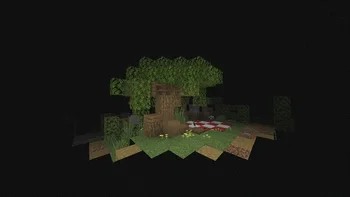
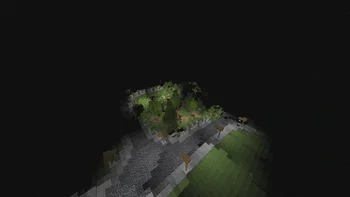
LiDAR-S is a shader pack made by LoLip_p. Scan your world with LiDAR . . .
It supports Minecraft 1.18 – 26.x. It has been downloaded 27,783 times on Modrinth. The last update came out on Aug 23, 2026.
LiDAR-S has had 2 releases on Modrinth since Dec 21, 2025. 2 of them came out in the past year. The newest is 1.0.1, released on Aug 23, 2026. It is made for Minecraft 1.18 – 26.3. It runs on Iris and Optifine. The download is 8 KB.
| Version | Released | Minecraft | Type |
|---|---|---|---|
1.0.1 | Aug 23, 2026 | 1.18 – 26.3 | Release |
1.0.0 | Dec 21, 2025 | 1.18 – 26.2 | Release |
[
EN 🌐
When you press SHIFT, LiDAR creates a 3D image of your world that you can walk around in. Your task is to scan your entire world . . .
RU 🐻
Когда вы нажимаете SHIFT, LiDAR создает 3D-изображение вашего мира, по которому вы можете передвигаться. Ваша задача — сканировать весь мир...
CH 🐉
按下SHIFT键时,LiDAR会生成可自由穿行的三维世界图像。你的任务是扫描整个世界……
DE 🍺
Wenn Sie die Umschalttaste drücken, erstellt LiDAR ein 3D-Bild Ihrer Umgebung, in dem Sie sich frei bewegen können. Ihre Aufgabe ist es, Ihre gesamte Umgebung zu scannen . . .
Written by LoLip_p. Read it with pictures on Modrinth.
Install Iris (with Sodium) or OptiFine for your Minecraft version: shaders need one of them.
Download the .zip file from Modrinth. Do not unzip it.
In Minecraft, open Options, then Video Settings, then Shader Packs, and click Open Shader Pack Folder.
Drop the .zip file into that folder, pick LiDAR-S in the list and click Done.
Shaders are heavy on the graphics card. If the game gets slow, pick a lower profile in the shader settings.
Full guide: How to install Minecraft shaders
Yes. LiDAR-S supports Minecraft 26.x. All supported versions: 26.x, 1.21, 1.20, 1.19, 1.18.
Yes. LiDAR-S is free to download from Modrinth.
Yes. The last update came out in the past day.
Log in to leave a review.
