
 Vanilish ShadersShaders · 1.8 – 1.21
A lightweight shader that adds a realistic, warm atmosphere and soft lighting to Minecraft while maintaining the vanilla style.
Free66,923 downloads

Grainy, distorted, analog atmosphere meets a lightweight shader crafted for content creators.
Direct download from Modrinth · 16,397 downloads


Found Footage is a shader pack made by xsoras. Grainy, distorted, analog atmosphere meets a lightweight shader crafted for content creators.
It supports Minecraft 1.17 – 26.x. It has been downloaded 16,397 times on Modrinth. The last update came out on Sep 12, 2026.
Found Footage has had 2 releases on Modrinth since Feb 27, 2026. 2 of them came out in the past year. The newest is 1.1, released on Sep 12, 2026. It is made for Minecraft 1.17 – 1.19.1. It runs on Iris and Optifine. The download is 12 KB.
| Version | Released | Minecraft | Type |
|---|---|---|---|
1.1 | Sep 12, 2026 | 1.17 – 1.19.1 | Release |
1.0.0 | Feb 27, 2026 | 1.17 – 26.1 | Release |
Found Footage turns Minecraft into something it was never meant to be.
Inspired by old VHS tapes and analog horror, this shader adds subtle film grain, light distortion, soft camera shake and atmospheric noise that reacts to darkness. Nights feel heavier. Caves feel deeper. Empty spaces feel… wrong.
It doesn’t change the gameplay.
It changes how it feels.
Torches flicker through the grain. Distant terrain fades into haze. The world looks like it was recorded on a damaged tape you weren’t supposed to find.
Perfect for horror maps, survival playthroughs, liminal builds or anyone who wants a more immersive, uneasy atmosphere — without destroying performance.
Written by xsoras. Read it with pictures on Modrinth.
Install Iris (with Sodium) or OptiFine for your Minecraft version: shaders need one of them.
Download the .zip file from Modrinth. Do not unzip it.
In Minecraft, open Options, then Video Settings, then Shader Packs, and click Open Shader Pack Folder.
Drop the .zip file into that folder, pick Found Footage in the list and click Done.
Shaders are heavy on the graphics card. If the game gets slow, pick a lower profile in the shader settings.
Full guide: How to install Minecraft shaders
| Resource | Downloads | Versions | Last update | Price |
|---|---|---|---|---|
| Found Footagethe one you looked at | 16K | 1.17 – 26.x | Sep 12, 2026 | Free |
| Vanilish ShadersTypon | 67K | 1.8 – 1.21 | Feb 16, 2026 | Free |
 RetrusEucloid | 61K | 1.18 – 1.20 | Mar 11, 2024 | Free |
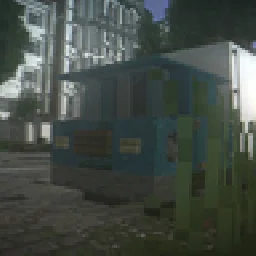 2KSSonicallGameX | 42K | 1.16 – 1.21 | Nov 6, 2025 | Free |
Yes. Found Footage supports Minecraft 26.x. All supported versions: 26.x, 1.21, 1.20, 1.19, 1.18, 1.17.
Yes. Found Footage is free to download from Modrinth.
Yes. The last update came out in the past day.
The closest ones are Vanilish Shaders, Retrus and 2KS. Compare all alternatives
Vanilish ShadersShaders · 1.8 – 1.21A lightweight shader that adds a realistic, warm atmosphere and soft lighting to Minecraft while maintaining the vanilla style.
RetrusShaders · 1.18 – 1.20A vanilla core "fabulous" shader that emulates the VHS/VCR found footage style seen in media such as the Kane Pixels backrooms series. Works on any version…
2KSShaders · 1.16 – 1.21A simple shader that changes the atmosphere of Minecraft to the camera footage from the early 2000s
 DreamFall ShadersShaders · 1.8 – 26.x
Immersive 90s analog horror & found footage VHS shaderpack for Minecraft
 performance shaderShaders · 1.21 – 26.x
Performance Shader is a lightweight Minecraft shader focused on improving lighting, sky appearance, water visuals, and overall atmosphere while keeping…
 Miniature ShaderShaders · 1.8 – 26.x
Extremely lightweight with shadows and reflections
Log in to leave a review.