
 Tricked ShadersShaders · 1.8 – 26.x
Based on Mellow Shader, a modified version to reduce brightness and make the game look better while maintaining good performance and vanilla feel.
Free95,467 downloads
modified version of Prismarine
Direct download from Modrinth · 10,668 downloads


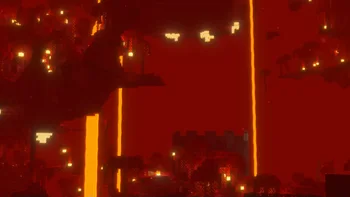
NightBloom is a shader pack made by Silly_Lily. modified version of Prismarine.
It supports Minecraft 1.21. It has been downloaded 10,668 times on Modrinth. The last update came out on Aug 30, 2025.
NightBloom has had 5 releases on Modrinth since May 1, 2025. None of them came out in the past year. The newest is 0.4, released on Aug 30, 2025. It is made for Minecraft 1.21 – 1.21.8. It runs on Iris. The download is 1.1 MB.
| Version | Released | Minecraft | Type |
|---|---|---|---|
0.4 | Aug 30, 2025 | 1.21 – 1.21.8 | Beta |
0.3.1 | Jul 10, 2025 | 1.21 – 1.21.7 | Alpha |
0.3 | May 7, 2025 | 1.21 – 1.21.5 | Alpha |
0.2 | May 2, 2025 | 1.21 – 1.21.5 | Alpha |
0.1 | May 1, 2025 | 1.21 – 1.21.5 | Alpha |
Prismarine shader edit with extra toggleable effects and a more vanilla look and feel
the added effects include:
a lot of changed default settings but those can be changed back (other than the water settings)
i also removed a few settings i deem not vanilla-like such as the aforementioned water settings as they didnt do anything after my changes
credits: Complementary v4 for the inspiration of the water
version 0.3 and up will include the Complementary Agreement 1.3 to respect their redistribution conditions
Written by Silly_Lily. Read it with pictures on Modrinth.
Install Iris (with Sodium) or OptiFine for your Minecraft version: shaders need one of them.
Download the .zip file from Modrinth. Do not unzip it.
In Minecraft, open Options, then Video Settings, then Shader Packs, and click Open Shader Pack Folder.
Drop the .zip file into that folder, pick NightBloom in the list and click Done.
Shaders are heavy on the graphics card. If the game gets slow, pick a lower profile in the shader settings.
Full guide: How to install Minecraft shaders
| Resource | Downloads | Versions | Last update | Price |
|---|---|---|---|---|
| NightBloomthe one you looked at | 11K | 1.21 | Aug 30, 2025 | Free |
| Tricked Shaderstricked33 | 95K | 1.8 – 26.x | Sep 6, 2026 | Free |
 Mellow 2.Oyour-friend | 22K | 1.20 – 26.x | Jul 29, 2026 | Free |
 Unbound Visual +CornXX | 15K | 1.21 – 26.x | 6 days ago | Free |
Not yet. The newest version it supports is Minecraft 1.21.
Yes. NightBloom is free to download from Modrinth.
Yes: Iris Shaders. Install it before NightBloom.
Yes. The last update came out in the past day.
The closest ones are Tricked Shaders, Mellow 2.O and Unbound Visual +. Compare all alternatives
Tricked ShadersShaders · 1.8 – 26.xBased on Mellow Shader, a modified version to reduce brightness and make the game look better while maintaining good performance and vanilla feel.
Mellow 2.OShaders · 1.20 – 26.xModified version of Mellow Shader with a Balanced profile for better performance on low-end PCs. Any suggestion OR other pack work just hit the comment. OR…
Unbound Visual +Shaders · 1.21 – 26.xUnbound Visual+ is a modified version of Complementary Unbound, featuring various added effects and visual enhancements.
Log in to leave a review.