
 Acid Shaders 1.5Shaders · 1.12 – 1.21
This is a minecraft shader pack that is a fan-made remaster of acid shaders, It has several different modes, and has a fast way to make your own custom…
Free95,388 downloads
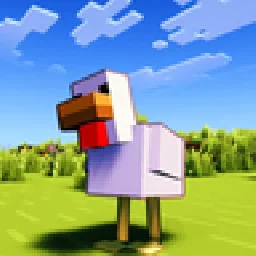
This Minecraft Shader Adds Custom Outlines to Every Mob!
Opens Modrinth · 9,993 downloads there


Contour Shaders is a shader pack made by Eleeter. This Minecraft Shader Adds Custom Outlines to Every Mob!
It supports Minecraft 1.16 – 26.x. It has been downloaded 9,993 times on Modrinth. The last update came out on Oct 18, 2026.
Contour Shaders has had 8 releases on Modrinth since Jun 5, 2026. 8 of them came out in the past year. The newest is 1.0.5, released on Oct 17, 2026. It is made for Minecraft 1.16.5 – 26.3. It runs on Iris and Optifine. The download is 512 KB.
| Version | Released | Minecraft | Type |
|---|---|---|---|
1.0.5 | Oct 17, 2026 | 1.16.5 – 26.3 | Release |
1.0.4.2 | Oct 9, 2026 | 1.16.5 – 26.3 | Release |
1.0.4.1 | Oct 4, 2026 | 1.16.5 – 26.3 | Release |
1.0.4 | Oct 2, 2026 | 1.16.5 – 26.3 | Release |
1.0.3 | Jun 23, 2026 | 1.16.5 – 26.1.2 | Release |
Contour Shaders brings the clean, vibrant outlines from official Minecraft trailers into the game.
Contour Shaders introduces dynamic, color-coded entity outlines to every mob, player, and dropped item in your world.
The outline color matches the mob instead of using a plain black border. For example, Creepers get a green outline and Cows get a brown one, similar to the style used in official Minecraft artwork.
Setting · What it does
Outline Thickness · How thick the outline appears
Outline Darkness · How dark the outline color is
Base Distance · Distance where thickness starts shrinking
Outline on Hand · Toggle outline on your held item
Rainbow Mode · Enable rainbow coloring on the outline
Rainbow Animated · Toggle animated or fixed hue
Rainbow Fixed Color · Pick a specific hue when animation is off
Rainbow Speed · How fast the rainbow cycles
Glowing Outline · Enable glowing outlines with a bloom effect, or use the normal dark outline
Glow Intensity · Adjust the brightness of the glow and strength of the bloom
Glow Smoothness · Adjust the smoothness of the glowing outline
For unreleased early access versions, bug reports, or community support, join the Discord server:
**Crafty Hub Discord**
Written by Eleeter. Read it with pictures on Modrinth.
Install Iris (with Sodium) or OptiFine for your Minecraft version: shaders need one of them.
Download the .zip file from Modrinth. Do not unzip it.
In Minecraft, open Options, then Video Settings, then Shader Packs, and click Open Shader Pack Folder.
Drop the .zip file into that folder, pick Contour Shaders in the list and click Done.
Shaders are heavy on the graphics card. If the game gets slow, pick a lower profile in the shader settings.
| Resource | Downloads | Versions | Last update | Price |
|---|---|---|---|---|
| Contour Shadersthe one you looked at | 9,993 | 1.16 – 26.x | 24 days ago | Free |
| Acid Shaders 1.5edhxhejs | 95K | 1.12 – 1.21 | Sep 14, 2024 | Free |
 Vanilish ShadersTypon | 66K | 1.8 – 1.21 | Feb 16, 2026 | Free |
 Lomborebi ShaderspauschaL | 8,617 | 1.18 – 26.x | Oct 9, 2026 | Free |
Yes. Contour Shaders supports Minecraft 26.x. All supported versions: 26.x, 1.21, 1.20, 1.19, 1.18, 1.17, 1.16.
Yes. Contour Shaders is free to download from Modrinth.
Yes. The last update came out in the past day.
The closest ones are Acid Shaders 1.5, Vanilish Shaders and Lomborebi Shaders. Compare all alternatives
Acid Shaders 1.5Shaders · 1.12 – 1.21This is a minecraft shader pack that is a fan-made remaster of acid shaders, It has several different modes, and has a fast way to make your own custom…
Vanilish ShadersShaders · 1.8 – 1.21A lightweight shader that adds a realistic, warm atmosphere and soft lighting to Minecraft while maintaining the vanilla style.
Lomborebi ShadersShaders · 1.18 – 26.xAn anime-inspired Minecraft shader pack featuring crisp cel-shaded block outlines, fluffy clouds, and glowing ores. It gives the game a vibrant, cozy…
 DAP ShadersShaders · 1.16 – 26.x
The best shader to exist! Adds a ton of new graphic elements to the game.
 Elysium ShadersShaders · 1.21 – 26.x
Elysium Shaders is a shader pack that adds soft shadows, pleasing colors, and natural phenomena.
 Samarium ShadersShaders · 1.21 – 26.x
Samarium Shaders is a custom, high-performance realistic shader pack built specifically for Minecraft Java Edition (supporting 1.21.11 and 26.2 using Fabric…
Log in to leave a review.