
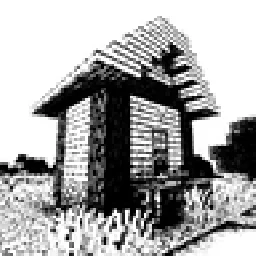
 Bitmap Vanilla ShaderShaders · 1.21 – 26.x
Renders the game with only the colors black and white (bitmap).
Free45,985 downloads
Renders your Minecraft world as Ascii Art in Vanilla Minecraft
Direct download from Modrinth · 8,368 downloads

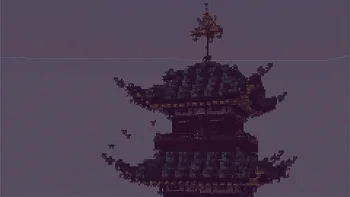
Ascii Text Renderer is a shader pack made by AlphaLeoli. Renders your Minecraft world as Ascii Art in Vanilla Minecraft.
It supports Minecraft 1.21 – 26.x. It has been downloaded 8,368 times on Modrinth. The last update came out on Oct 7, 2025.
Ascii Text Renderer has had 5 releases on Modrinth since Nov 22, 2024. None of them came out in the past year. The newest is 3.0.1, released on Oct 7, 2025. It is made for Minecraft 1.21.2 – 26.2. It runs on Minecraft. The download is 22 KB.
| Version | Released | Minecraft | Type |
|---|---|---|---|
3.0.1 | Oct 7, 2025 | 1.21.2 – 26.2 | Release |
3.0 | Aug 14, 2025 | 1.21.2 – 1.21.8 | Release |
2.0 | Aug 9, 2025 | 1.21.4 | Release |
1.1 | Nov 22, 2024 | 1.21, 1.21.1 | Beta |
1.0 | Nov 22, 2024 | 1.21.1 | Alpha |
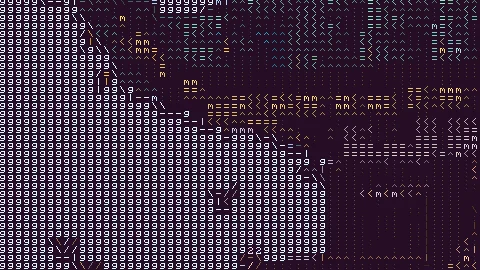
This is an example of the texture pack with the colors set to "minecraft" and "darkPurple" in the config.
The text may look blurry since the image is a lot smaller than ingame. To show you what the text looks like up close, this is a zoomed in look at a part of the above image.
This is more accurate to what you will see ingame. You will see it as sharp as this image, but you will still see the entire image filling up your whole screen.
This texture pack renders your game as ascii art in completely vanilla minecraft. No mods at all are required for this pack to work. However, YOU MUST HAVE GRAPHICS SET TO FABULOUS in your minecraft video settings.
The image above doesn't fully capture how it looks ingame due to scaling differences, so in order to see the pack in its full beauty you either need to look at the screenshot in fullscreen somehow or actually download the texture pack and look at it ingame.
If you have an issue, you can join my discord and ask in there. I also have frequent votes for my future texture packs, and take suggestions for packs.
Written by AlphaLeoli. Read it with pictures on Modrinth.
Install Iris (with Sodium) or OptiFine for your Minecraft version: shaders need one of them.
Download the .zip file from Modrinth. Do not unzip it.
In Minecraft, open Options, then Video Settings, then Shader Packs, and click Open Shader Pack Folder.
Drop the .zip file into that folder, pick Ascii Text Renderer in the list and click Done.
Shaders are heavy on the graphics card. If the game gets slow, pick a lower profile in the shader settings.
Full guide: How to install Minecraft shaders
| Resource | Downloads | Versions | Last update | Price |
|---|---|---|---|---|
| Ascii Text Rendererthe one you looked at | 8,368 | 1.21 – 26.x | Oct 7, 2025 | Free |
| Bitmap Vanilla ShaderEevee_17 | 46K | 1.21 – 26.x | Jul 23, 2026 | Free |
 Mr Pixel ShadersMatrakalero | 56 | 26.x | 7 days ago | Free |
Yes. Ascii Text Renderer supports Minecraft 26.x. All supported versions: 26.x, 1.21.
Yes. Ascii Text Renderer is free to download from Modrinth.
Yes. The last update came out in the past day.
Bitmap Vanilla ShaderShaders · 1.21 – 26.xRenders the game with only the colors black and white (bitmap).
Mr Pixel ShadersShaders · 26.xA pixelated shader based on vibrant visuals, mojang renders, and unique pixel based art
Log in to leave a review.