
 Traben's 3D armor modelsResource packs · 1.20 – 1.21
Makes vanilla armor 3D using ETF + EMF
Free302,513 downloads
New armor models and textures using EMF and ETF
Direct download from Modrinth · 306,029 downloads
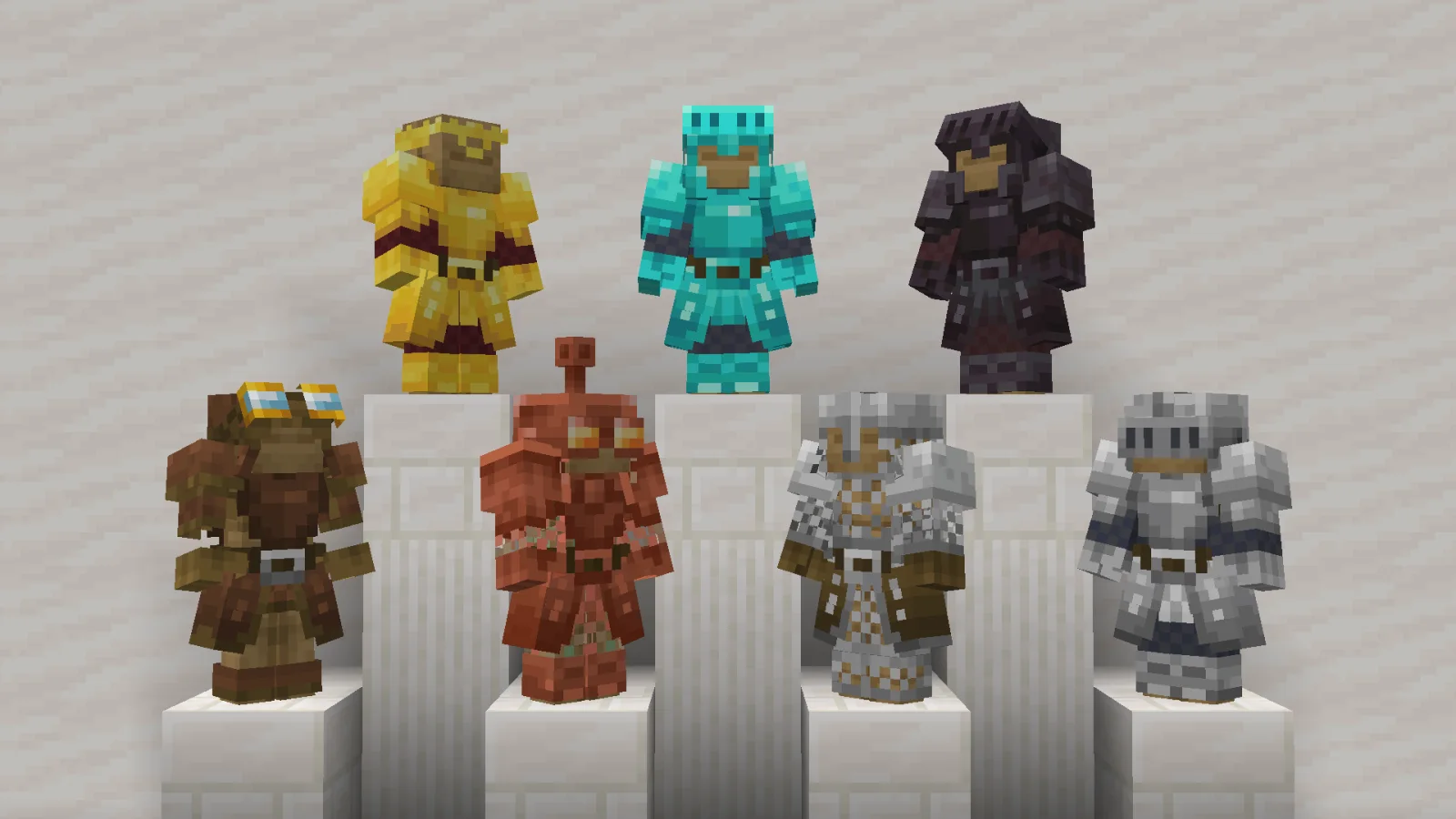
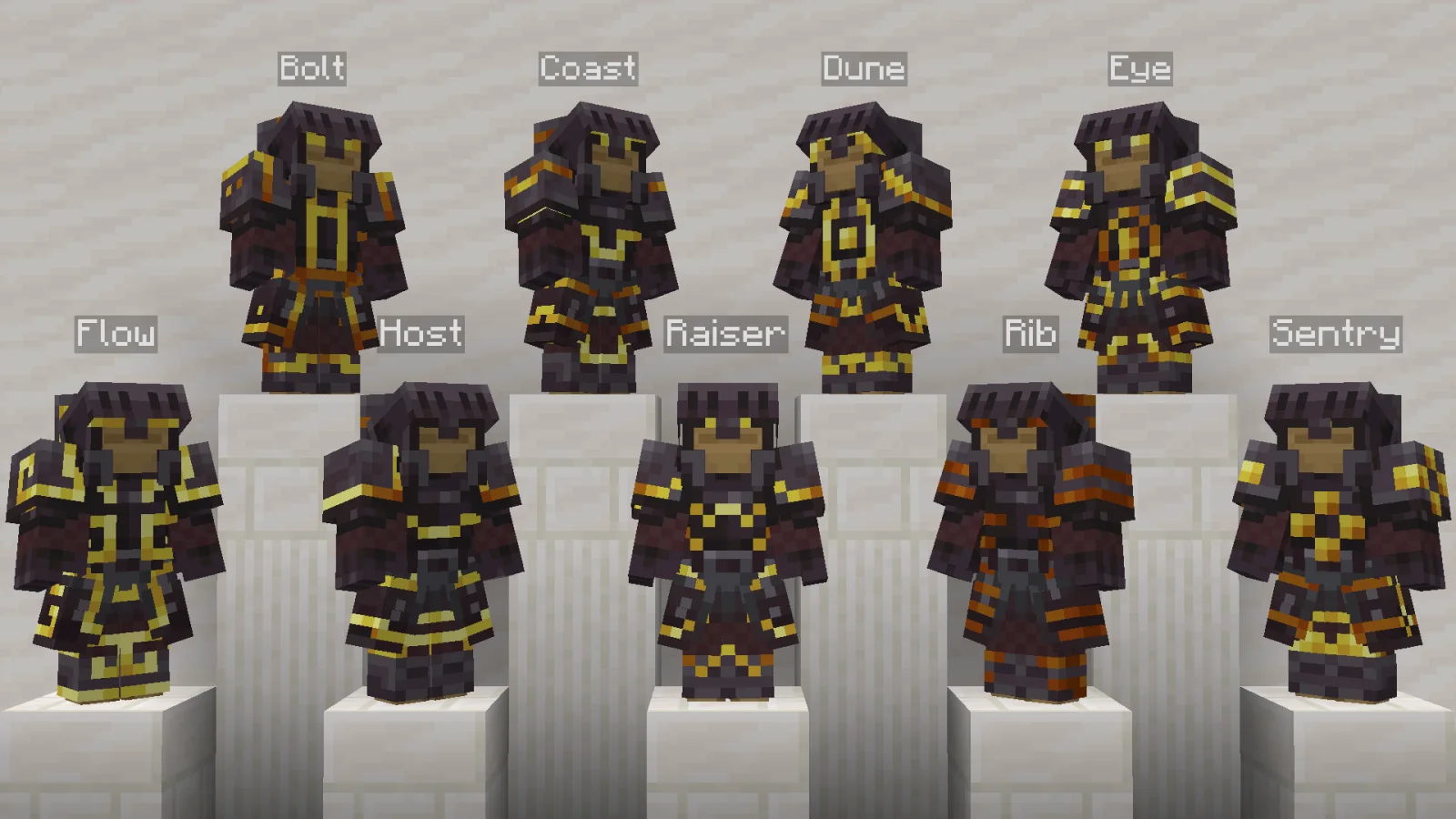
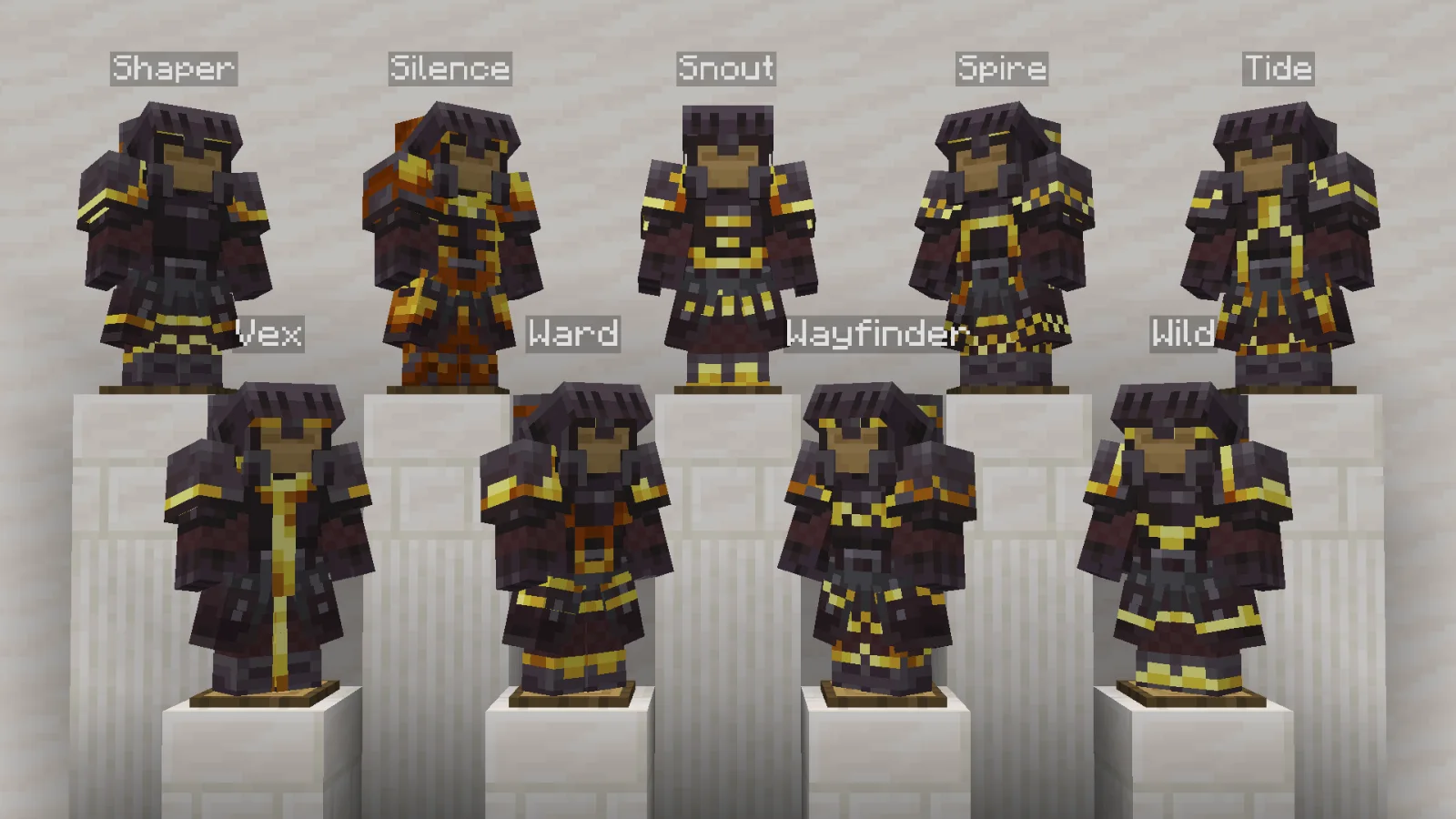
Armored Legacy is a resource pack made by mult1v4c. New armor models and textures using EMF and ETF.
It supports Minecraft 1.20 – 26.x. It has been downloaded 306,029 times on Modrinth. The last update came out on Oct 23, 2026.
Armored Legacy has had 17 releases on Modrinth since Aug 15, 2025. 12 of them came out in the past year. The newest is 1.6.0, released on Oct 23, 2026. It is made for Minecraft 1.20 – 1.21.1. It runs on Minecraft. The download is 1.2 MB.
| Version | Released | Minecraft | Type |
|---|---|---|---|
1.6.0 | Oct 23, 2026 | 1.20 – 1.21.1 | Release |
1.6.0 | Oct 23, 2026 | 1.21.2, 1.21.3 | Release |
1.6.0 | Oct 23, 2026 | 1.21.4 | Release |
1.6.0 | Oct 23, 2026 | 1.21.5 | Release |
1.6.0 | Oct 23, 2026 | 1.21.6 – 1.21.11 | Release |
Armored Legacy is a resource pack that revamps vanilla armor, giving it a powerful new look with custom models and textures using EMF and ETF. It supports vanilla-like armor trims, 3D item displays, and interchangeable helmets for Leather, Copper, Iron, Diamond, and Netherite!
Trimmed armor shows its trim in your hand, on the ground and in item frames, in the trim's real color.
Armored Legacy is compatible with all vanilla trims!
Respackopts. You can now change the default helmet style by installing Respackopts and changing it in the resource pack settings.
CIT (Custom Item Textures). You can use an anvil and rename Leather, Copper, Iron, Diamond, and Netherite Helmets to change their looks. Refer to the table below for possible options.
Variants CIT or CIT Resewn is required to be installed to work properly.
Default · Rename Option 1 · Rename Option 2
Leather Cap · Leather Goggles On · Leather Goggles Off
Copper Helmet · Copper Goggles On · Copper Goggles Off
Iron Helmet · Iron Visor Down · Iron Visor Up
Diamond Helmet · Diamond Visor Down · Diamond Visor Up
Netherite Helmet · Netherite Visor Down · Netherite Visor Up
This pack works with versions 1.20 until the latest version.
Make sure this pack is placed above any other resource packs to avoid conflicts.
As of 1.4.0, resource packs that change vanilla armor or add custom armor are now compatible!
But certain mods like Advanced Netherite may need extra compatibility due to how the textures are changed. If you'd like to create one for your favorite mod, please open a thread in the GitHub Issues page.
Please also check out my other pack Hardware Reforged! Fully compatible with Armored Legacy and is designed to be used together.
[](modrinth.com/resourcepack/hardware-reforged)
Armor Stand model used in previews is Fancy Armor Stand Resource Pack.
This resource pack is licensed under the Creative Commons Attribution-NonCommercial-NoDerivatives 4.0 International License (CC BY-NC-ND 4.0). See LICENSE for more information.
By downloading this resource pack, you agree to the terms below.
With this resource pack, you may:
With this resource pack, you may NOT:
If you have any feedback or find any errors or corrections, please report them on the GitHub Issues page.
If you appreciate the effort put into this pack, please consider supporting me on Ko-fi. Your support is greatly appreciated!
Written by mult1v4c. Read it with pictures on Modrinth.
Download the .zip file from Modrinth. Do not unzip it.
In Minecraft, open Options, then Resource Packs, then Open Pack Folder.
Drop the .zip file into that folder and go back to the game.
Move Armored Legacy to the right-hand list and click Done.
It is made for Minecraft 1.20 – 26.x. On other versions Minecraft marks it as incompatible, but it often still works.
Full guide: How to install Minecraft resource packs
| Resource | Downloads | Versions | Last update | Price |
|---|---|---|---|---|
| Armored Legacythe one you looked at | 306K | 1.20 – 26.x | 19 days ago | Free |
| Traben's 3D armor modelsTraben | 303K | 1.20 – 1.21 | Jul 6, 2024 | Free |
 Fresh Animations: EmissiveFreshLX | 1.9M | 1.16 – 26.x | 11 days ago | Free |
 Created Simple Storage NetworkMakzzin | 1.7M | 1.18 – 1.21 | Jul 8, 2023 | Free |
Yes. Armored Legacy supports Minecraft 26.x. All supported versions: 26.x, 1.21, 1.20.
Yes. Armored Legacy is free to download from Modrinth.
Yes: CIT Resewn, [ETF] Entity Texture Features, Variants-CIT, Respackopts, [EMF] Entity Model Features. Install it before Armored Legacy.
Yes. The last update came out in the past day.
The closest ones are Traben's 3D armor models, Fresh Animations: Emissive and Created Simple Storage Network. Compare all alternatives
Traben's 3D armor modelsResource packs · 1.20 – 1.21Makes vanilla armor 3D using ETF + EMF
Fresh Animations: EmissiveResource packs · 1.16 – 26.xMakes some Fresh Animations' textures emit light. An official FA extension.
Created Simple Storage NetworkResource packs · 1.18 – 1.21Created Storage Network is an Resource Pack that updates the textures of this incredible mod made by Lothrazar with the textures of another incredible mod by…
 Golden Days BaseResource packs · 1.16 – 26.x
Golden Days is a Minecraft resource pack meant to bring back old textures, lighting, names, and sounds from older versions of Minecraft, like Beta. Requires…
 Re-AppliedResource packs · 1.18 – 1.21
Re-Imagines the textures of Applied Energetics 2 to have a improved look than before
 Cozy BeesResource packs · 1.18 – 1.20
Bees in sweaters! 18 various warm and cozy bee textures! (optifine needed!)
Log in to leave a review.