
 EffectiveMods · 1.18 – 1.21
Fabric client-side mod designed to improve Minecraft's ambience through particles, visual effects and sounds
Free3,381,127 downloads
Extreme sound muffler is a client side mod that allows you to muffle sounds selectively.
Direct download from Modrinth · 5,220,387 downloads
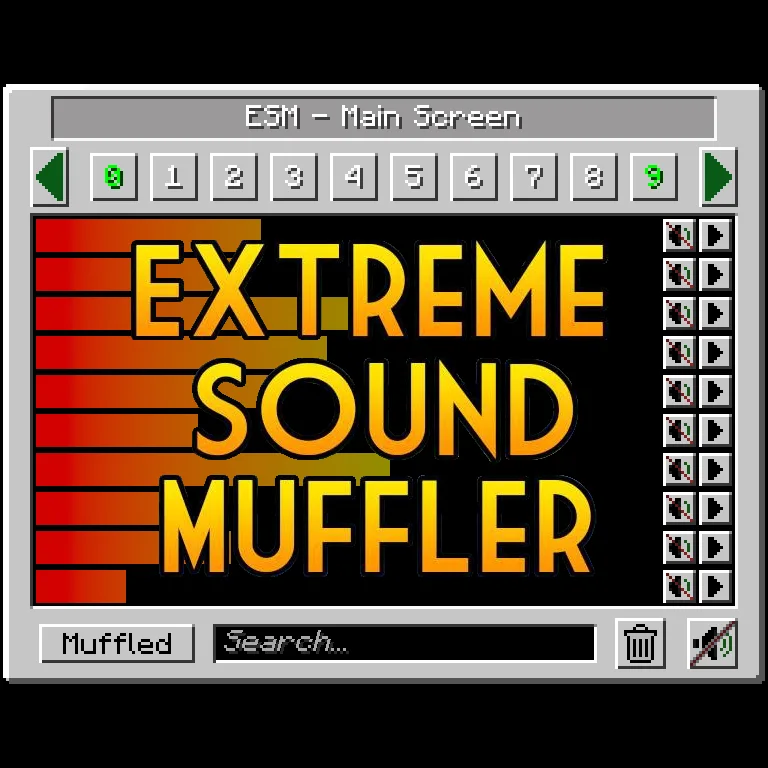
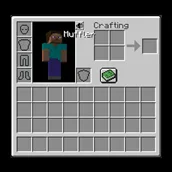
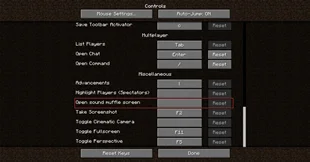
Extreme sound muffler is a mod made by LeoBeliik. Extreme sound muffler is a client side mod that allows you to muffle sounds selectively.
It supports Minecraft 1.18 – 26.x. It has been downloaded 5,220,387 times on Modrinth. The last update came out on Oct 2, 2026.
Extreme sound muffler has had 205 releases on Modrinth since Jun 7, 2022. 82 of them came out in the past year. The newest is 3.57-1.21.1, released on Oct 2, 2026. It is made for Minecraft 1.21.1. It runs on Fabric. The download is 464 KB.
| Version | Released | Minecraft | Type |
|---|---|---|---|
3.57-1.21.1 | Oct 2, 2026 | 1.21.1 | Release |
3.57-1.21.1 | Oct 2, 2026 | 1.21.1 | Release |
4.05-26.3 | Oct 2, 2026 | 26.3 | Release |
4.05-26.3 | Oct 2, 2026 | 26.3 | Release |
4.04-1.21.11 | Sep 22, 2026 | 1.21.11 | Release |
Forge Config file
Fabric Config file
[
](github.com/LeoBeliik/ExtremeSoundMuffler/issues)
[
](github.com/LeoBeliik/ExtremeSoundMuffler/blob/m…)
ESM is ClientSide only, installing it in the server will do nothing.
Written by LeoBeliik. Read it with pictures on Modrinth.
This mod runs only on your own game. Servers do not need it, so you can use it on any server.
Install Fabric, Forge and NeoForge for Minecraft 1.18 – 26.x.
Add the mods it needs: Fabric API.
Download the .jar file from Modrinth and put it in the mods folder of your .minecraft directory.
Start Minecraft with the Fabric profile.
Easier: in Prism Launcher or the Modrinth App, search for Extreme sound muffler in your instance's mods and click Install. It adds the loader and the mods it needs for you.
Full guide: How to install Minecraft mods
| Resource | Downloads | Versions | Last update | Price |
|---|---|---|---|---|
| Extreme sound mufflerthe one you looked at | 5.2M | 1.18 – 26.x | Oct 2, 2026 | Free |
| EffectiveLadysnake | 3.4M | 1.18 – 1.21 | Feb 23, 2025 | Free |
 Litematicamasa | 28M | 1.12 – 26.x | Sep 28, 2026 | Free |
 SoundsIMB11 | 19.9M | 1.20 – 26.x | Oct 4, 2026 | Free |
Yes. Extreme sound muffler supports Minecraft 26.x. All supported versions: 26.x, 1.21, 1.20, 1.19, 1.18.
Yes. Extreme sound muffler is free to download from Modrinth.
Client-side. Extreme sound muffler goes in your own mods folder and works on any server, including servers without mods.
Yes: Fabric API. Install it before Extreme sound muffler.
Yes. The last update came out in the past day.
The closest ones are Effective, Litematica and Sounds. Compare all alternatives
EffectiveMods · 1.18 – 1.21Fabric client-side mod designed to improve Minecraft's ambience through particles, visual effects and sounds
LitematicaMods · 1.12 – 26.xA client-side schematic mod with extra features for creative mode work
SoundsMods · 1.20 – 26.xIt's what it says on the tin. A complete upgrade to Minecraft's SFX with over 170 new sound effects for UIs, items, blocks and more.
 StendhalMods · 1.16 – 26.x
Stendhal is a client-side Fabric mod offering new and enhanced visual utilities for books, signs, anvil and the in-game chat.
 TweakerooMods · 1.12 – 26.x
Various client-side tweaks, such as hand restock, hotbar swap/cycle, flexible/fast block placement etc.
 Chat PatchesMods · 1.18 – 26.x
A Minecraft Fabric client-side mod that touches up a few aspects of Minecraft's mundane chat, with as much configurability as possible!
Log in to leave a review.