
 Super Duper VanillaShaders · 1.13 – 1.21
A shader pack created to convey the style of the cancelled Super Duper Graphics Pack and other popular Minecraft titles.
Free8,303,576 downloads
Make your Minecraft graphics render inverted
Direct download from Modrinth · 6,894 downloads
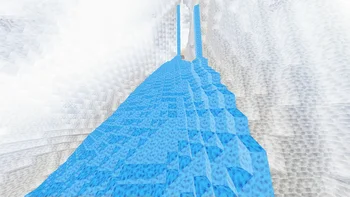


InvertColors-Shader is a shader pack made by laman28. Make your Minecraft graphics render inverted.
It supports Minecraft 1.8 – 1.21. It has been downloaded 6,894 times on Modrinth. The last update came out on Aug 22, 2024.
InvertColors-Shader has had 2 releases on Modrinth since Aug 11, 2024. None of them came out in the past year. The newest is 1.1.0, released on Aug 22, 2024. It is made for Minecraft 1.10 – 1.20.3. It runs on Iris and Optifine. The download is 18 KB.
| Version | Released | Minecraft | Type |
|---|---|---|---|
1.1.0 | Aug 22, 2024 | 1.10 – 1.20.3 | Release |
1.0.0 | Aug 11, 2024 | 1.10 – 1.20.3 | Release |
This is a shader pack that makes your minecraft graphics render in inverted colors.
It supports the default view fog of minecraft and it could toggle the rendering of light level of the blocks.
It supports OptiFine HD and IRIS Shader (1.1.0 supported iris shader, do not run 1.0.0 under iris shader because it will crash your game!)
It supports English and Chinese in shaderpack settings
Written by laman28. Read it with pictures on Modrinth.
Install Iris (with Sodium) or OptiFine for your Minecraft version: shaders need one of them.
Download the .zip file from Modrinth. Do not unzip it.
In Minecraft, open Options, then Video Settings, then Shader Packs, and click Open Shader Pack Folder.
Drop the .zip file into that folder, pick InvertColors-Shader in the list and click Done.
Shaders are heavy on the graphics card. If the game gets slow, pick a lower profile in the shader settings.
Full guide: How to install Minecraft shaders
| Resource | Downloads | Versions | Last update | Price |
|---|---|---|---|---|
| InvertColors-Shaderthe one you looked at | 6,894 | 1.8 – 1.21 | Aug 22, 2024 | Free |
| Super Duper VanillaEldeston | 8.3M | 1.13 – 1.21 | Jul 8, 2025 | Free |
 Vanilletix Shadersara_mat | 379K | 1.13 – 26.x | May 11, 2026 | Free |
 Bad Apple Shadersblryface | 115K | 1.8 – 26.x | Dec 11, 2025 | Free |
Not yet. The newest version it supports is Minecraft 1.21.
Yes. InvertColors-Shader is free to download from Modrinth.
Yes. The last update came out in the past day.
The closest ones are Super Duper Vanilla, Vanilletix Shaders and Bad Apple Shaders. Compare all alternatives
Super Duper VanillaShaders · 1.13 – 1.21A shader pack created to convey the style of the cancelled Super Duper Graphics Pack and other popular Minecraft titles.
Vanilletix ShadersShaders · 1.13 – 26.xA shader pack that is created to improve the graphics of your game, leaving it in vanilla style
Bad Apple ShadersShaders · 1.8 – 26.x[🚨WORKS ON EVERYTHING🚨] | A shader that makes the game render similarly to "Bad Apple".
 Outline ShaderShaders · 1.8 – 26.x
A shader based on the original style, which can add outline for game object and make the graphics more cartoonish
 VelocityShaders · 1.8 – 26.x
A higher performance shader forked from Mellow. Support low end and higher end builds. Even runs on integrated graphics!
 ASCII ShaderShaders · 1.8 – 1.21
A shader intended to make Minecraft render only with ASCII characters!
Log in to leave a review.