
 RAY TRACING POTATOShaders · 1.16 – 26.x
A performance-focused Minecraft shader with improved lighting, atmospheric fog, bloom, water visuals and shadows, designed with lower-end hardware in mind.
Free5,013 downloads
I improve the fog in Minecraft / Mejoro la niebla en Minecraft
Direct download from Modrinth · 3,524 downloads
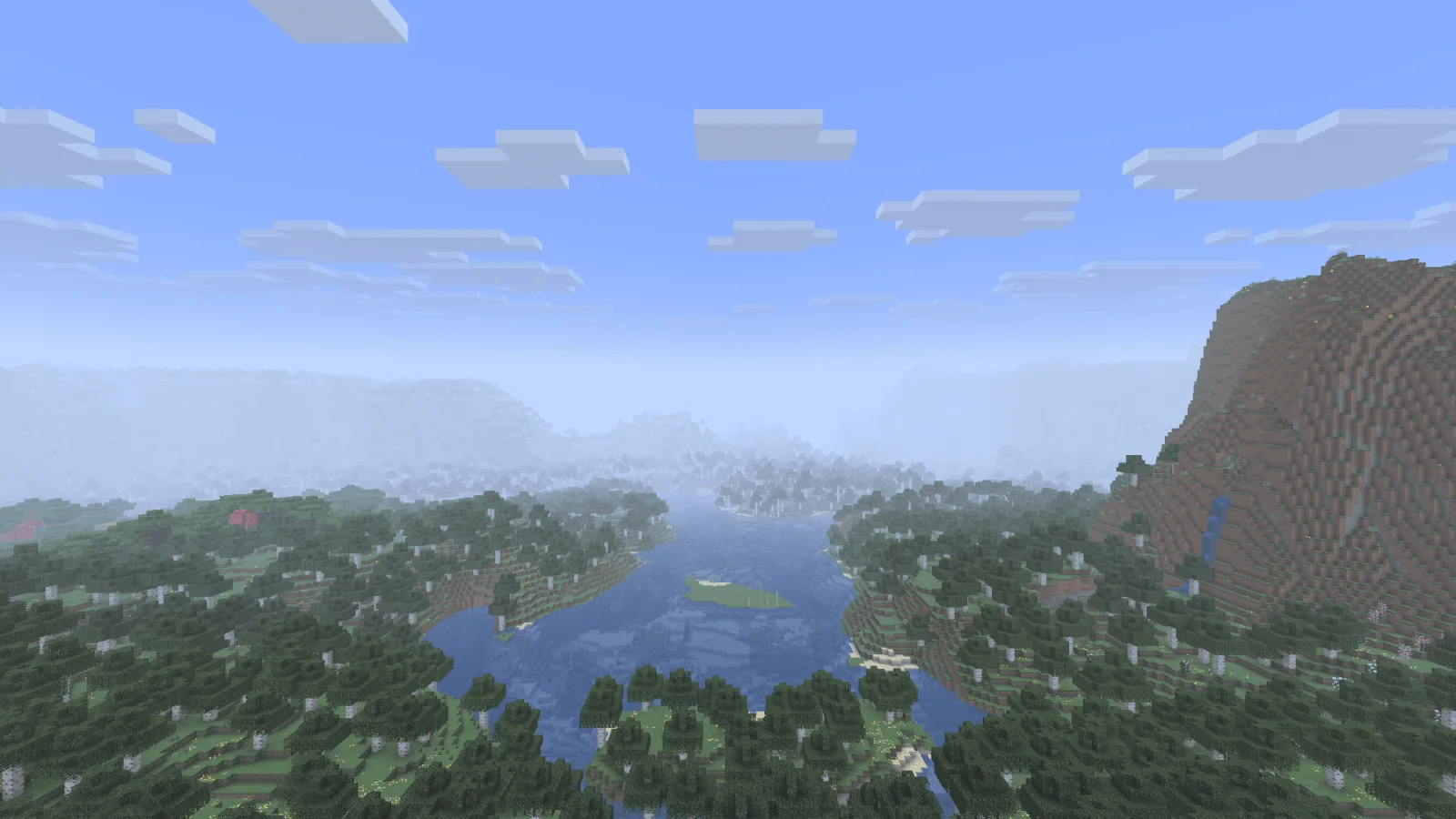
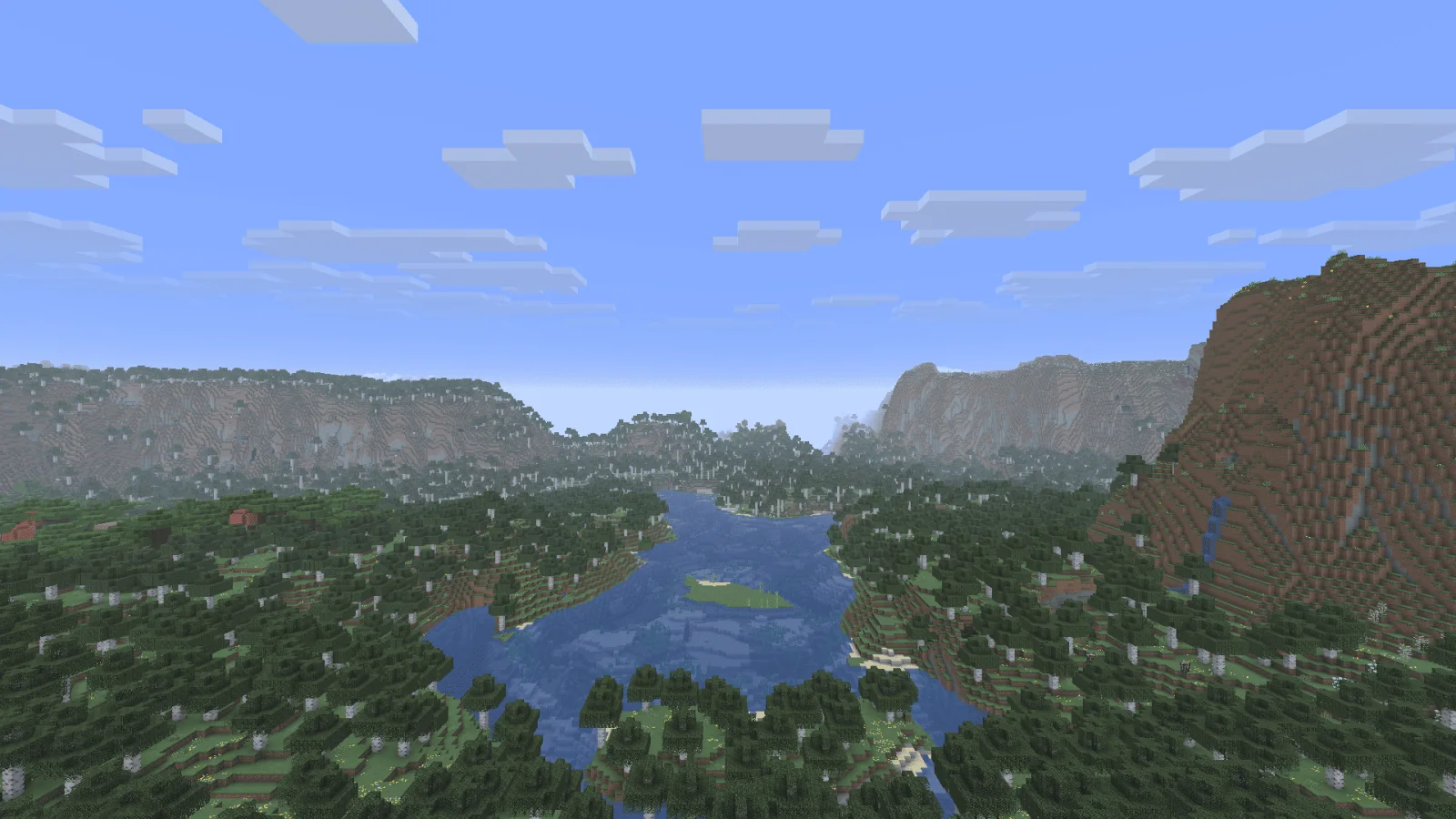
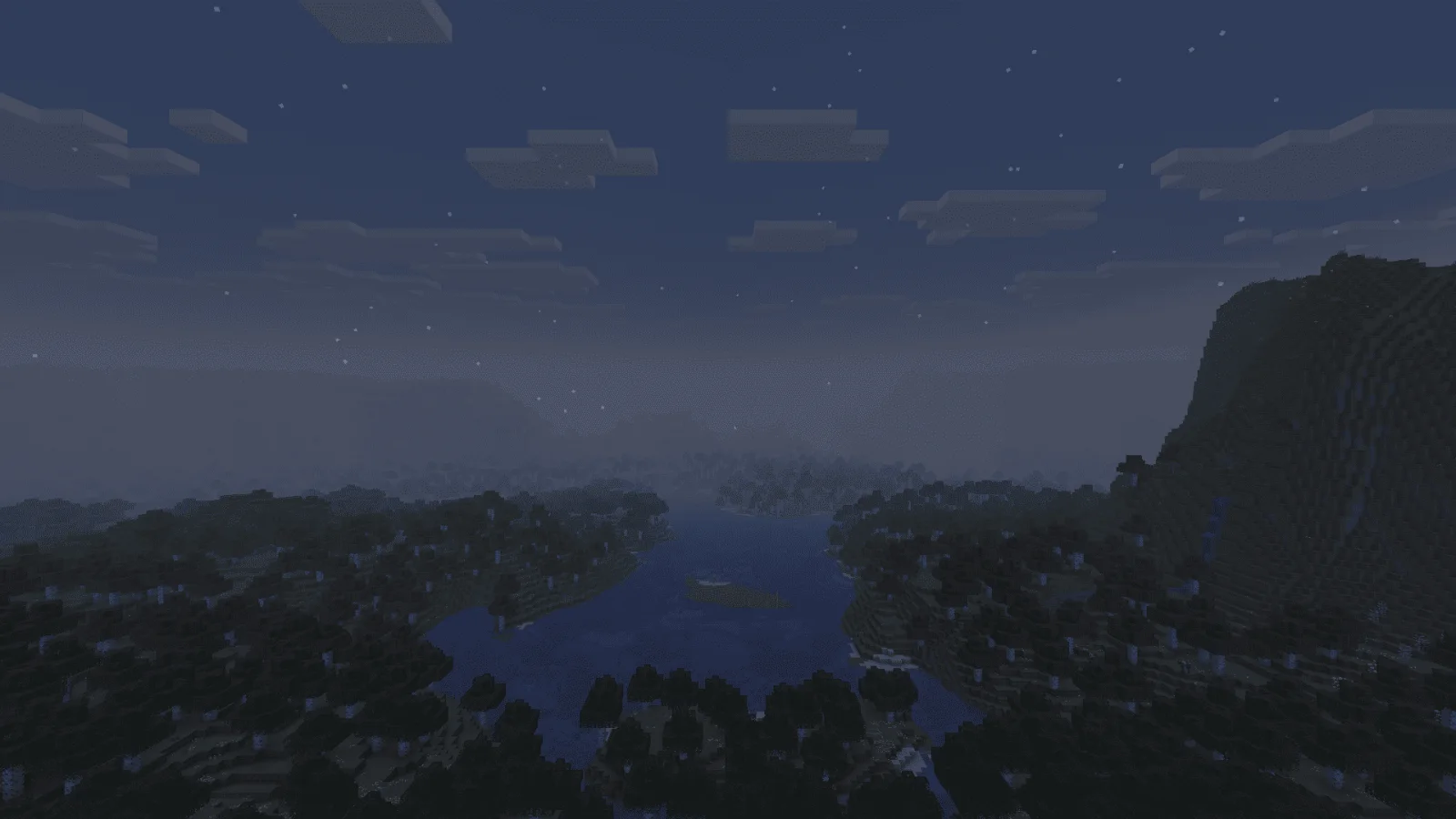
Javier's improved fog is a shader pack made by javierbendezuv. I improve the fog in Minecraft / Mejoro la niebla en Minecraft.
It supports Minecraft 1.21. It has been downloaded 3,524 times on Modrinth. The last update came out on Feb 28, 2026.
Javier's improved fog has had 2 releases on Modrinth since Aug 14, 2025. One of them came out in the past year. The newest is 2, released on Feb 28, 2026. It is made for Minecraft 1.21.9, 1.21.10, 1.21.11. It runs on Vanilla. The download is 220 KB.
| Version | Released | Minecraft | Type |
|---|---|---|---|
2 | Feb 28, 2026 | 1.21.9, 1.21.10, 1.21.11 | Release |
1 | Aug 14, 2025 | 1.21.6, 1.21.7, 1.21.8 | Release |
Javier's Improved Fog – Minecraft Java Shader
Javier's Improved Fog replaces Minecraft’s default fog system with a custom density curve for a more realistic and immersive visual experience.
Unlike vanilla fog, which can appear too close or fade abruptly, this shader delivers a smooth, natural transition.
Main Features:
Distant & soft fog – starts farther from the player, giving clear visibility nearby and gradual haze in the distance.
Custom progressive curve – almost linear at first, then smoothly blending into full fog, avoiding sharp cutoffs.
Enhanced realism – perfect for exploration and scenic builds.
Fully compatible with vanilla shaders and resource packs that don’t modify the fog core shader.
Recommended settings:
Set your render distance to 32 chunks for the best experience.
Installation:
Download the .zip file of Javier's Improved Fog.
Place it in your resourcepacks folder.
Enable it from Minecraft’s Resource Pack settings.
Enjoy a smooth and immersive fog effect.
Want to edit it?
I’ll leave a YouTube video link so you can customize it yourself.
Javier's Improved Fog – Shader para Minecraft Java
Javier's Improved Fog reemplaza el sistema de niebla predeterminado de Minecraft por una curva de densidad personalizada para una experiencia visual más realista e inmersiva.
A diferencia de la niebla vanilla, que puede aparecer demasiado cerca o desvanecerse bruscamente, este shader logra una transición suave y natural.
Características principales:
Niebla lejana y suave – comienza más lejos del jugador, manteniendo la visibilidad clara cerca y un velo gradual en la distancia.
Curva progresiva personalizada – casi lineal al inicio y suavizada hacia el final, evitando cortes bruscos.
Mayor realismo – ideal para exploración y construcciones panorámicas.
Totalmente compatible con shaders vanilla y packs de recursos que no modifiquen el shader base fog.
Ajustes recomendados:
Configura tu distancia de renderizado a 32 chunks para la mejor experiencia.
Instalación:
Descarga el archivo .zip de Javier's Improved Fog.
Colócalo en tu carpeta resourcepacks.
Actívalo desde el menú de Paquetes de Recursos de Minecraft.
Disfruta de un efecto de niebla suave e inmersivo.
¿Quieres editarlo?
Te dejaré un enlace a un video de YouTube para que puedas personalizarlo a tu gusto.
Written by javierbendezuv. Read it with pictures on Modrinth.
Install Iris (with Sodium) or OptiFine for your Minecraft version: shaders need one of them.
Download the .zip file from Modrinth. Do not unzip it.
In Minecraft, open Options, then Video Settings, then Shader Packs, and click Open Shader Pack Folder.
Drop the .zip file into that folder, pick Javier's improved fog in the list and click Done.
Shaders are heavy on the graphics card. If the game gets slow, pick a lower profile in the shader settings.
Full guide: How to install Minecraft shaders
Not yet. The newest version it supports is Minecraft 1.21.
Yes. Javier's improved fog is free to download from Modrinth.
Yes. The last update came out in the past day.
RAY TRACING POTATOShaders · 1.16 – 26.xA performance-focused Minecraft shader with improved lighting, atmospheric fog, bloom, water visuals and shadows, designed with lower-end hardware in mind.
Log in to leave a review.