
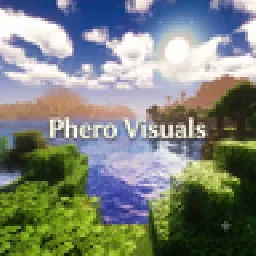
 Phero VisualsShaders · 1.16 – 26.x
Phero Visuals Minecraft shader pack featuring vibrant lighting, realistic water, dynamic skies, soft shadows, cinematic atmosphere, and optimized performance…
Free8,812 downloads
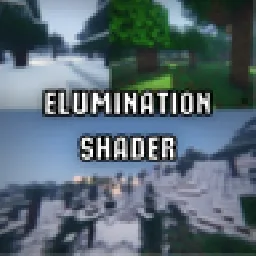
Cinematic and realistic shaderpack with a signature soft glow lens look, soft shadows, ACES tonemapping and graphics presets from Potato to Ultra. Requires…
Direct download from Modrinth · 50 downloads

Elumination Shader is a shader pack made by elip124. Cinematic and realistic shaderpack with a signature soft glow lens look, soft shadows, ACES tonemapping and graphics presets from Potato to Ultra. Requires…
It supports Minecraft 1.21. It has been downloaded 50 times on Modrinth. The last update came out on Nov 11, 2026.
The newest is 1.0.0, released on Nov 2, 2026. It is made for Minecraft 1.21.1 – 1.21.11. It runs on Iris. The download is 11 KB.
| Version | Released | Minecraft | Type |
|---|---|---|---|
1.0.0 | Nov 2, 2026 | 1.21.1 – 1.21.11 | Release |
Elumination Shader Illuminate every frame. A cinematic shaderpack for Minecraft.
The game as if it were filmed through a vintage lens.
Feedback and bug reports are welcome in the comments.
Written by elip124. Read it with pictures on Modrinth.
Install Iris (with Sodium) or OptiFine for your Minecraft version: shaders need one of them.
Download the .zip file from Modrinth. Do not unzip it.
In Minecraft, open Options, then Video Settings, then Shader Packs, and click Open Shader Pack Folder.
Drop the .zip file into that folder, pick Elumination Shader in the list and click Done.
Shaders are heavy on the graphics card. If the game gets slow, pick a lower profile in the shader settings.
Full guide: How to install Minecraft shaders
| Resource | Downloads | Versions | Last update | Price |
|---|---|---|---|---|
| Elumination Shaderthe one you looked at | 50 | 1.21 | 6 hours ago | Free |
| Phero VisualsDark_PixelForge | 8,812 | 1.16 – 26.x | 4 days ago | Free |
 MaxRealstic ShaderTaeVersePlayz | 15K | 1.16 – 26.x | Jul 31, 2026 | Free |
 Potato Lite ShaderPotatoPCstudios | 6,930 | 26.x | 11 days ago | Free |
Not yet. The newest version it supports is Minecraft 1.21.
Yes. Elumination Shader is free to download from Modrinth.
Yes: Iris Shaders. Install it before Elumination Shader.
Yes. The last update came out in the past day.
The closest ones are Phero Visuals, MaxRealstic Shader and Potato Lite Shader. Compare all alternatives
Phero VisualsShaders · 1.16 – 26.xPhero Visuals Minecraft shader pack featuring vibrant lighting, realistic water, dynamic skies, soft shadows, cinematic atmosphere, and optimized performance…
MaxRealstic ShaderShaders · 1.16 – 26.xUltra-realistic Minecraft shader with animated foliage, dynamic water, realistic lighting, cinematic skies, and optimized performance.
Potato Lite ShaderShaders · 26.xUltra-lightweight shaderpack for low-end PCs with waving foliage, optimized performance, and zero lag.
 Ultra Lite ShadowsShaders · 1.20 – 1.21
A high performence and low-end/potato pc friendly shader pack.
 EchoShiftShaders · 1.20 – 26.x
EchoShift is a cinematic Minecraft Java shader that makes the world feel more alive with realistic lighting, clearer skies, softer shadows, moving foliage…
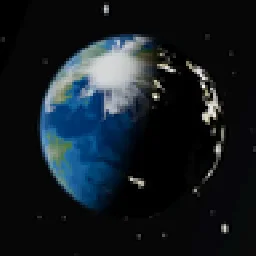 Ultra Realistic PBR Shader PackShaders · 1.16 – 26.x
A next-gen physically-based shader pack with dynamic celestial mechanics, a photorealistic rotating Earth in The End, and filmic ACES color science.
Log in to leave a review.