
 Remodeled Doors 3DResource packs · 1.19 – 26.x
Makes all the doors and trapdoors have 3D models. Changes the model and the item within the GUI.
Free238,334 downloads

Provides an in-game brewing guide within the "Brewing Stand" UI.
Direct download from Modrinth · 130,911 downloads
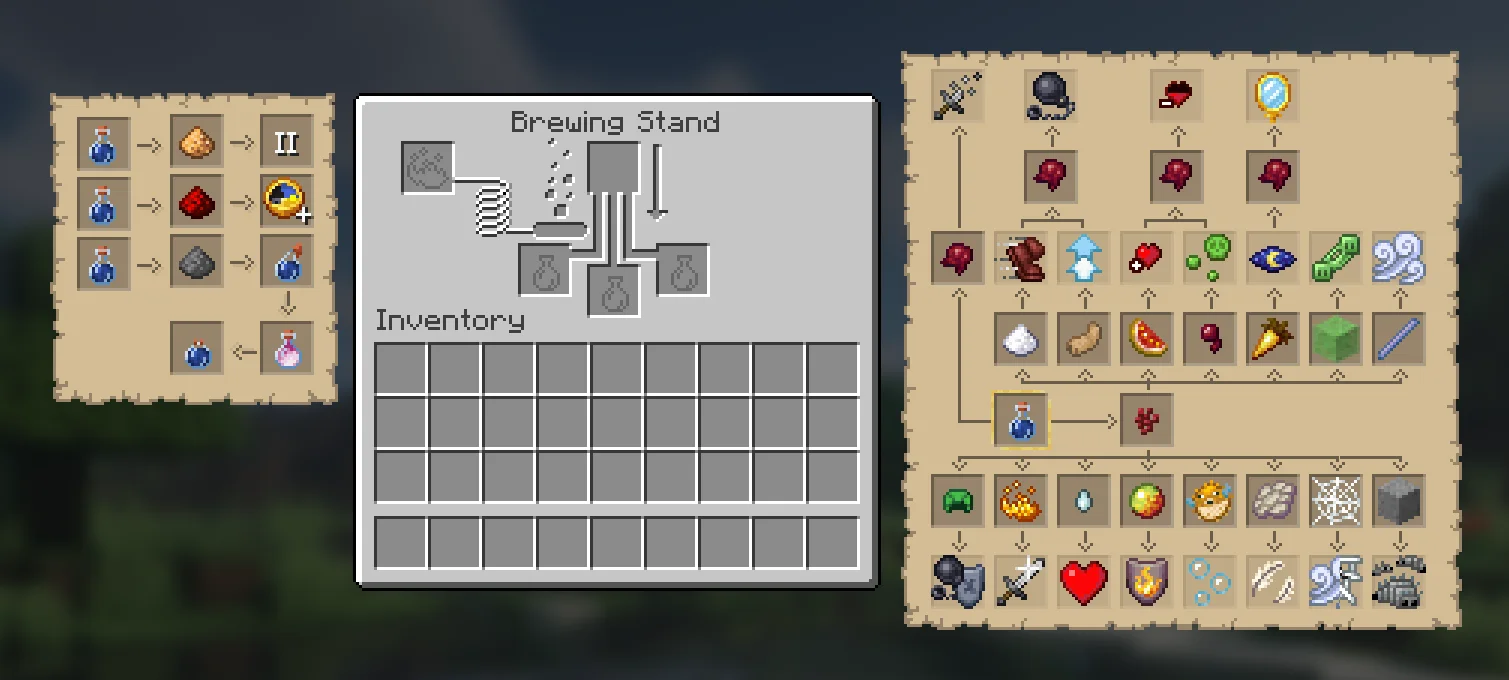
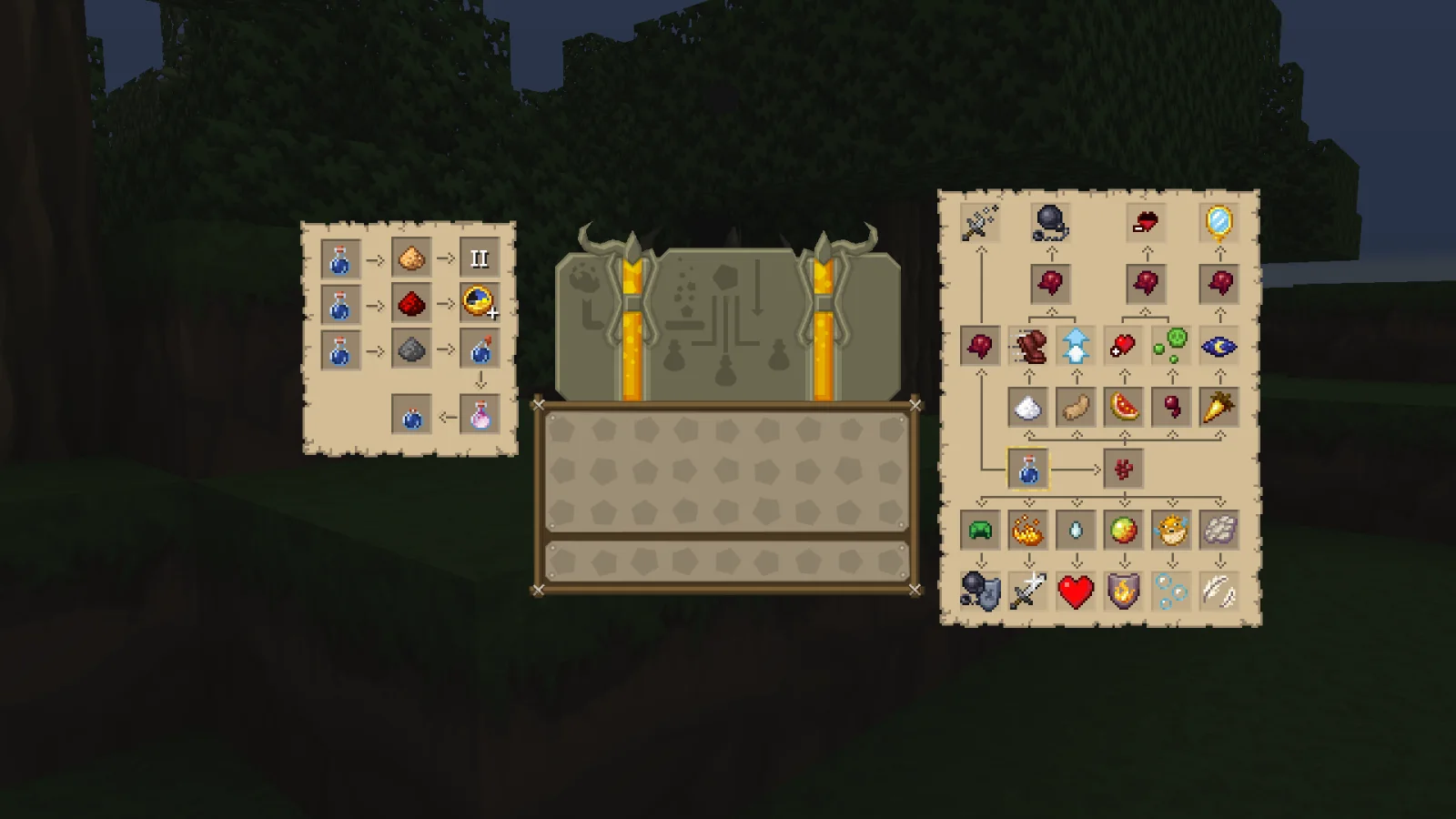
In-Game Brewing Guide is a resource pack made by PINPAL. Provides an in-game brewing guide within the "Brewing Stand" UI.
It supports Minecraft 1.18 – 1.21. It has been downloaded 130,911 times on Modrinth. The last update came out on Feb 11, 2025.
In-Game Brewing Guide has had 5 releases on Modrinth since Mar 18, 2024. None of them came out in the past year. The newest is 1.21.4, released on Feb 10, 2025. It is made for Minecraft 1.21.1 – 1.21.4. It runs on Minecraft. The download is 53 KB.
| Version | Released | Minecraft | Type |
|---|---|---|---|
1.21.4 | Feb 10, 2025 | 1.21.1 – 1.21.4 | Release |
1.21 | Oct 21, 2024 | 1.20 – 1.21.1 | Release |
1.19 | Mar 18, 2024 | 1.19, 1.19.1, 1.19.2 | Release |
1.18 | Mar 18, 2024 | 1.18, 1.18.1, 1.18.2 | Release |
1.20 | Mar 18, 2024 | 1.20 – 1.20.4 | Release |
Provides an in-game brewing guide within the "Brewing Stand" UI. I hope this resource pack can help you to remember potion recipes without having to open the Wiki everytime.
When Mojang added the Resource Book, they didn't add one for the brewing stand. This resource pack aims to fix that.
This pack is compatible with any other resource pack without interfering. See the "Images" tab for further information.
Special thanks to the VanillaTweaks team for the concept of using special ASCI characters in order to display custom textures inside of UI.
Written by PINPAL. Read it with pictures on Modrinth.
Download the .zip file from Modrinth. Do not unzip it.
In Minecraft, open Options, then Resource Packs, then Open Pack Folder.
Drop the .zip file into that folder and go back to the game.
Move In-Game Brewing Guide to the right-hand list and click Done.
It is made for Minecraft 1.18 – 1.21. On other versions Minecraft marks it as incompatible, but it often still works.
Full guide: How to install Minecraft resource packs
| Resource | Downloads | Versions | Last update | Price |
|---|---|---|---|---|
| In-Game Brewing Guidethe one you looked at | 131K | 1.18 – 1.21 | Feb 11, 2025 | Free |
| Remodeled Doors 3DEcorn | 238K | 1.19 – 26.x | Oct 9, 2026 | Free |
 1.18 Panoramaewanhowell5195 | 143K | 1.20 – 26.x | Sep 16, 2026 | Free |
 Recolourful Containers GUI + HUDVi_Tul | 4.3M | 1.19 – 26.x | Oct 1, 2026 | Free |
Not yet. The newest version it supports is Minecraft 1.21.
Yes. In-Game Brewing Guide is free to download from Modrinth.
Yes. The last update came out in the past day.
The closest ones are Remodeled Doors 3D, 1.18 Panorama and Recolourful Containers GUI + HUD. Compare all alternatives
Remodeled Doors 3DResource packs · 1.19 – 26.xMakes all the doors and trapdoors have 3D models. Changes the model and the item within the GUI.
1.18 PanoramaResource packs · 1.20 – 26.xBring the 1.18 panorama into other game versions
Recolourful Containers GUI + HUDResource packs · 1.19 – 26.xDo you want more immersive, more interesting, more colourful GUIs and HUD? Than this pack is for you!
A Minecraft resource pack that adds 3D music disc models!
 Ben's BundlesResource packs · 1.20 – 26.x
3D Bundle item in hand while keeping the vanilla 2D sprite in the GUI
 Vanilla-PlusResource packs · 1.16 – 26.x
smooth rework of vanilla textures, with focus on tools, “standard survival” items, particles and more
Log in to leave a review.